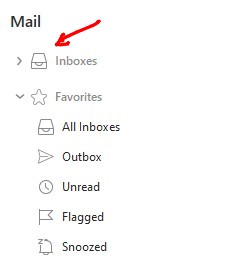
There is literally NO workaround to quickly access different inboxes. How is this possible? This is the most important feature for a bunch of users as far as I’m concerned.
You can eg: hover your mouse at the very top left of eM Client “on the right of the heading Mail” and you will see a search  appear which is a “Jump to folder” where you can type eg: Inbox and it will then show you all your various account Inboxes to then click on whatever one you want to go straight there that might help you with this issue.
The jump to folder will also be implemented on the mobile app later as per this post thread.
Or as @Michal_Burger advised in his post below press (G) Go to folder will also currently work on th desktop to jump quickly to any account Inbox and works fine for me personally for my own multiple accounts Inboxes.
Or lastly you can also enable in Settings to show all your various account Inboxes “at the very top of eM Client” to also jump quickly to your specific account Inboxes as in the example screenshot below. No shortcut then required. One mouse click.