Good morning. I need to report two problems that are occurring frequently.
The first issue is as follows: emails are intermittently failing to arrive in the client, yet they are present on the Aruba cloud; the settings are correct, and the test passes. The PC client downloads them only during the initial setup and stops downloading them thereafter, although sending emails still works fine.
The second problem is similar: at a certain point, incoming emails immediately disappear—they get deleted and can no longer be found anywhere. Everything only works again after reinstalling the program and changing the database folder.
The first issue is as follows: emails are intermittently failing to arrive in the client, yet they are present on the Aruba cloud; the settings are correct, and the test passes. The PC client downloads them only during the initial setup and stops downloading them thereafter.
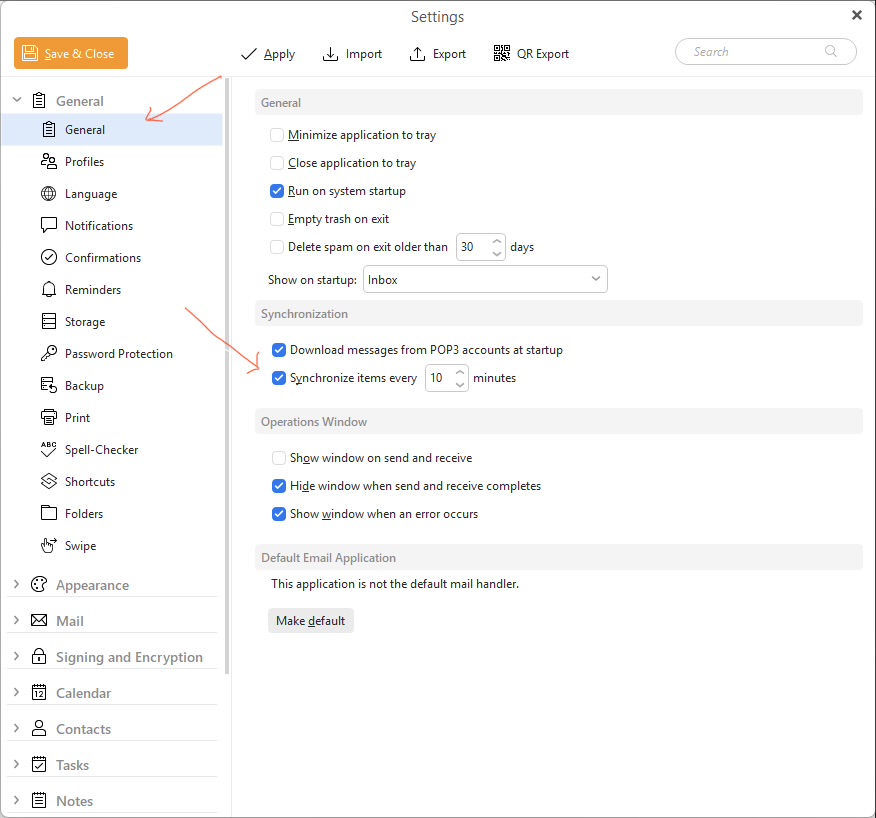
After the initial check for Mail on startup, could be your automatic send and receive time is too long.
So go to “Menu / Settings / General / General” and see what Synchronise items time you have set as in the below V10 example.
If mail doesn’t sync after the set synchronising time in Settings, then could be possibly a eg: resident background program interferring. So if you have any eg: optionally installed firewall / security programs or optionally installed antivirus programs or vpns “other than what comes default with your OS” then try completely disabling those to test.
The second problem is at a certain point, incoming emails immediately disappear.
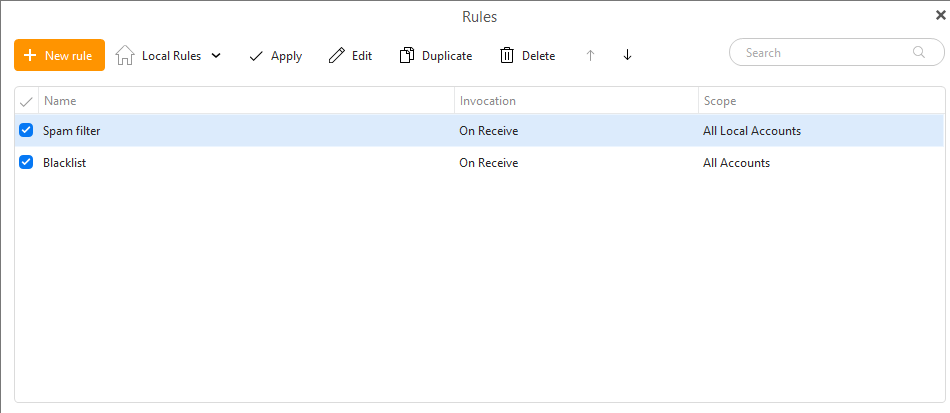
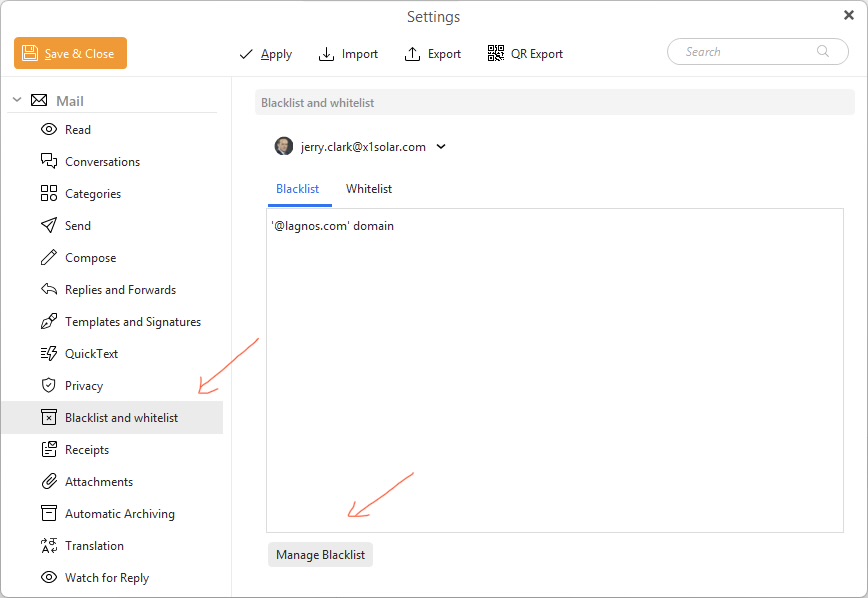
If emails disappear from your Inbox after they arrive, then “you might have a rule setup” to to automatically move them to another folder. Or you might have possibly accidentally blacklisted the sender/s which is then goes to the Junkmail.
So first go to “Menu / Rules” and see if you have accidentally added those senders to rules which might then be going to the junk folder or trash folder. You can dbl-click the rules to view them apart from the basic spam rule at the top.
If you have V10 also go to “Menu / Settings / Mail / Blacklist and Whitelist” snd click “Manage Blacklist” at the bottom to see if you have accidentally added the sender/s in there.
Thanks, but that isn’t the issue; the mail doesn’t download even when performing a manual sync, so the timing is irrelevant. There are no rules involved, and these are fresh installations on multiple different PCs using different accounts. I am awaiting further explanations from the email team.