I use Version 10.4.5326 (97a2e75) of the eM Client to sync with a outlook.com account. Since some weeks I have the following problem: If I create a new calendar event with “no reminder” set in the eM Client, this event gets a reminder of 15 Min before event in the webclient of outlook.com. Changing a reminder setting of an existing event with a reminter setting of any time to “no reminder” in eM Client does not chage the reminder setting seen in the webclient. Changing the reminder setting of an existing event to any time exept “no reminder” or a new envent with any reminder setting other than “no reminder” set in eM Client is synced correctly to outlook.com. A new event or a change of any reminder setting in the web interface of outlook.com ist synced correctly to eM Client. So setting or changing a reminder of an event to “no reminder” in eM Client seams not to be syced to outlook.com. All other changes are syced correctly in both directions.
Can you screenshot your event so we can try to replicate it and blank out anything personal.
Hi cyberzork
Here the requestetd printscreens:
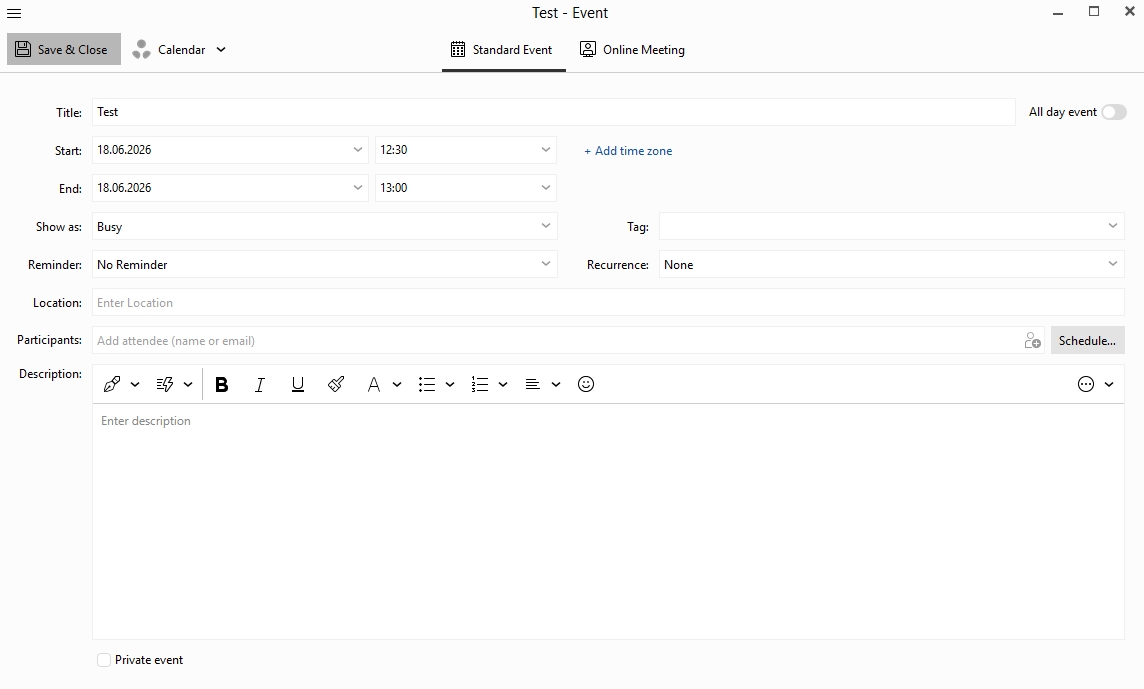
Set an event in eM Client with no reminder (save and close pressed)
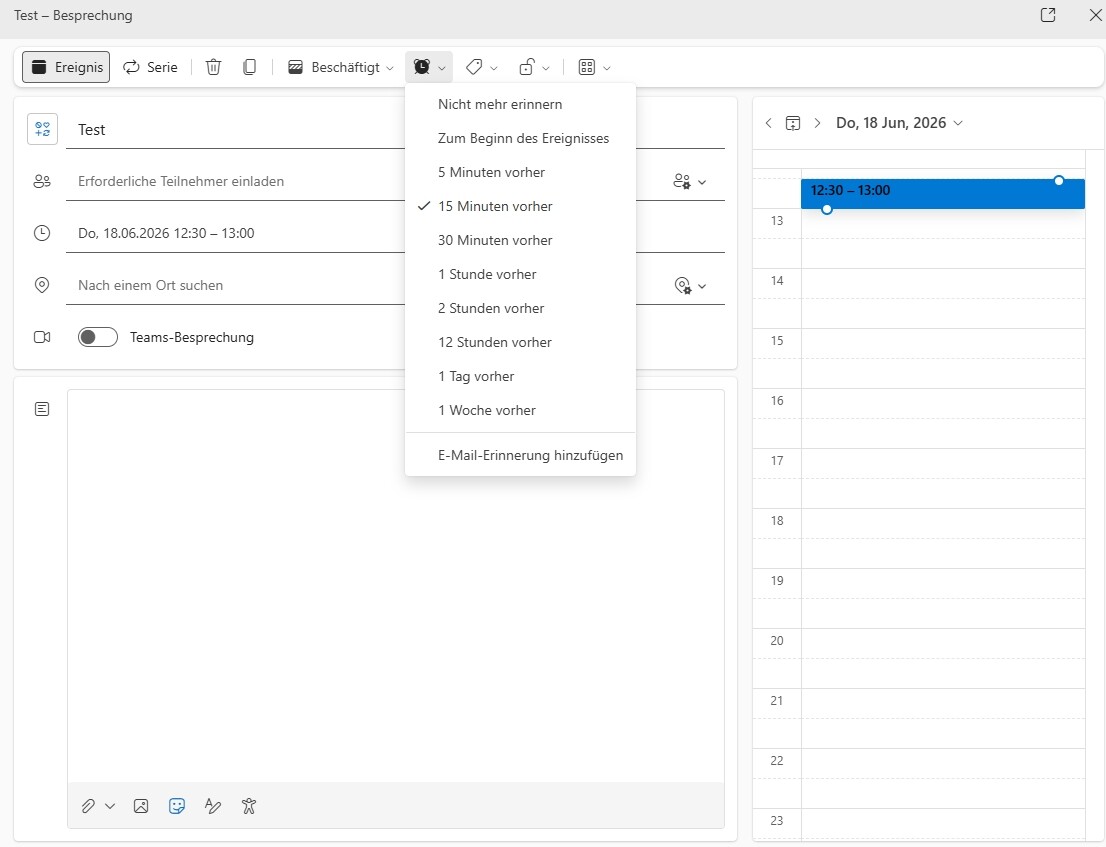
How it is seen in webclient of outlook.com (15 min before event
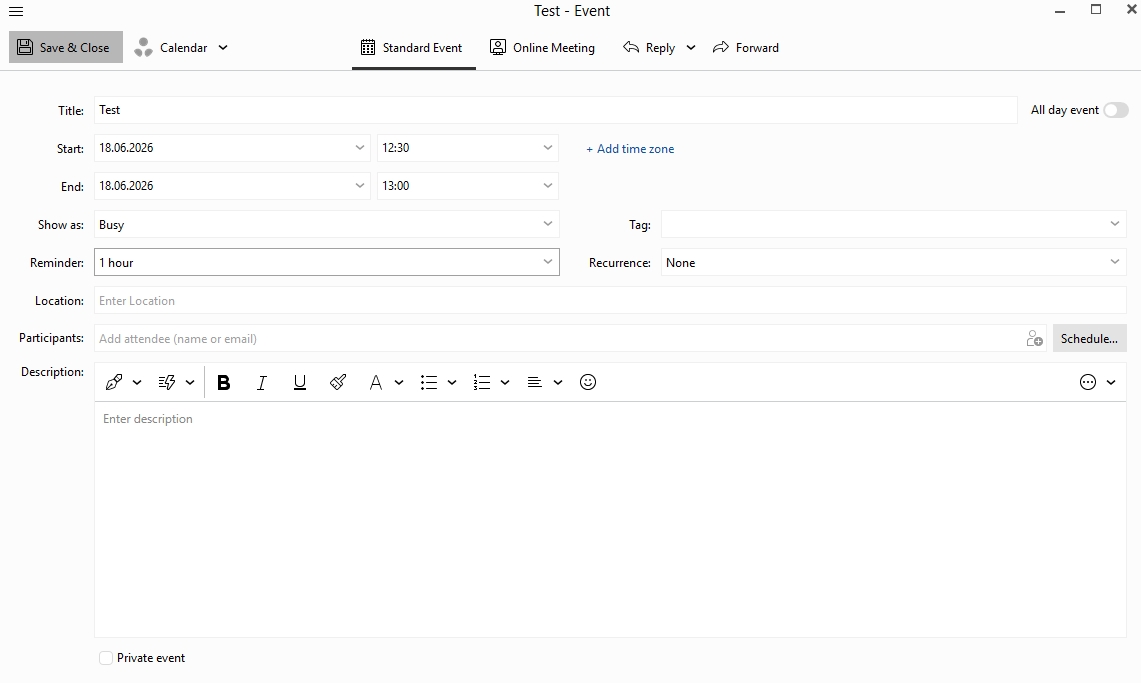
Change the reminder to 1 hours before event in em Client (save and close pressed)
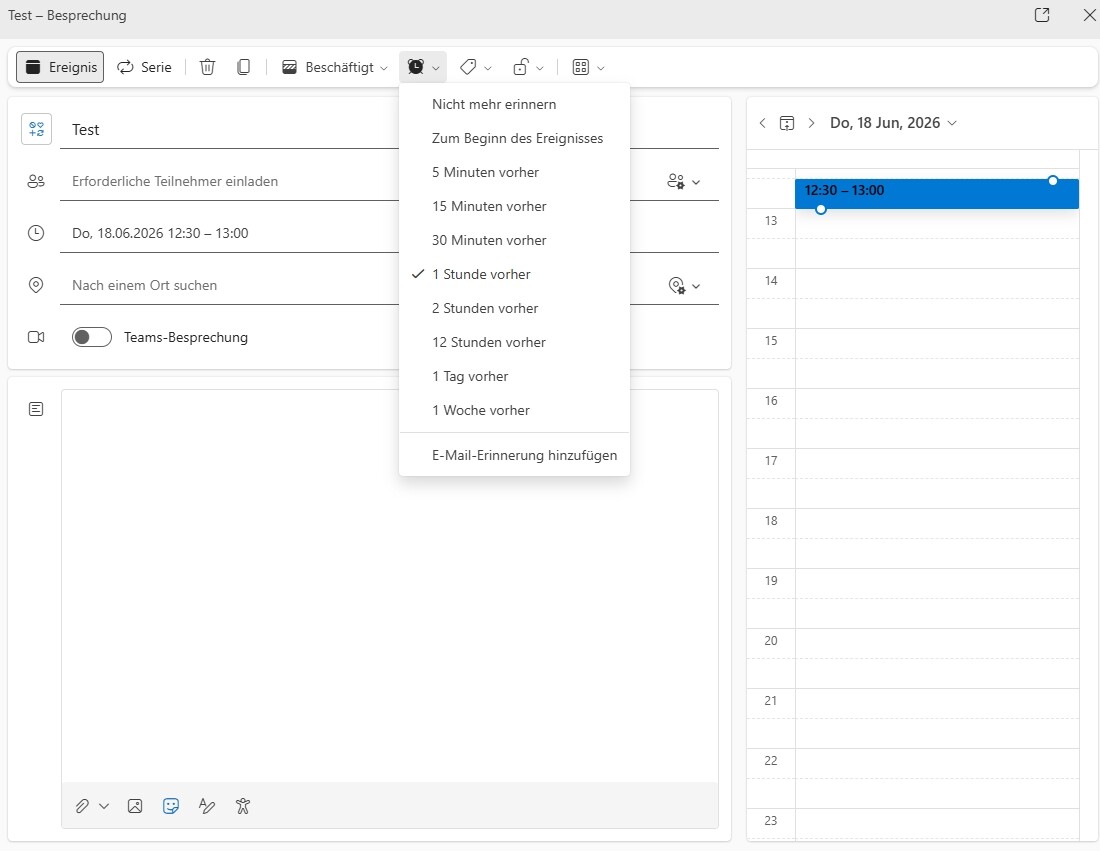
Correctly syncs to 1 hour before event in Outlook
Change the reminder to 2 hours before event in outlook
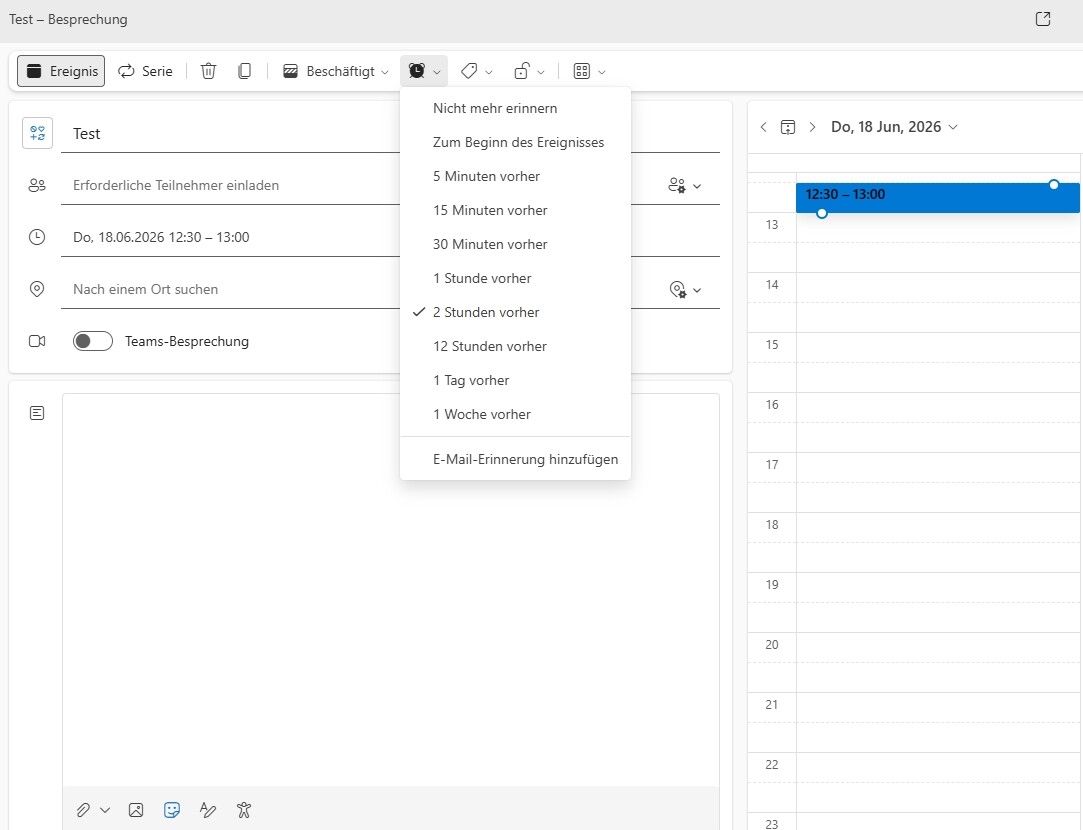
correctly syncs to 2 hours before event in eM Client

change the reminder to “no reminder” in eM Client (save and close pressed)
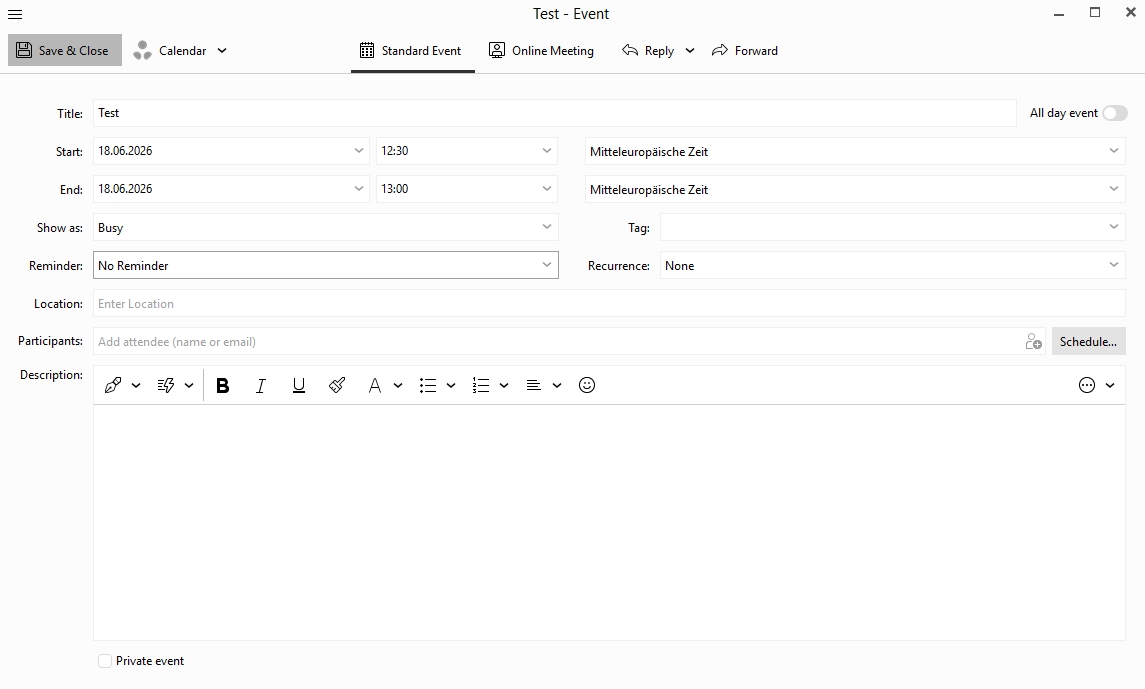
does not sync to outlook and leaves the reminder to 2 hours before event
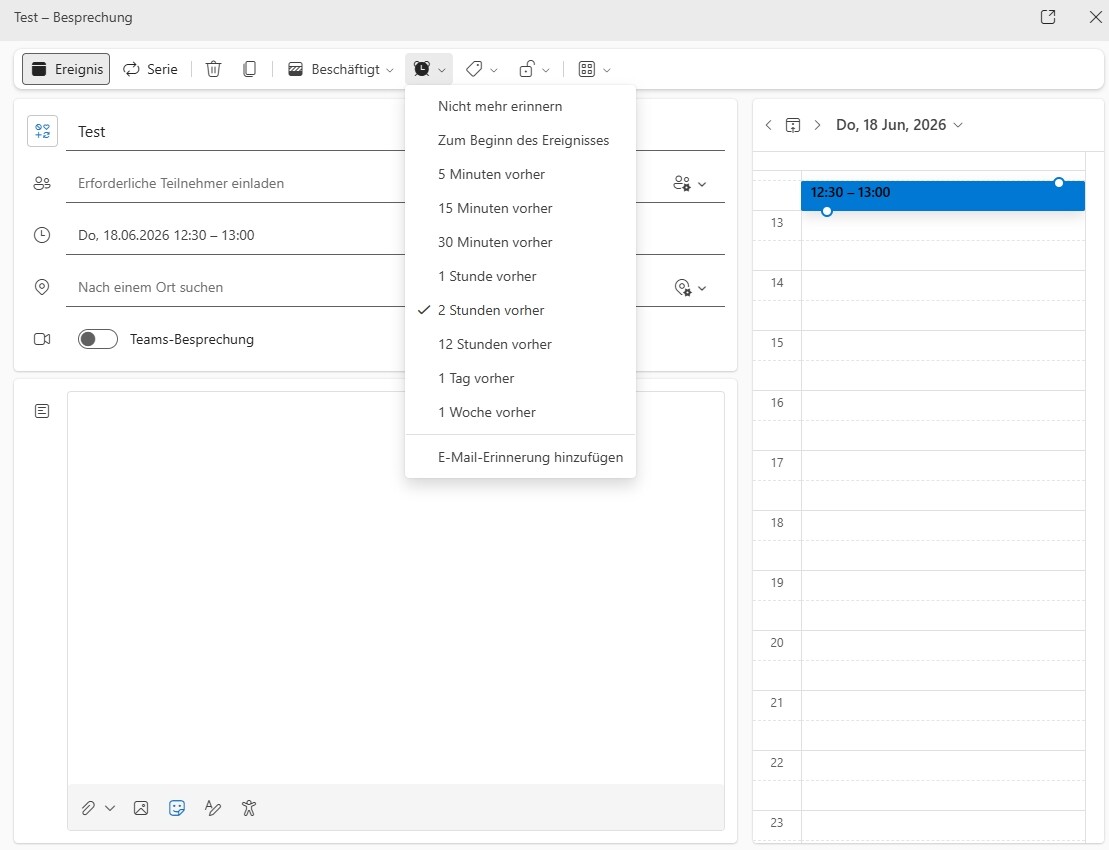
Thank you for trying tü fix it.
Regard gerardluc
Yes i can replicate all of those eM Client Calendar reminder issues using the latest V10.4.5326 Mac and PC with a Outlook.com and Live.com account.
I also tested those same examples with a Gmail.com account calendar and “that syncs correctly for all of them”, so its only an issue with the Outlook.com & Live.com accounts.