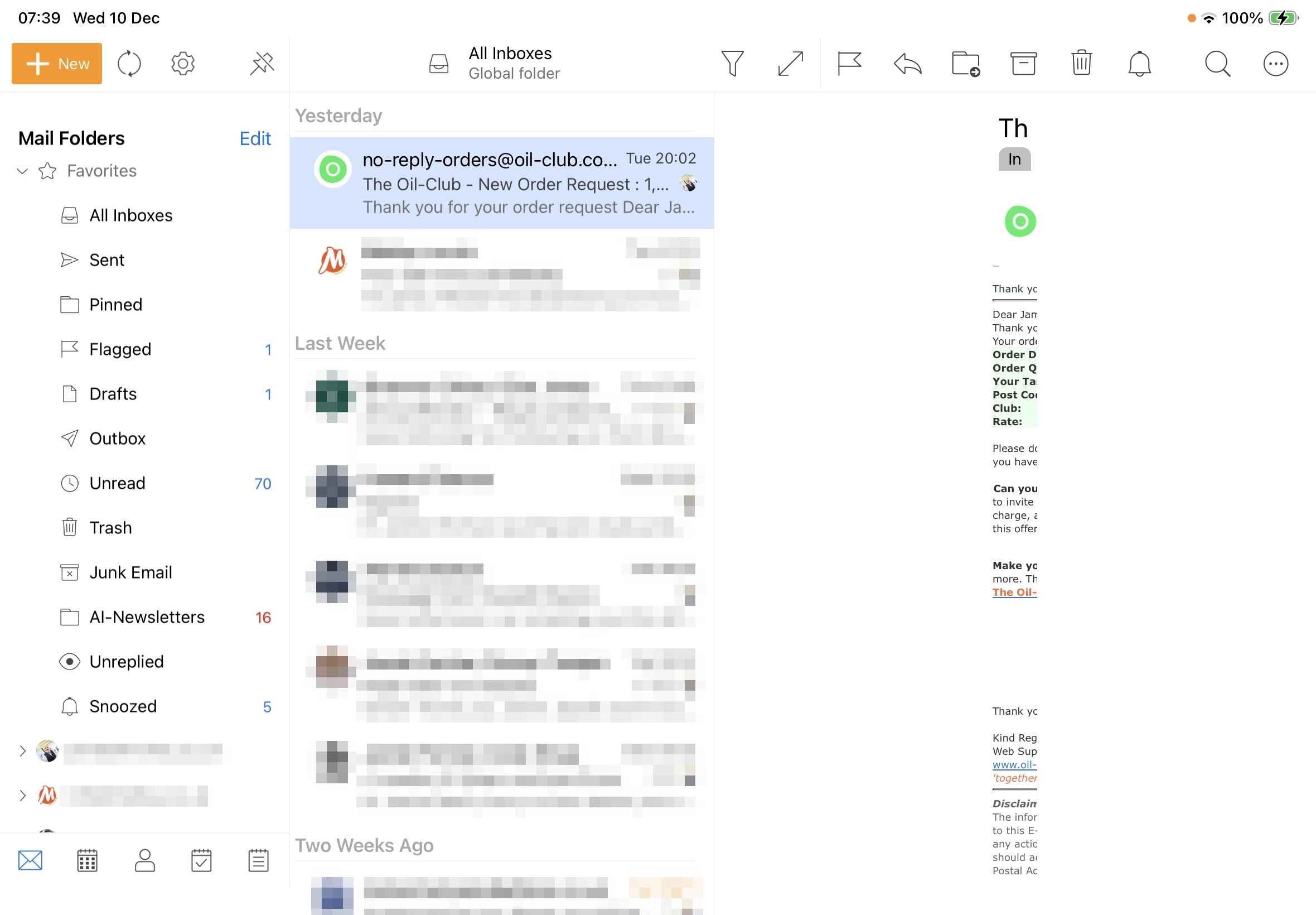
every email and whether portrait or landscape or switch between the 2
Ok I carn’t replicate that with the iOS mobile app V10.4.4146 and the same OS26.1 using two different M1 iPads.
So “as it’s happening with every email” I would suggest to uninstall the app and reinstall it and resetup again via using the QR Export from the desktop and see if that fixes it.
Or if you don’t use eM Client for desktop, then go to “Menu / Settings / Import Export” and export to file and save the .XML file. Then uninstall and reinstall and reimport the Settinge.XML file.
I am seeing EXACTLY the same fault. iPad Pro (M4), iPadOS 26.1
It occurs in Landscape mode.
Can be worked around as follows:
Preferences/Mail/Read/Show message detail in portrait mode MUST BE OFF.
When a malformed message content is being displayed, switch ipad to Portrait mode (only message list shown), then back to landscape. eMail content is now displayed correctly.
If the above preference is set to ON, message content is displayed as a tiny narrrow column (as your screrenshot) in portrait mode too.
[quote=“JamieForster, post:3, topic:113119, full:true”] Gyuto Messer
every email and whether portrait or landscape or switch between the 2 https://zahnarztslowenien.at/
[/quote]
That rules out a simple orientation glitch. The app is likely caching the wrong view state on suspend and not clearing it when you return.