There have been quite a few conversations on this topic over the past 5 years or so. As of January 2026, nothing has been done to make it possible to view large images properly in emails. Gary and Cyberzork are doing an excellent job of stalling these initiatives with various excuses. I suspect the request hasn’t even reached the developers. Yet, if implementing such an option takes a developer more than 1-2 hours, there is a problem either with the developer or the system itself.
Just as an example: school moms send large photos taken with their phones regarding lost or found items. They don’t edit HTML code; they simply send the images from their phones however they usually do. Sometimes they send 8-10 pictures at once, of which you can only see the left edge if you are using eM Client. According to Gary, the ‘good solution’ is to click on them one by one or zoom in on each individually. In my opinion, it’s time to look for another email client.
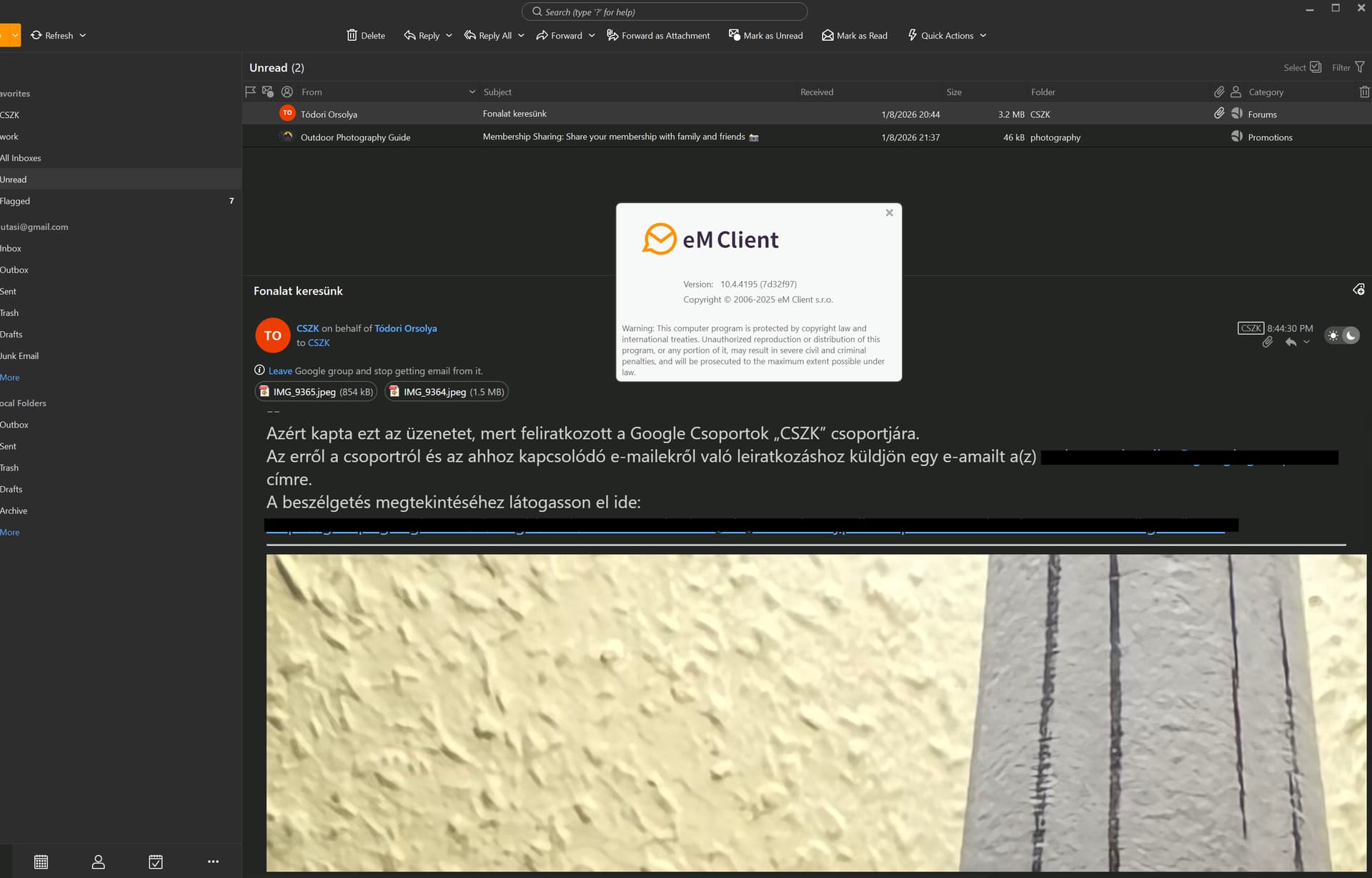
For example here is a shot from today, a ~70% window on a 4k screen:
There has been many eM Client updates by the devs since the last post in 2023, where eg: pictures send from mobiles “now display scaled perfectly” within the latest released eM Client V10.4 . So suggest you d/l the latest V10.4.x if you haven’t already and try again.
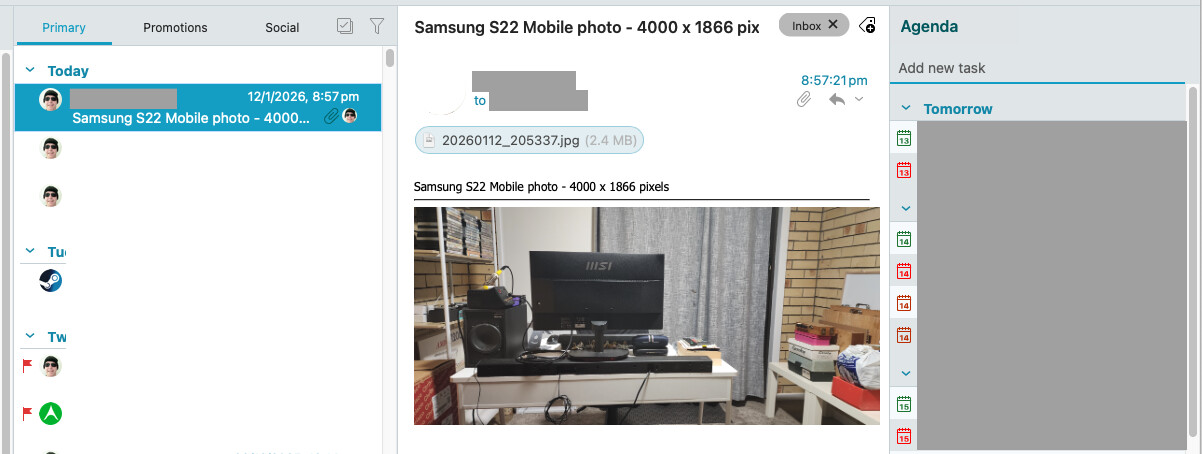
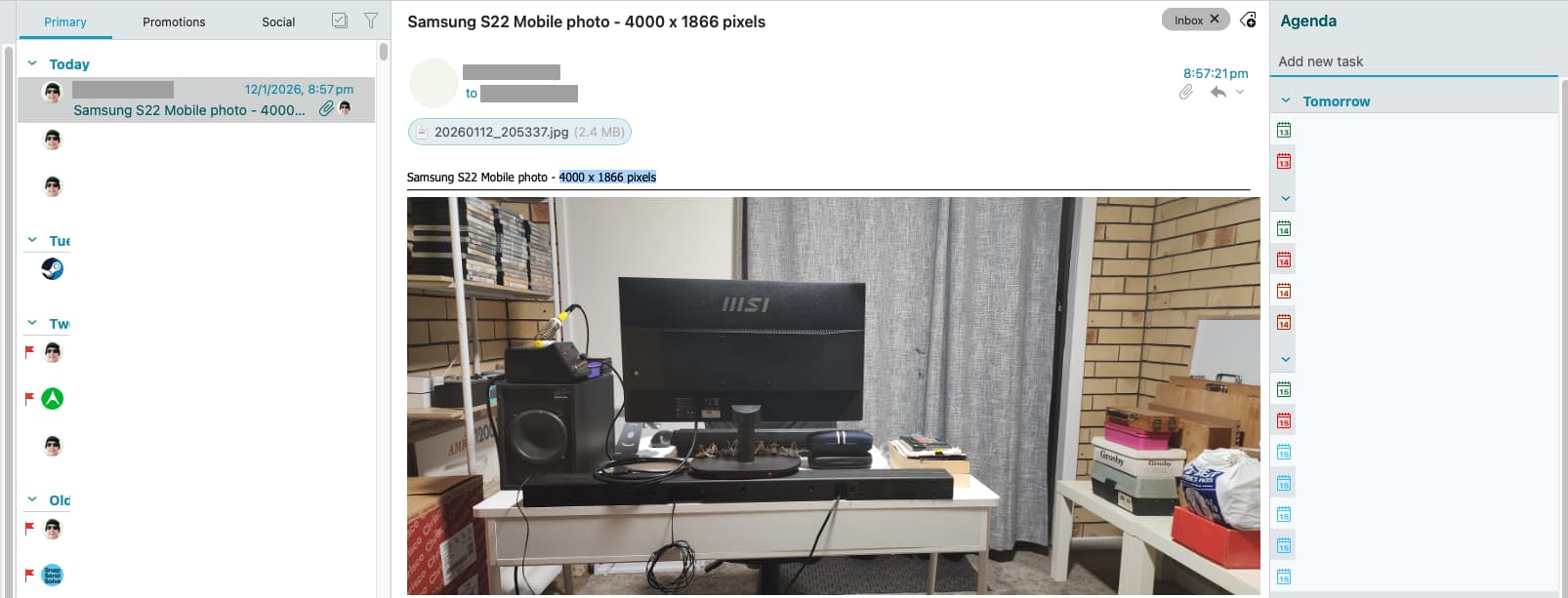
Eg: Just took a picture with my Samsung S22 mobile at a resolution of 4000 x 1866 pixels to my Gmail address, and the .png image “scaled & fitted in perfectly when received within the email” with no horizontal or vertical scrollbars as per below two examples.
My OS desktop res is 2560x1440 (2k) res. If you already have the latest V10.4.x, then save the email as a .eml and then send / lodge it to support on a ticket to be investigated.
I updated emclient about two weeks ago, that’s why I put the about plate to the screenshot.
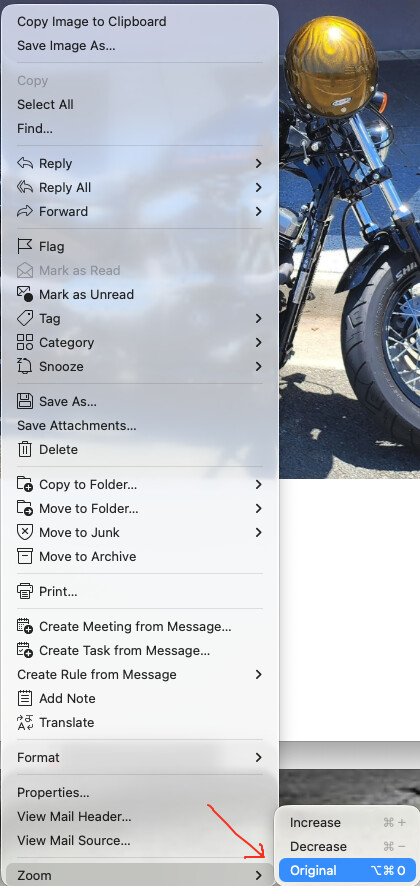
Make sure then your email body “is not zoomed”. Right click on the body of the email and click “Zoom / Original” as that maybe why its not automatically scaling / fitting in the window.
Wow! Three years since I last posted about the issue and the devs have fixed it? Well, no matter, as I moved back to TBird three years ago and have been well-served. I neglected to delete my account here. Thanks for reminding me to do so.
@virindi Hi, there may have been a slight misunderstanding about the image in your screenshot. It’s not an inline image (inserted directly into the email body) but rather an attachment. eM Client displays attached images below the message body for quick viewing. If you hover over it and click, it will scale to fit your window.