Hi,
I was this close to buying this software!! It does everything that I need and looks great.
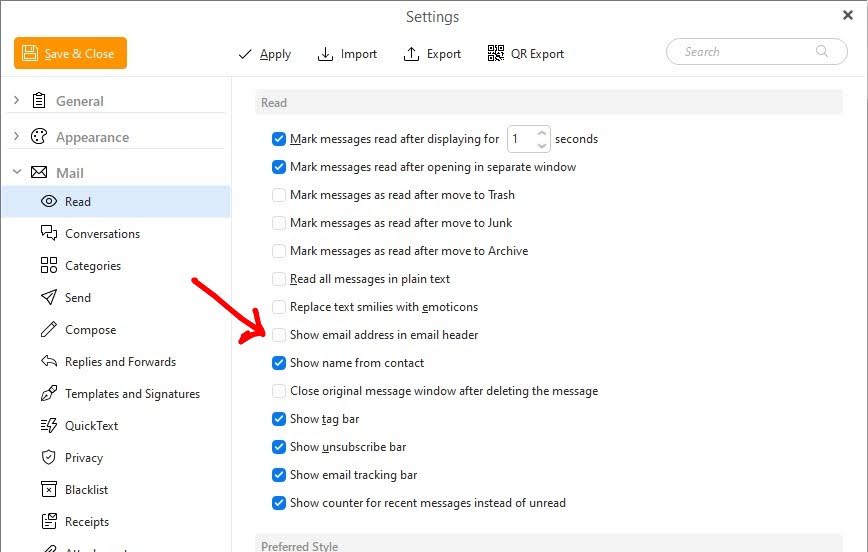
HOWEVER, for something that works with email addresses, it’s next to impossible to show the damn address itself!!
How can I, in the Reading Pane, show the full email address? The only way I can see to do that is by hovering over the Name on every email first for the tooltip, and even that view is aggressively truncated!
SURELY I must be missing something? Please remove the wool from my eyes if so!
Thanks in advance