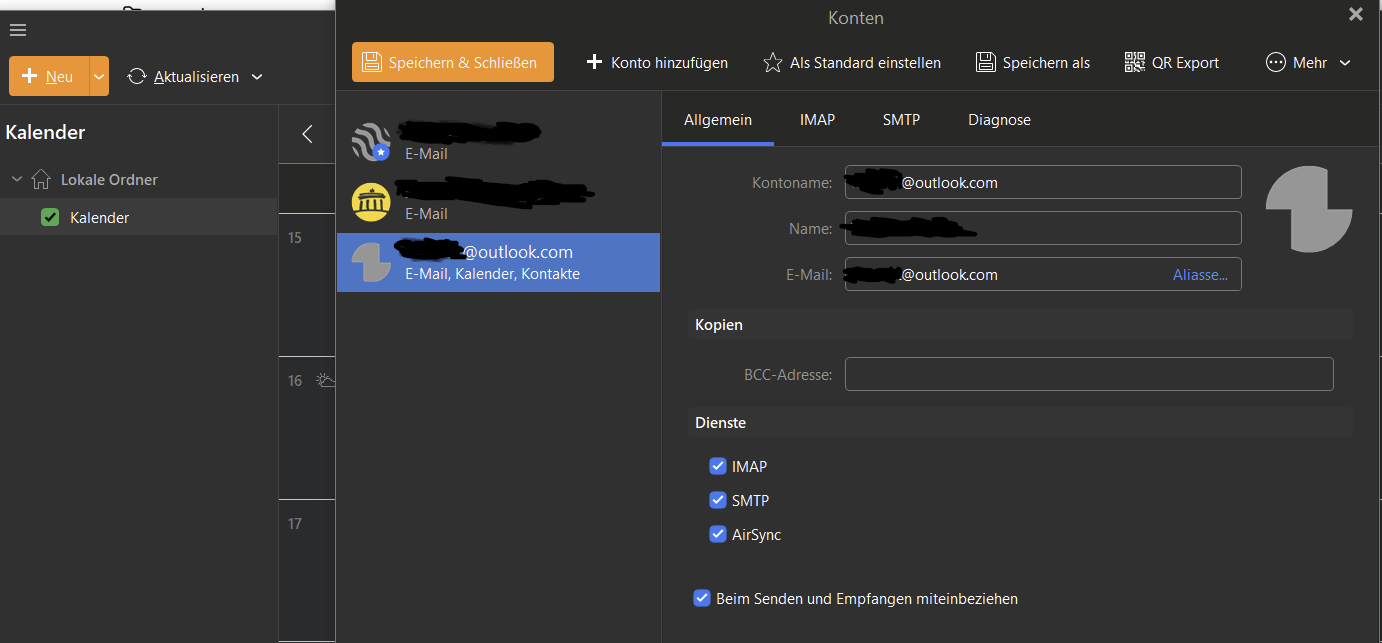
It is enabled, yes. But regardless, under calendars, no option is available to select outlook accounts calendars, and contacts are completely empty.
Ok as AirSync is already enabled in your Desktop Outlook.com account, could be your OAuth token in your Microsoft account might need revoking / removing and re-adding.
To revoke / remove the Outlook.com OAuth token, “first close eM Client”.
Then “go to your Microsoft account privacy” App Access.
Then under “Manage your app access” section part way down find the eM Client app and click “Don’t Allow” on the far right.
Then “reopen eM Client” and you should get a prompt to “re-allow eM Client access to your Microsoft account” which should include your Mail, Calendar, Contacts and Tasks.
If it still doesn’t show your Calendar or Contacts or Tasks, as removing and re-adding your account hadn’t made any difference, then could possibly be a problem with the installation. So next suggest to “uninstall eM Client” and if you have Windows “don’t delete the database” when asked on the uninstall wizard. Then reinstall eM Client V10.4 again and see if that fixes it.
If you originally installed eM Client directly from the website, there is now an updated V10.4.5298 which has Outlook.com fixes so “try installing that” and “then remove and re-add your account” again and see if that fixes it. Could be you need the newer version if you don’t have that version already. https://www.emclient.com/release-history