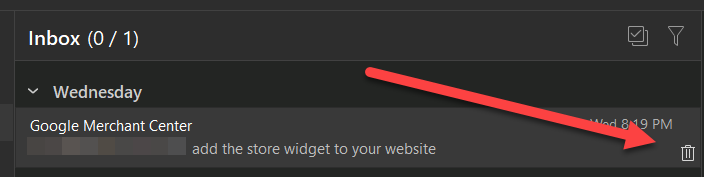
Would be really useful to have an option to make the hover button Archive instead of Delete, for those of us that archive most emails.
2 Likes
The hover delete button on the far right “was a very requested feature by many Outlook and other users” and you can already archive in 3 quick ways.
Either press the shortcut “A” keyboard button, or via “Right click and select move to archive” or you can “Customise the toolbar via right clicking on the toolbar” to add the Archive button.
I already know about these 3 ways, and none of them are as good.
The first one requires you to reach for the keyboard. The second two require additional mouse clicks and movement/dragging.
If the delete on hover button wasn’t there you would have to do one of these 3 slower methods above for delete as well, which is why the delete button was implemented in the first place - it’s much faster and pleasant to work with.
All I’m asking is the option to be able to change it from Delete to Archive in the settings. Since 99% of the emails in my workflow are archived instead of deleted, the delete button is pretty useless.
I would like to have two buttons actually: Delete and Archive
1 Like