Why does eM Client 9 on my Windows 10 not bold sender names in the inbox like in the official preview? Everything blends together and it’s hard to read. I checked the theme editor but found nothing. Could this be a Windows 10 issue? Would switching to Windows 11 fix the font rendering?
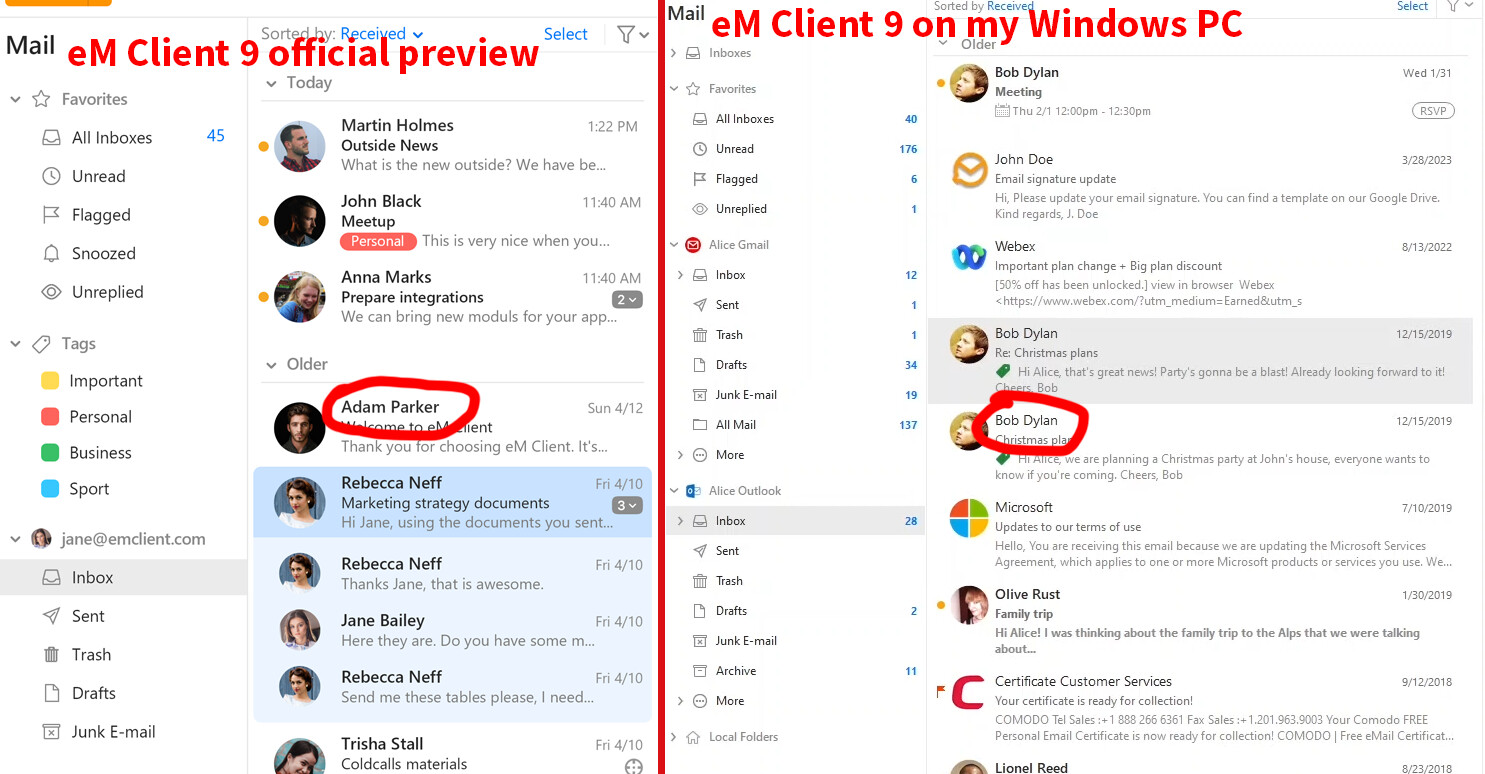
The visuals on the website can be a bit out of date compared to the version of the app you installed and different resolutions, scaling and font settings can affect the final look.
You cannot change the font in theme but you can set the font to be bold or semibold for the items in message list in menu > Settings > Appearance > Lists.