Why are not all my emails shown under the heading All Emails?
All Inboxes “under Favourites” normally does show all your various account Inbox mail, but you may not see them all in one view “if you have you Categories enabled” so your missing emails “might just be in another Inbox Category” as in the below All Inboxes with Categories enabled.
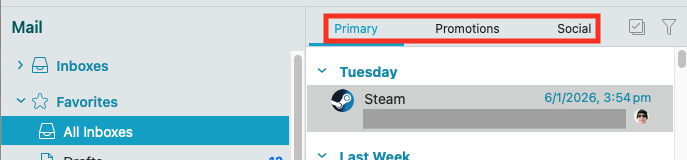
See the below eM Client blog.
Thanks.
So how do I know if I have Categories enabled?
I can’t find my missing emails under any heading?
As per the eM Client blog link above, If you have Categories enabled, “you will have different Inbox tabs above All Inboxes” as in my example screenshot above & below" eg: Primary, Promotions, Social etc. Some accounts might just have Primary & Other category’s depending on the type of account you have and what category’s you enable.
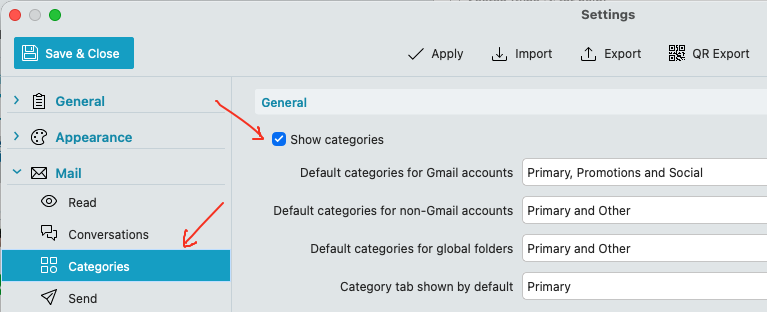
You can also check via “Menu / Settings (Preferances) / Mail / Categories”
I can’t find my missing emails under any heading?
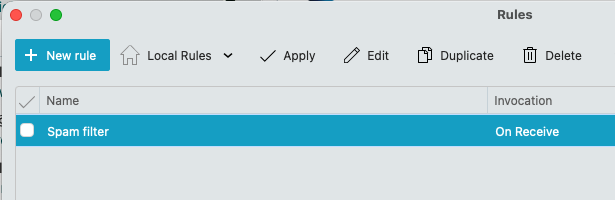
If you don’t have Categories enabled, then you might have possibly setup eg: “Custom Rules” to eg: move Inbox emails automatically to other mail account folders when they arrive.
To check for any custom rules, go to “Menu / Rules (Pc) or Menu / Tools / Rules (Mac)”. By default there is only a POP acct Spam rule. So if you have any other rules in there, “dblclick them to view them” incase it is a rule causing some emails to be missing from All Inboxes.
Lastly if you have no Custom Rules setup, then you might have possibly eg: added some senders mail to the Blacklist which then automatically moves them to Spam / Junk folder.
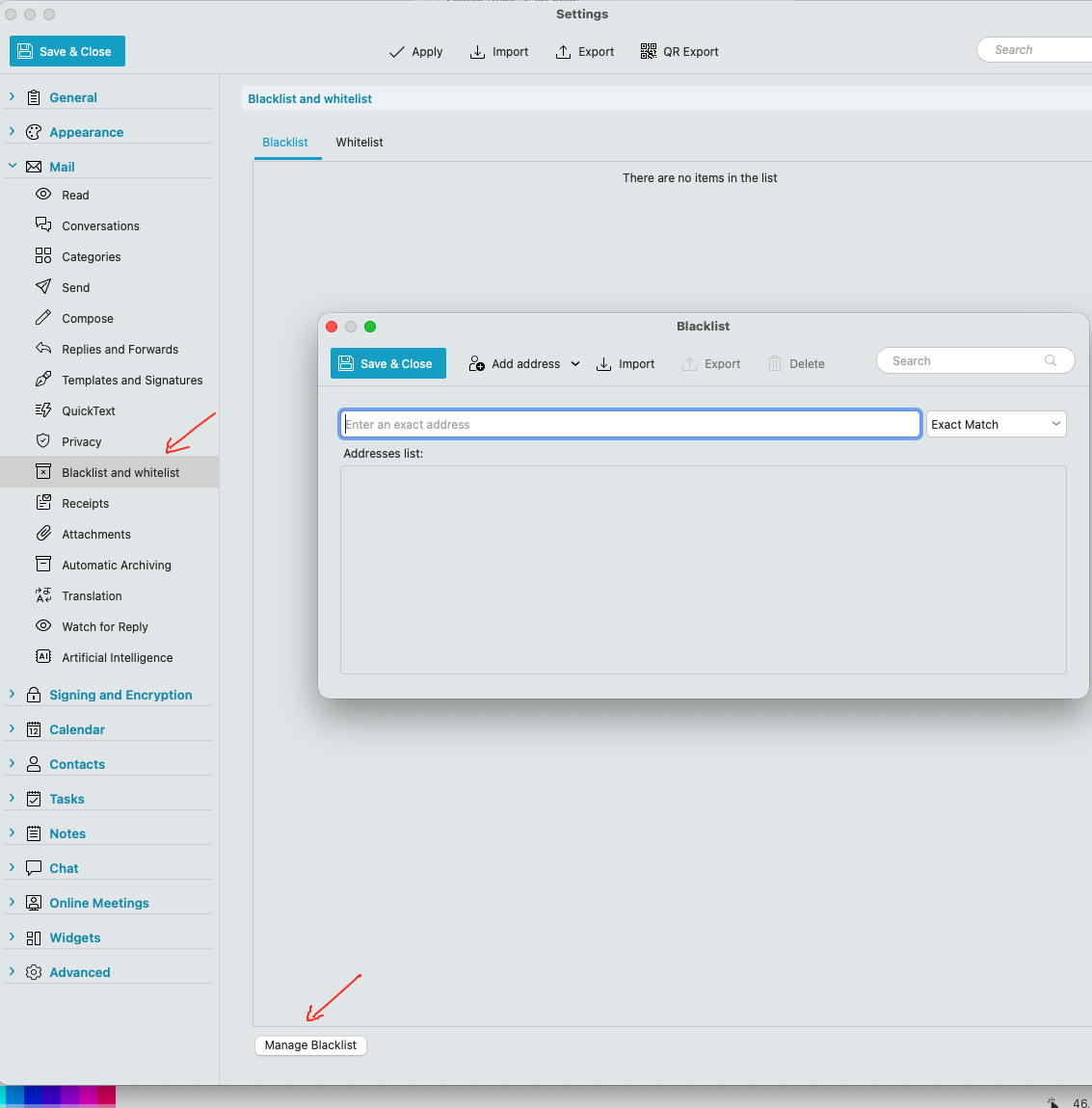
So to check if you have added any senders to the blacklist, click “Menu / Settings (Preferences) / Mail / Blacklist and whitelist” and click “Manage Blacklist” at the bottom.
Thanks.
I still cannot find any problems?
My blacklist is huge where I block adverts.
But some of my own emails sent are not within All Emails?!
Have you checked your Spam / Junk mail folder ?
Yes it’s strange when some emails do not appear in any of the folders!
Yes it’s strange when some emails do not appear in any of the folders!
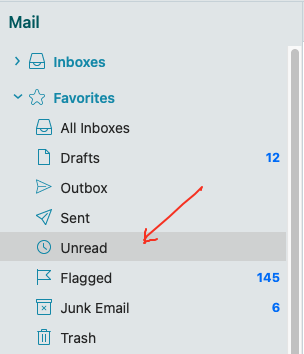
Does the missing emails even appear in the “Unread” Global Favourites Folder ?
Thanks I didn’t realise that my sent emails could be found under that heading. Next time I lose an e-mail I’ll look in there.
But it is a pity one cannot find it under All Inboxes select search in there?
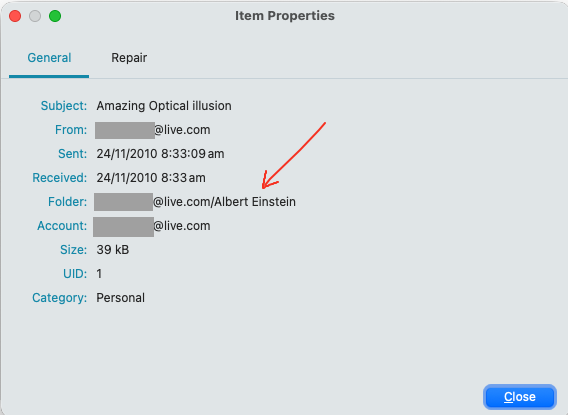
If your missing emails show in the unread folder, you can see what account folder they are located in “at the top right of the body of email by hovering your mouse over the label” using the latest V10.4 version, or by “right clicking the email and clicking Properties” as in the example screenshots below.