After the update to 10.4.4195 (7d32f97), em-client hangs during every action - even emptying the deleted emails takes minutes.
What version did you updated from? Is it a Windows or Mac version? Can you please try to profile the application and send us results (this can be done in Menu->Help->Profile for 10 seconds.
sábado 13 diciembre 2025 :: 0951hrs (UTC +0100)
Hey @kurt
There is a newer version…
WIN: https://www.emclient.com/dist/v10.4.4209/setup.msi
MAC: https://www.emclient.com/dist/v10.4.4209_Mac/setup.pkg
We have never experienced a problem upgrading.
We have always done the following:
1./ We have never accepted the “Push” upgrade other than to note availability
2./ To proceed, completely shot down eMC
3./ Download the relevant upgrade .msi installation file
4./ Move file to Desktop if not already there
5./ Double click the .msi file and wait for installation to complete
6./ Disable option to:
Set eMC as default application (as upgrading should already be set - do manually if not)
Run on Windows start up (you can set this later if you want - we do not)
Launch eM Client
7./ Finish
Again this procedure has never failed for us or caused any errors..
skybat
¡Buena suerte!
¡Saludos desde Sevilla la soleada en España!
¡Mis mejores deseos y mantente a salvo!
Hablo español, luego portugués, inglés, francés y alemán
con conocimiento de varios otros idiomas.
its win11
i can’t remember whether the update was from 9.x oder 10.y (y<4)
meanwhile i did a complete new installation of version 10.4.4209 (d96494b)
same problem
any type of sync needs lot of minutes to complete or never stops
how can i send you the results from the 10 seconds profile??
i found several files in the logs folder
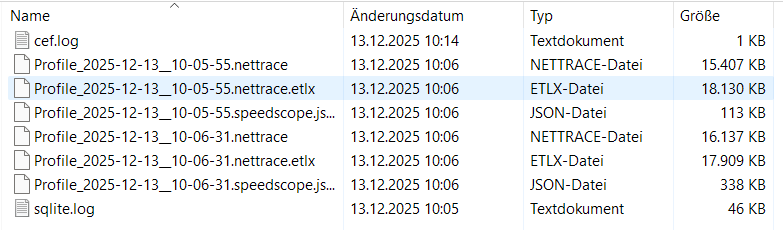
i tried to zip them and send - but .zip ist not accepted
thats the way i did all the updates during the last years without any problems
Please send logs to [email protected]. Whst is your email services provider?
mail-provider: gmail and microsoft
logs are sent
hi!
any findings?
After the update to 10.4.4195 (7d32f97), em-client hangs during every action
did a complete new installation of version 10.4.4209 and same problem.
mail-provider: gmail and microsoft
Suggest then, “if you haven’t already tried” and you have setup as IMAP or Exchange, go to “Menu / Accounts” and remove and readd via the automatic account wizard and see if that fixes it incase it’s possibly a corrupted account.
Failing that “if you have nothing in eM Client Local Folders” at the bottom left, I would next suggest to “try a clean database” incase you’re database is possibly corrupted in some way.
To test with a new database, “first close eM Client” and then “go to the following eM Client hidden database folder” and rename it to eg: eM Client-Old. Then reopen eM Client and setup as new and see if that fixes the problem.
(Windows hidden eM Client database folder)
“Users\yourusername\AppData\Roaming\eM Client”
(Mac Hidden hidden eM Client database folder)
“Users\yourusername\Library\Application Support\eM Client”
thank you for your feedback!
but as i posted:
https://forum.emclient.com/t/gmail-sync-extreme-slow/113341/3?u=kurt
the problem disappeared without any further action on my part, and em-client has been working perfectly ever since.
regards Kurt