The NonJunk tag is usually something apps like Thunderbird (And Postbox most likely as well, since it’s based on it) use for adaptive spam filtering, to learn from you which messages are junk and which aren’t, they then hide this specific tag from view.
Since the tag looks like any other custom tag, we show it by default. But we have added feature to remove or hide it in eM Client 10.1
Go to Menu>Rules
Open Local rules.
Create a new rule and set it just to this:
After message has been received
hide tags ‘NonJunk’ (you can click the “hide tags” argument and then type in your own tag name).
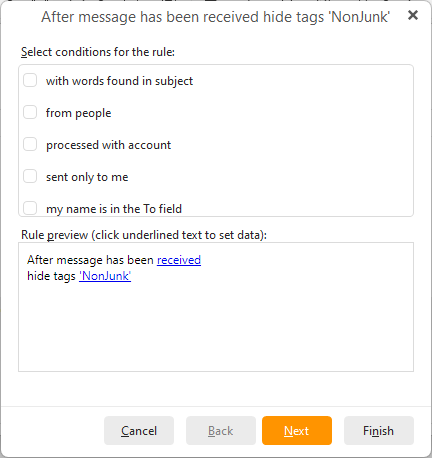
Once you save the rule, you can apply it to all folders manually to hide it on all OLDER emails.
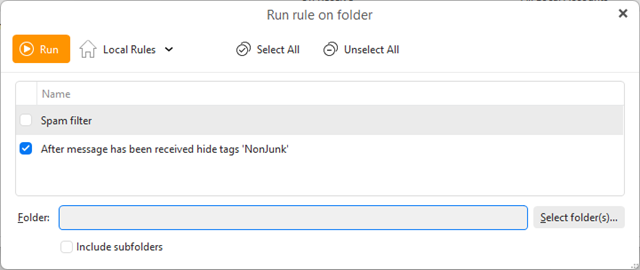
You can also leave it enabled so the tag is hidden on any new messages that come in, in case you open the email account in another app that uses this tag.