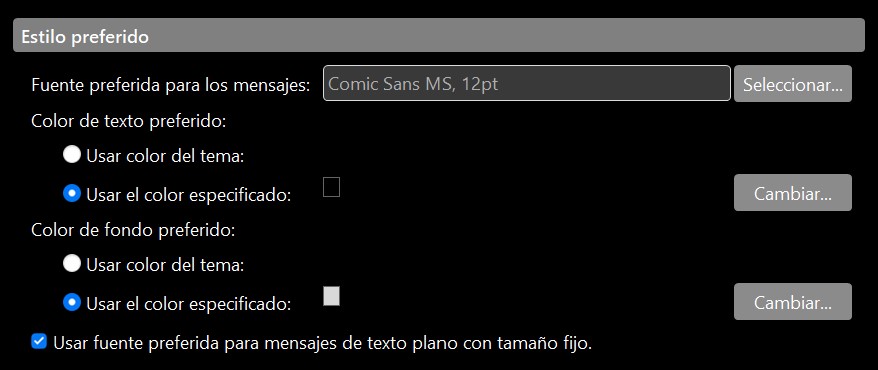
I’m currently evaluating eM Client with a view towards moving a small company over to it, but I’m experiencing an issue with the background colour of new emails in the inbox.
See @skybat post below from the following thread that might help with your issue with any theme.
You can also click the “light / dark” toggle icon at the top right of the body of the email if you carnt see a specific email “if you are using the Dark Theme”.
(Toggle Dark / Light body email)
https://www.emclient.com/assets/video/localized/en/Toggle-Dark-Light-mode.mp4
If you are not using Dark Theme and have tried to modify a theme but it’s not changing, make sure you “save it” and then “reimport it” or it won’t change.
If you are modifying an existing Theme, you first “Save the Theme”, by clicking the “Advanced” button at the bottom right. Give the Theme a custom name when saving so you know what it is.
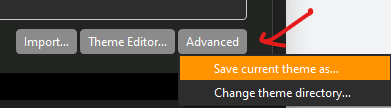
Then “modify that saved theme” in the eM Client “Theme editor and then resave your modified theme again.
Then “import that modified saved theme” back into the themes using the “Import” button at the bottom of Themes. Next click your custom theme as in the example below and click Apply and Save & Close.
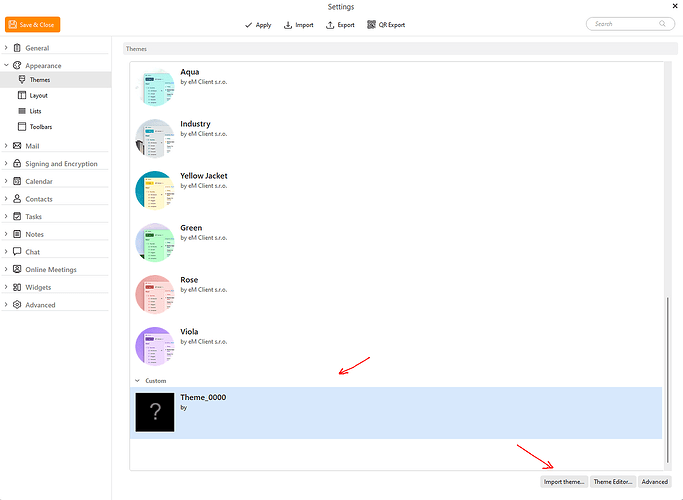
Lastly if you don’t want the custom theme anymore, click / select it at the bottom of the Theme editor and press the “Del key”.
(How to create or adjust my own eM Client theme) - eM Client Support page.
(Design your own theme) - eM Client blog
https://www.emclient.com/blog/design-your-own-em-client-421
Also there is also user created Themes you might like to try as well without having to modify or create your own theme.
(eM Client user created custom Themes)
https://www.emclient.com/themes
I’m also curious to know how responsive support generally are once you’ve purchased the product?
Usually approx 24-48 hours but might be longer if it’s a weekend. If you are inside the 30day trial for any pre purchase assistance you can also email [email protected]
If you purchase the program you get 12 months VIP support via going to the following support page and login and lodge a support ticket.