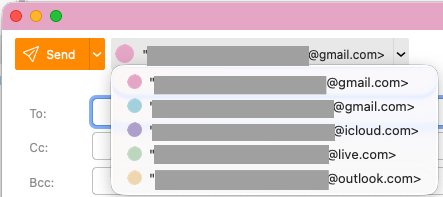
On the new Account colours in eM Client 11 Beta, when you have exiting Account Avatars like Gmail, Outlook, Yahoo, iCloud etc and then choose a colour, the colour covers your account avatar.
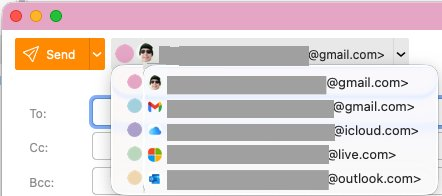
Can this be modified so that the account avatar like Gmail, Outlook, Yahoo, iCloud etc can still be shown “maybe on the right of the round account colour” when you are selecting the sender from the dropdown as per the suggested second screenshot below.
We don’t want to show both icons as it is not visually compelling.
But for your use case there is a workaround. Once you select an
account color, your avatar changes to the color circle.
If you click on avatar again in account detail and select a custom avatar, you’ll achieve just that. You’ll see avatars as before in the combobox and you will also see a colored title bar.
4 Likes
@Michal_Burger
Thanks for that. That does achieve what i am looking for 
1 Like