When drag-selecting a time span in week view on calander (i.e., marking a time slot between X:00 and Y:00) and clicking ‘New’, the new event is always set to the default event time (e.g., 1 hour) regardless of the selection. Although I can drag and write the event name and click enter to create the event, if I want to add invitees, online meeting links, repetitions etc, I’ll have to first create the event and then edit, which is a bit clumsy and non-intuitive.
I would expect the same behavior as Google/Exchange - drag-selecting should open the ‘new event’ dialog box with the event time automatically resolved from the selection. The dialog box could open upon clicking or simply releasing the drag, but this, I would say, is a 2n- order detail.
When drag-selecting a time span in week view on calendar (i.e., marking a time slot between X:00 and Y:00) and clicking ‘New’, the new event is always set to the default event time (e.g., 1 hour) regardless of the selection.
Thats because after selecting the event range “you are clicking New” and shouldn’t be.
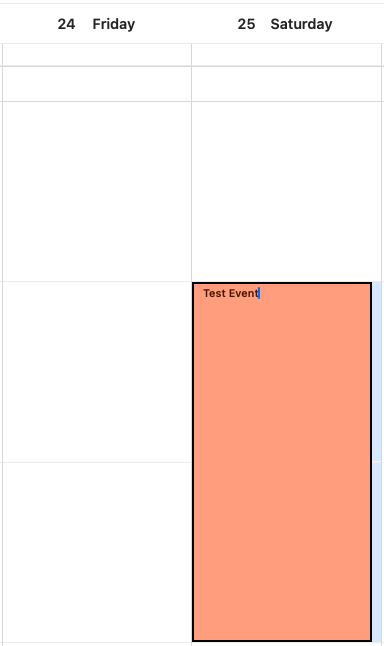
So after selecting the new event range in the calendar week view, “type the title of the event name at the top” and “press enter”. You will see the correct event range time appear “under the Title”.
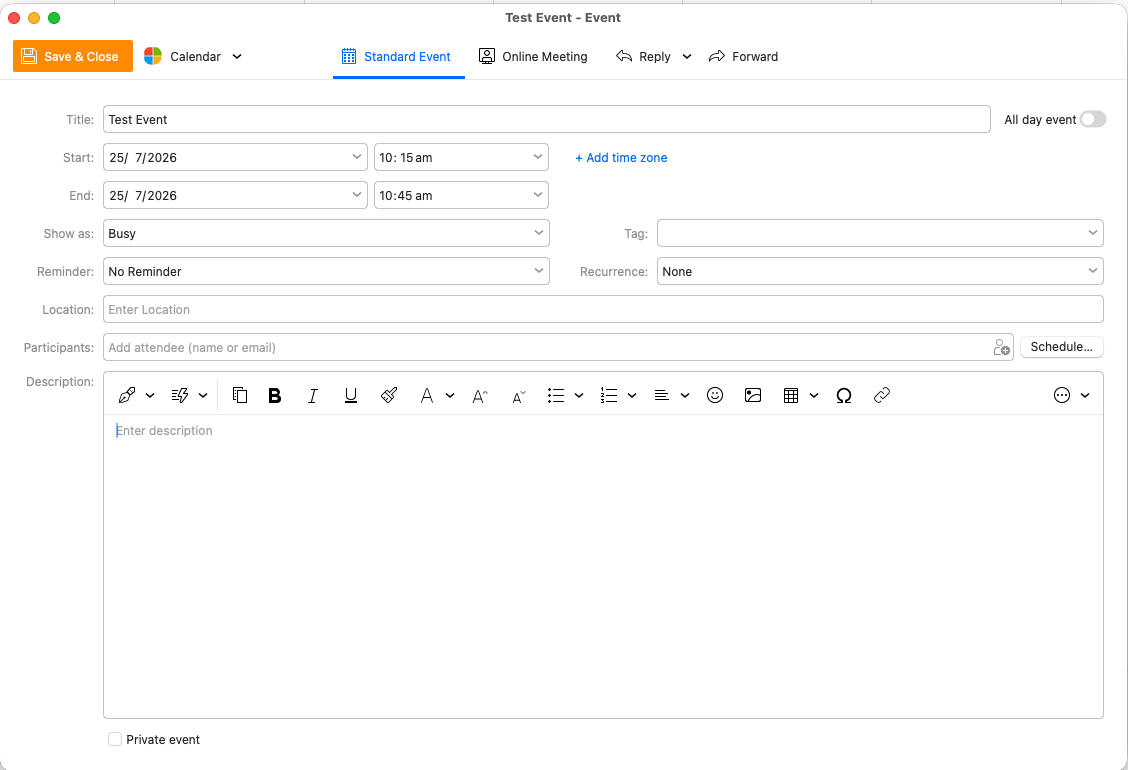
Finally “dblclick the event” to edit it which will then show the correct event time range as in the Outlook account weekly event selection example 10.15am-10.45am below in eM Client V10.
Yes, I referred to that feature - that is the ‘clumsiness’ I mentioned. I would expect that after drag-selecting, instead of writing the name, the ‘new event’ dialog box would open with the correct start and end time, and allow me to add invitees, online meeting link etc - without having to create and edit the event.
Okay, without the “new event” button then. I argue that drag-selecting should, upon release, open a dialog box instead of the “quick naming” feature that exists now. This is the default behavior in other calendar apps, as you rarely create events with just a title.
That is the behavior in Google Calendar. In Microsoft Exchange, by the way, it’s the other way I outlined - marking and clicking ‘new event’ opens the dialog with the specified time duration.