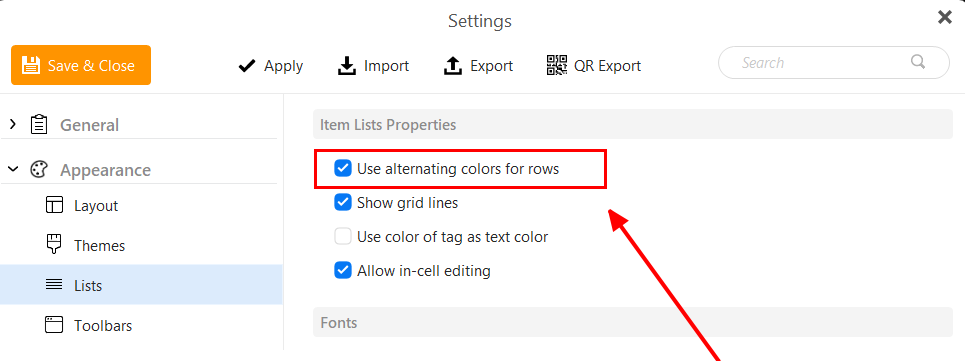
This is a display feature for single line layout. You can change the setting in Menu > Settings > Appearance > Lists. Just untick this option and click on Save & Close.
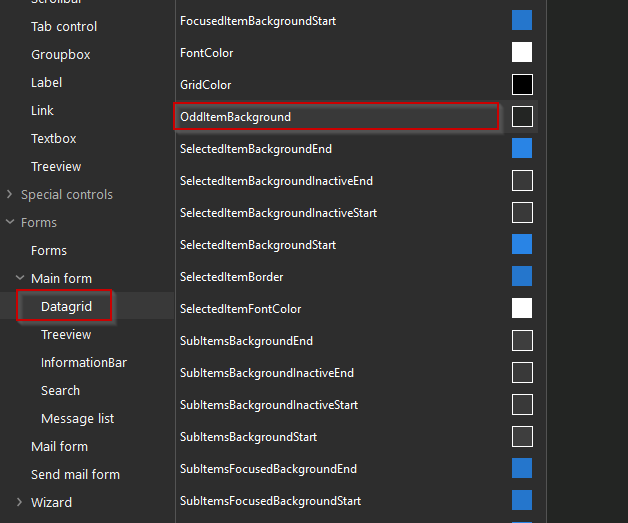
By the way, I tried to change the theme, but it had no effect. My mistake was, that I saved the theme file to a folder somewhere on the disk and did not know, that I have to change the new file in
After editing the theme and saving it, go to Menu > Settings > Appearance > Themes and import the file you just saved. It will then appear at the very end of the list of themes.
Editing the themes makes really a big difference for me - great! I am testing em Client at the moment and usability is sometimes also influenced by how it appears.
Now with the non-second color, it is so much better to read.