Message Columns Toolbar disappeared eM Client V10 PC & Mac

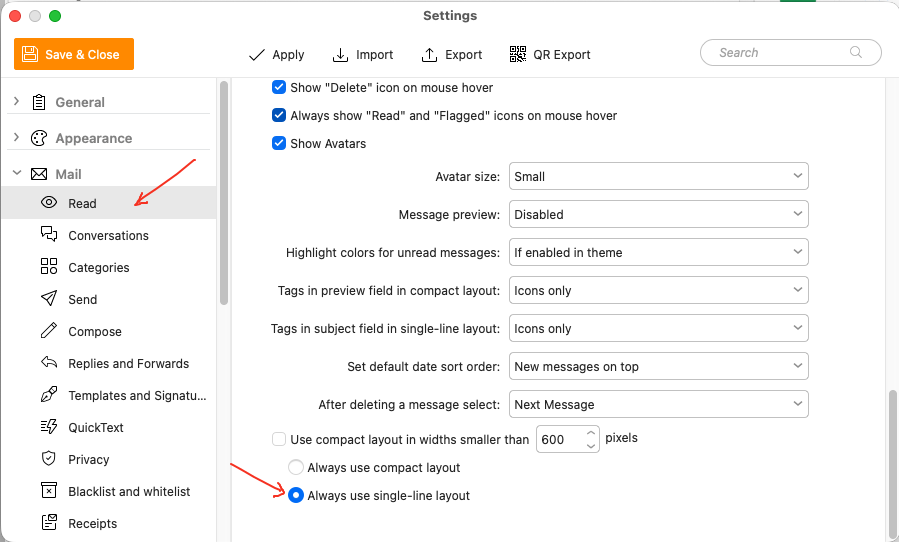
After alot of trial & error for a few days going through the settings, i found that both of the installations had set to “Always use compact layout” instead of “Always use single-line layout”.
I don’t ever remembering changing that, but must have previously for testing purposes.
So just incase anyone has this happen to them. Go to “Menu / Settings / Mail / Read” and at the bottom you will find that setting to change it back to Always use single-line layout.