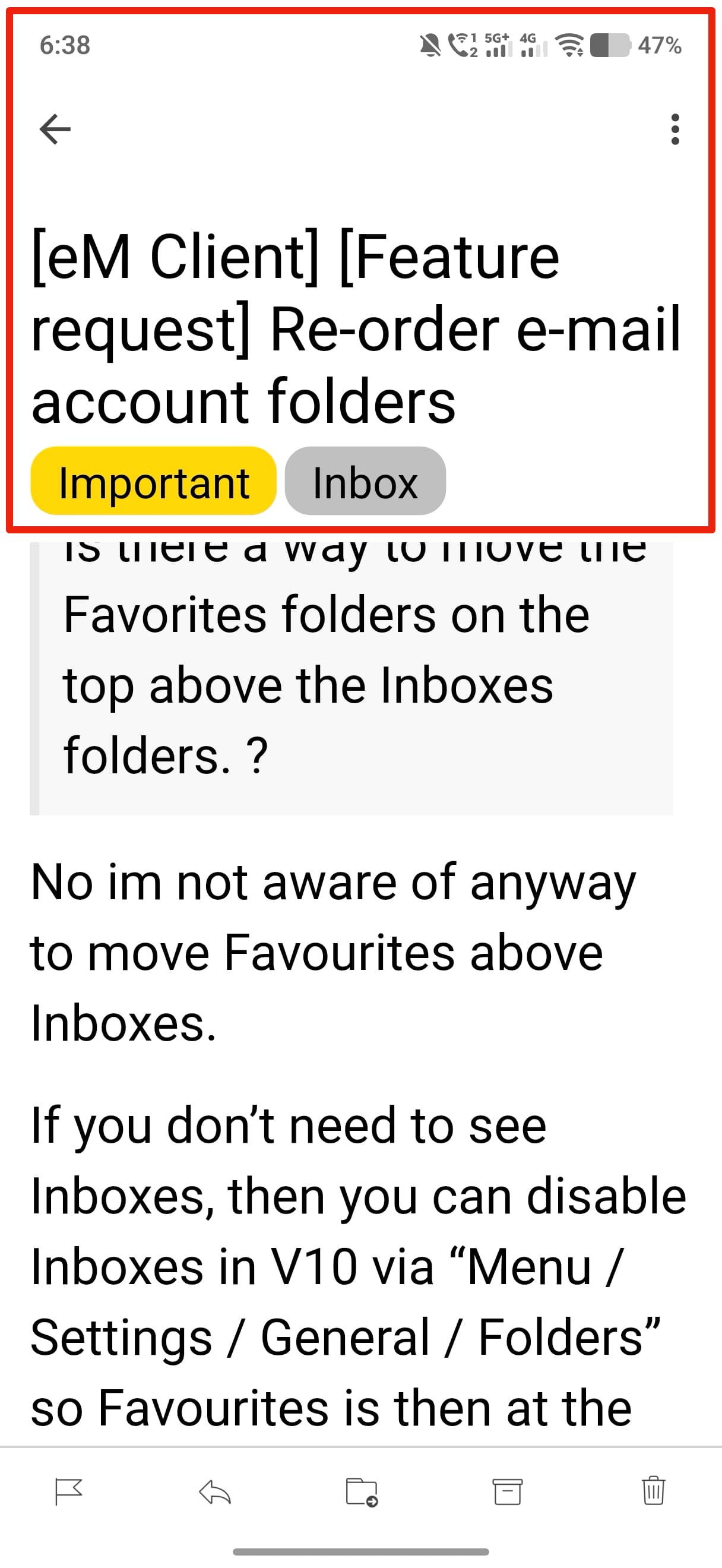
I am using again eM Client on android. But I see that the email reading screen has a fixed frame for subject/heading and it occupies like 40% of my screen area. I am using bigger fonts. Is there a setting to unfreez this subject header so that it can just scroll up that subject with my email body. Right now it just stays there in my face and has no value. sometime some emails have 3 line of subject text and then occoupies half screen and i cannot ready the body of email properly. No other email client does this. See image. How to fix this.
If you leave the default font and size at normal zoom default does it also do that ?
Also are you using the latest Droid release Version 10.5.308 Updated on 30 July 2026 ?
Yes. I tried to set everything to default. But still there is no point of having this Subject lines as fixed frame. Its adding no value and eats up the scroll area. I am having a small android phone 6.3 inch Vivo X300 FE. On such small phone whether Samsung S26 or Apple 17, is not good to have this subject line fixed. I checked Gmail, Spark Mail and Outlook. No one does this stupid thing. Why is eM client fixed on having this frame visible all the time. Eveying is so good in eM client. But this is a bummer. I hope they take this feedback.
Yes. I tried to set everything to default.
As default font and size makes no difference with the latest droid version, then suggest you then email [email protected]
This is not an issue with IOS mobile app from my testing with Subject line preview 1,2 or 3 lines. Only a Droid problem it seems,.
1 Like