Hi,
Using eMClient 10.4.4209.
-
When I try add a “Move to Inbox” button to the Main Toolbox, nothing happens. I right-click the Main Toolbox and then click Customize. The dialog opens and then I Add the “Move to Inbox” option and it shows in the “Items to show” column. However, the button does not appear on the Main Toolbar. This is a bug, and I’m hoping there is a fix.
-
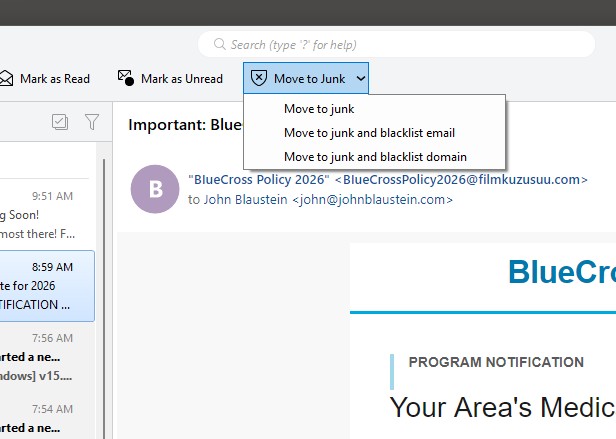
The “Move to Junk” button on the Main Toolbar has three options. I would like to set the default for when the button is clicked–without having to click the down arrow–to “Move To Junk and Blacklist Domain.” I think I’ve seen the option to set the default action, but I can’t find it now. Is there a setting to set this default?
Thank you for any help here.
John
Michel,
Thank you for the quick reply.
I now see the Move to Inbox button in the Junk folder. I did not realize that’s the only place it appears. Thanks for that explanation.
As for the Move to Junk button, here is a screenshot of what I see when I click the button in the Main Toolbar. Perhaps there is another place to make this setting that will show the Don’t Ask Again checkbox.
John
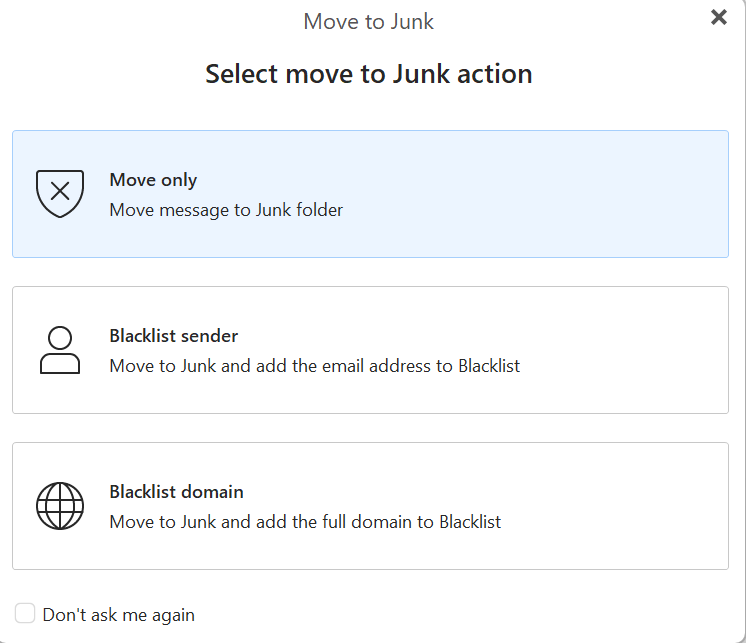
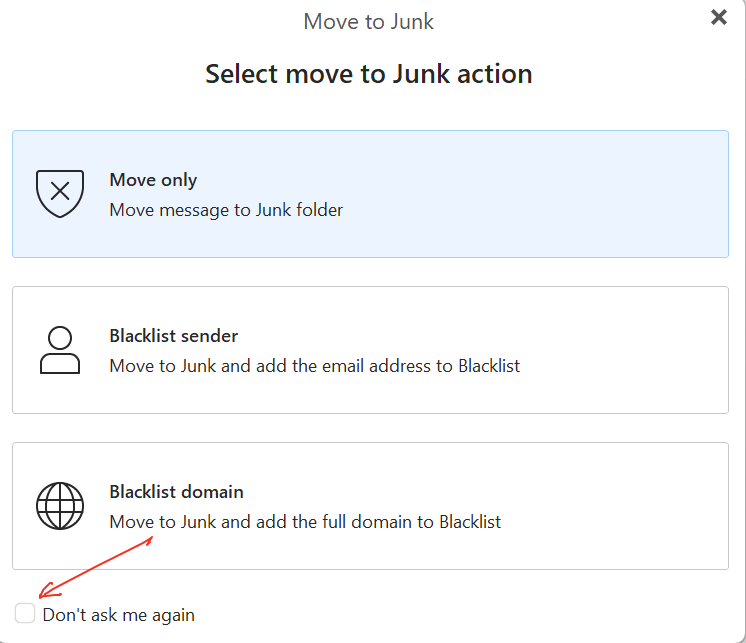
Click right “in the middle of the Move to Junk” button on the toolbar and not the dropdown to then see the screenshot @Michal_Burger advised above, where you can then check the box Don’t ask me again at the bottom left.
@cyberzork,
When I click on the middle of the Move to Junk button, the highlighted message is sent to the Junk folder. I do NOT see the dialog in your or @Michal_Burger’s message. I don’t know why.
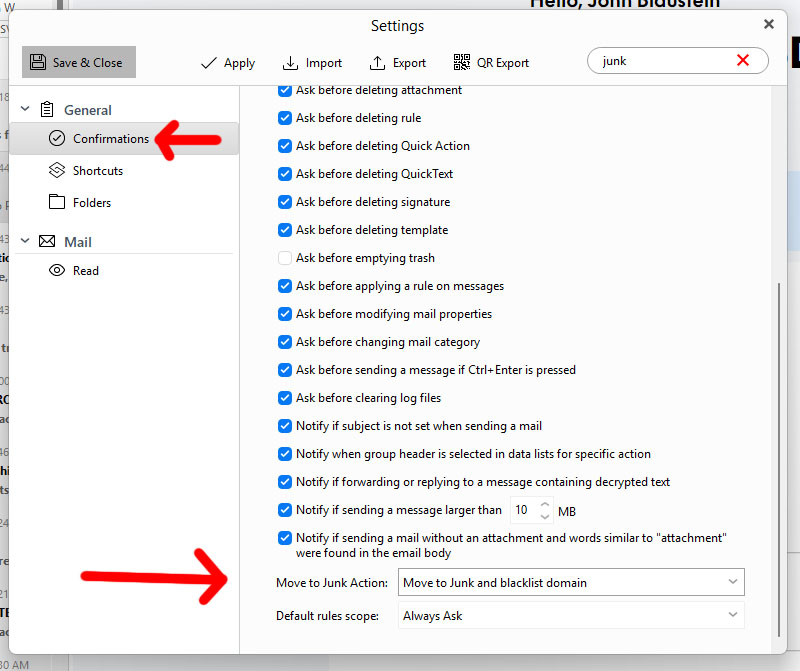
EDIT: I searched the Settings dialog and found a setting under Confirmations. See attached screenshot. However, that does not explain why I’m not seeing what you are seeing clicking in the middle of the Move to Junk button on the Main Toolbar.
John