Description
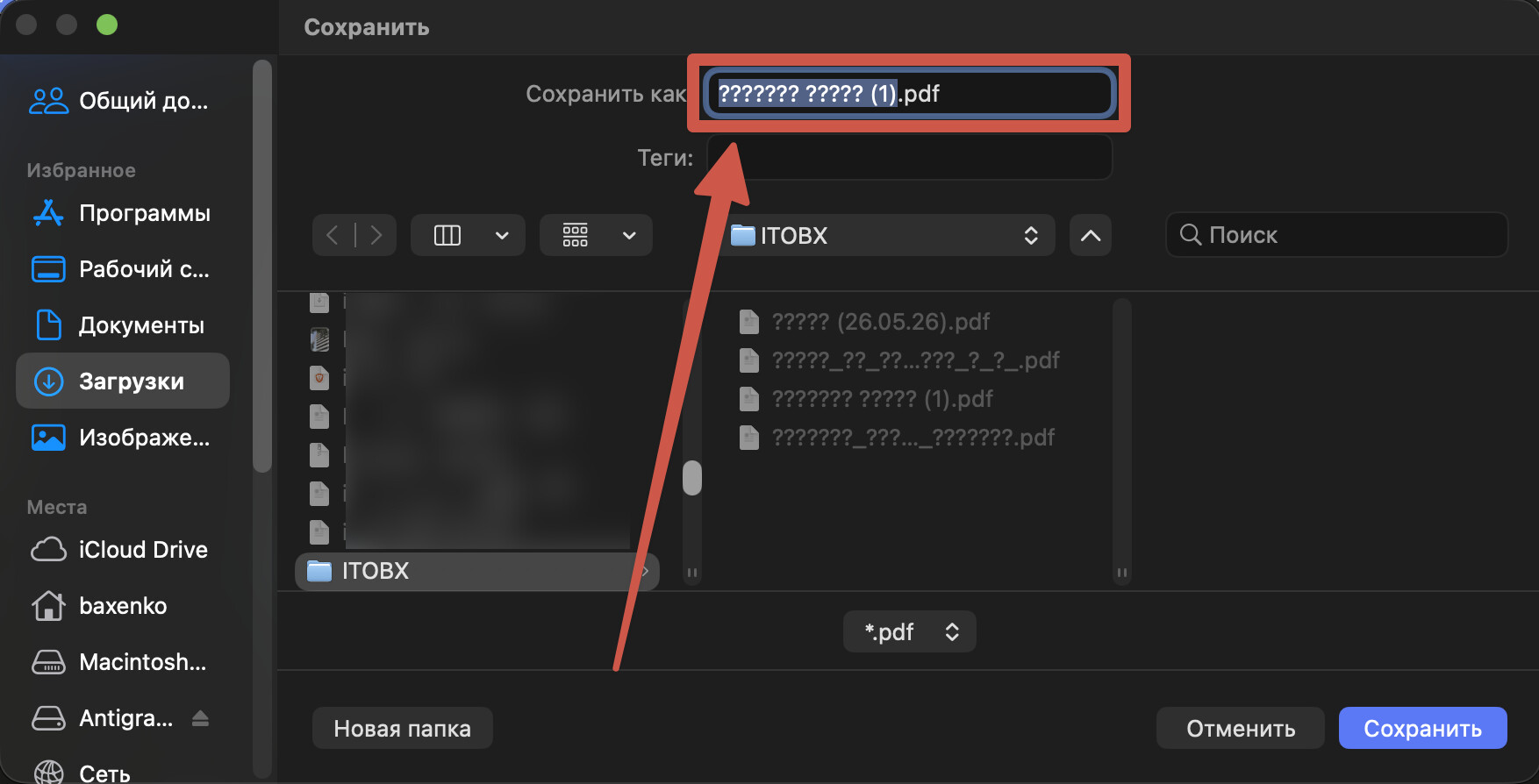
On macOS, when I save an attachment whose filename contains Cyrillic (Ukrainian/Russian) characters, the Save dialog shows the filename as a string of question marks instead of the real name. If I click Save, the file is written to disk with the “?” name.
Steps to reproduce
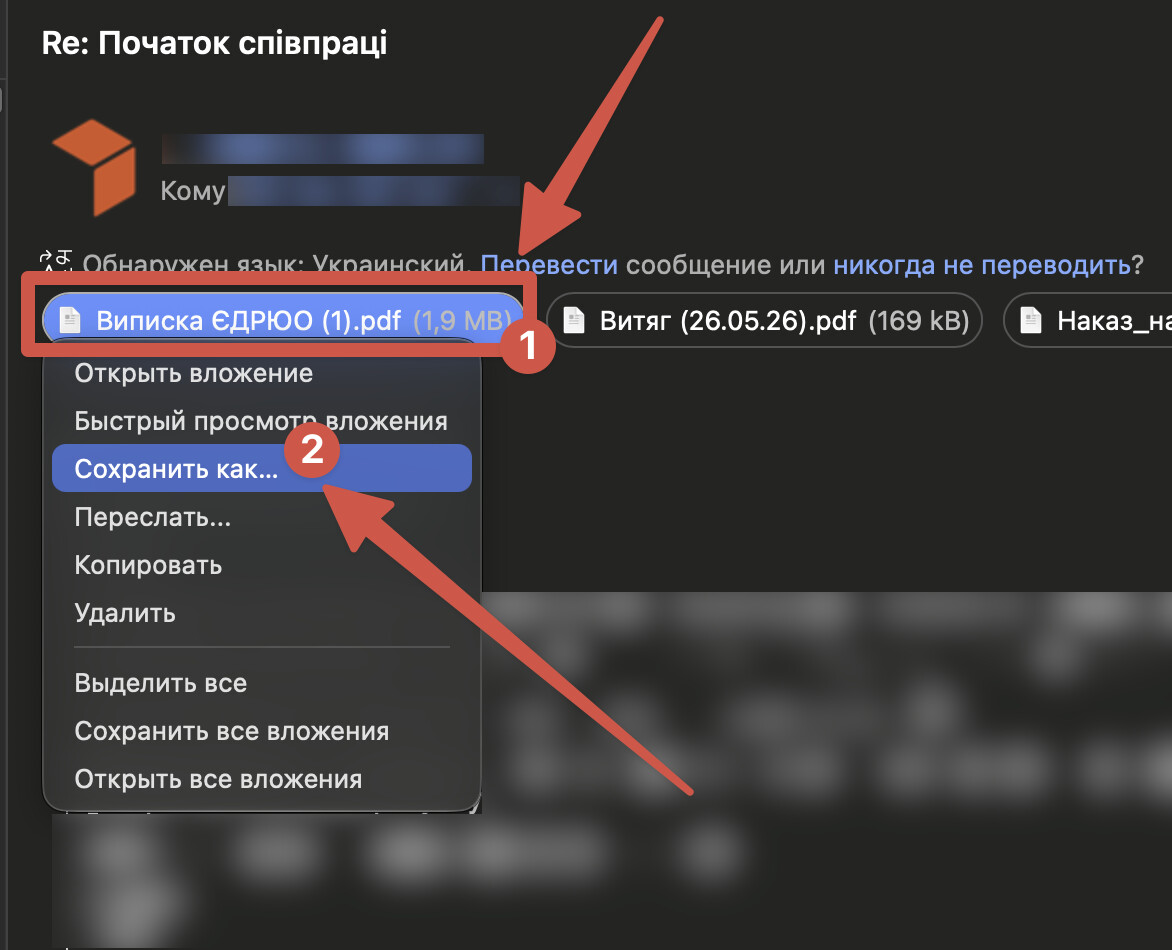
- Open an email that has attachments with Cyrillic filenames (e.g. “Виписка ЄДРЮО (1).pdf”, “Витяг (26.05.26).pdf”).
- Click an attachment and choose Save (or “Save as…”).
- Look at the “Save As” field in the macOS dialog.
Expected result
The filename is preserved: “Виписка ЄДРЮО (1).pdf”
Actual result
The dialog suggests “??? ??? (1).pdf”, and the saved file has that name. Several attachments from the same email end up with similar “?” names, so they are hard to tell apart. Screenshot attached.
Notes
- In the email itself, the attachment names are displayed correctly (Cyrillic is shown properly in the attachment list).
- The problem appears only when saving, so it looks like an encoding issue in the filename passed to the macOS save dialog / file system.
- The sender’s emails are in Ukrainian; the system interface is Russian.
Environment
- eM Client version: 10.4.5674 (fcbf2a4)
- macOS version: 27.0.1
- Mac: MacBook Air (Apple Silicon)
- Account type: IMAP
Is this a known bug? Is there a workaround other than renaming files manually after saving? Thanks!