The latest beta version 11.0 282 wiped out all my Inbox folders. [Exchange Web Services] The mailbox database is temporarily unavailable., Cannot open mailbox. Server = YTZP288MB1109.CANP288.PROD.OUTLOOK.COM, mdbGuid = 9a59f044-842b-47e5-9860-acdea3c59060, maiboxGuid = a0bc6ceb-6799-477f-8602-97e7ce19a760
The error “The mailbox database is temporarily unavailable” indicates a problem connecting to the server. This error is not specific to the BETA and could also occur in older versions.
While this normally should not cause the local cached copy of your messages to disappear, we would be happy to troubleshoot the issue if you have a log from when it occurred. If you do, please don’t hesitate to contact us at [email protected] and include the log.
Alternatively, are the messages also missing from your webmail?
You could also try a new setup and see: Exchange Web Services (EWS) will soon be discontinued by Microsoft, so we recommend trying the new Microsoft Graph setup for your account. Since you are participating in the BETA at this time anyway and this new setup is available starting with eM Client 11.
Go to Menu > Accounts and add your account again. The Graph setup should be selected automatically, and it may resolve the connection issue you are experiencing.
If you would prefer to leave the BETA testing, you absolutely can. Testing unfinished products is completely voluntary. Downgrading from the BETA works the same way as downgrading from a newer version to an older version:
If you have any local data that was added during the BETA testing, export it via File > Export.
eM Client allows multiple setups of the same account, so you can have both set up until you’re sure the Graph one has synchronized all the needed details.
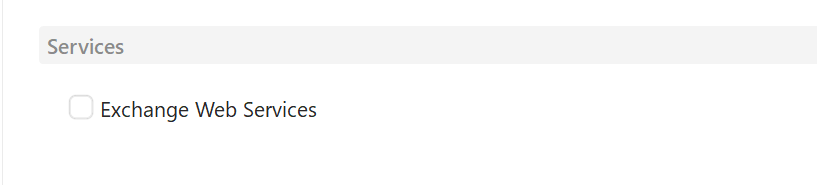
And even then, you can just “turn off” the EWS setup by unchecking the “Exchange Web Services” service in Menu>Accounts in the General tab.
This will hide the account from the view and stop syncing the data, but if you need to doublecheck anything (while EWS still works) you can just easily toggle it back on instead of having to set it up manually.
But you can also just remove the account completely of course.