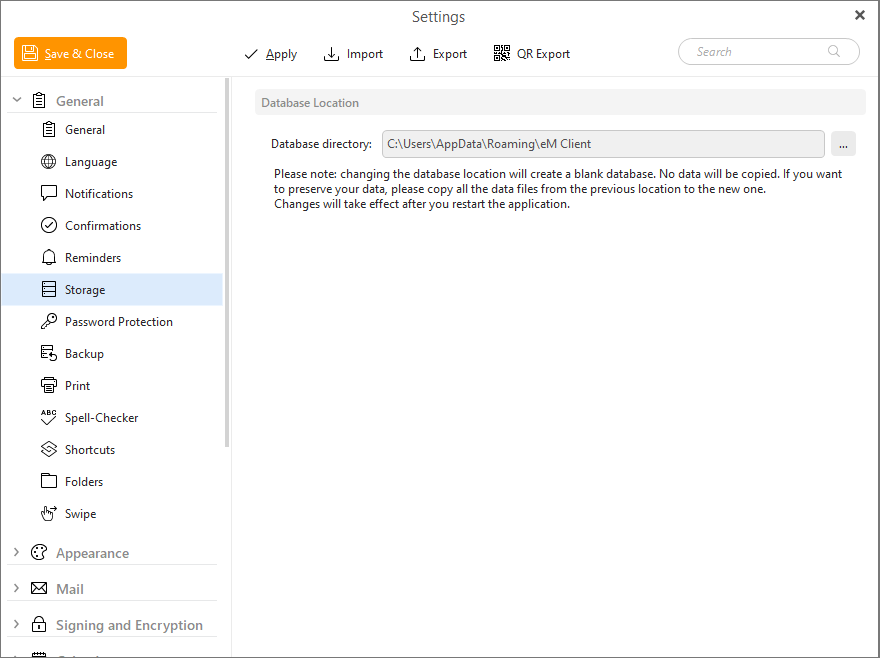
It is my understanding that Em Client databases are located within the ..\Users\user\AppData folder and cannot be placed elsewhere. This causes me several issues.
- Firstly, the AppData is generally hidden.
- Backups for my data would not normally process the AppData structure.
- The AppData structure SHOULD only be used information relating to the system and not for user data.
- In my case, I have C:\Users\Chris... on my first drive and ALL of my data is located on the second drive at D:\Chris.… That way, I can backup my data simply and not have to try to locate MY data buried within AppData.
- Per se, on my old Win 10 PC the amount of data is
Total - 585GB, 177K folders, 617K files
AppData - 53Gb,166K folders, 469K files
Photos - 358GB, 1,711 folders, 46,259 files
Other data - 177 Gb, 9,300 folders, 101,750 files
Now reduced to - 102 GB, 3,274 folders, 64,778 files
Obviously, you can see why I don’t want to backup the AppData.
Can we please have the ability to put MY data where I want it to be.