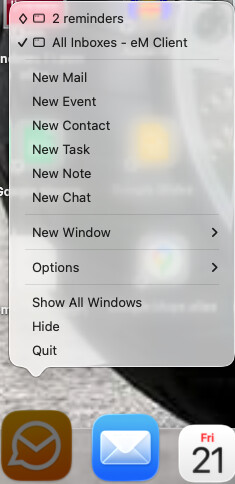
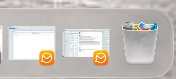
When em-client is minimized, the left mouse click on the taskbar symbol always opens the reminder window, but not the main window. Later can only be done using the right mouse panel.
Is there a way to open the main window directly with a left mouse click on the taskbar icon (when e,-client is minimized)? If not: please add this as option.
Thomas
Its depending on whether you have Windows or Mac.
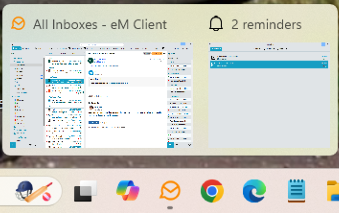
Using Windows 11 if i click the left mouse button on eM Client minimised on the taskbar with the reminders window and main window open, i get thumbnail previews appear of both open windows, where i can choose between the main window or the reminder window by hovering over the windows and left clicking on the preview windows as in the screenshot example below.
Note:- The right click option in Windows 11 with the reminders window open “doesn’t actually show the open reminders window to select” like the mac does which appears to be a bug.
Using Mac Tahoe OS26 if i click the left mouse button “the main window will just normally open” and doesn’t give you the option to choose between the different windows. That i suspect is just the way the Mac OS works.
So if you want to access the main window or reminder windows when minimised on Mac, you “have to use the right click option” on the dockbar and not via left clicking like Windows.
Or alternatively you can click the separate minimised windows “at the far right of the dockbar”.