the text in the email is smaller and hard to read, the header is bigger?
the text in the email is smaller and hard to read, the header is bigger?
You can click in the body of the email” and then press the Ctrl + or - keys to zoom the text size larger or smaller on eM Client for Windows, or Command + or - keys to zoom the text size larger or smaller on eM Client for Mac.
You can also “click in the body of the email”, and then press the “Ctrl & the Scroll wheel” up and down to zoom the email body text larger or smaller.
You can also reset the zoom by “first clicking in the body of the email” and then pressing the Ctrl + 0 key on Windows or press Command & Option + 0 key on Mac.
You can also “right click” in the body of the email and click “zoom” on the menu that appears and then click “Increase or Decrease or Original”
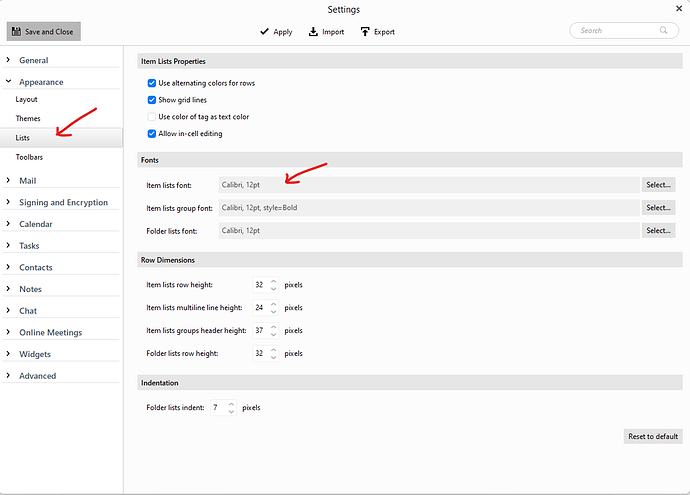
If you want to increase or decrease the font size of the “Subject” click “Menu / Settings / Appearance / Lists” and change the “Item Lists font”