Since I upgraded to version 11, I started getting this error message:
[CardDAV] Sync of Yahoo!/Contacts failed due to the following error: Yahoo! (Server Error)
I tried removing my Yahoo! account and adding it again, but this didn’t solve the issue.
This message is really annoying, and it shows up every few seconds, resulting in me closing the app to save myself the headache.
Since I upgraded to version 11, I started getting this error message:
[CardDAV] Sync of Yahoo!/Contacts failed due to the following error: Yahoo! (Server Error)
After upgrading to eM Client V11 yes i got the same CardDAV error on Mac & Windows.
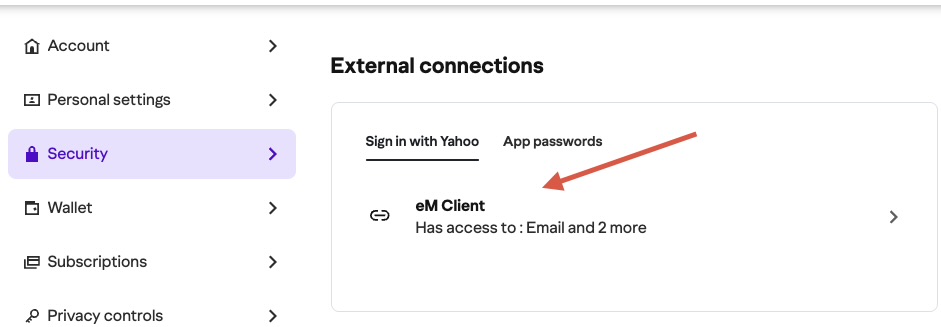
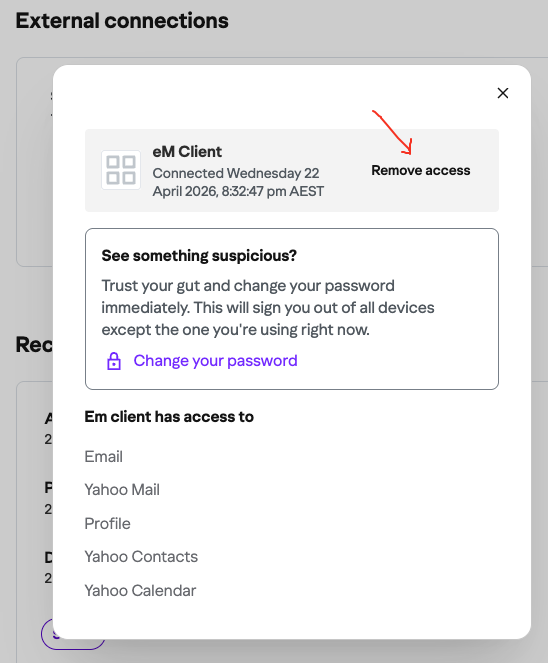
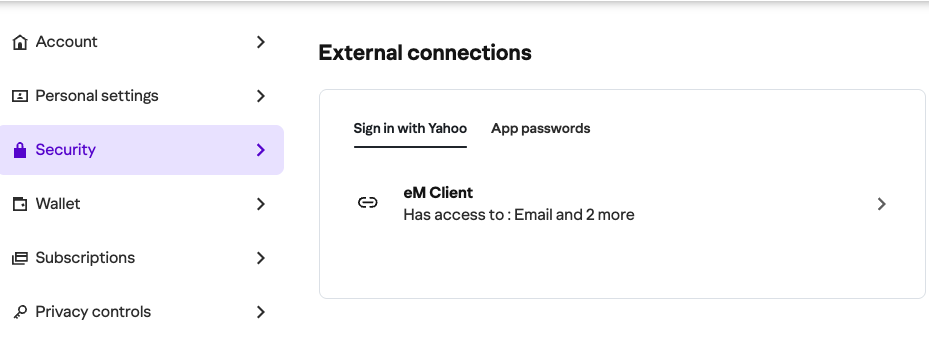
So i removed the account and then went online to my Yahoo account “Security / External connections” section and removed / revoked the eM Client OAuth token as per below example screenshots.
Once removed then “re-added the account via the automatic account wizard” and the contacts seem to appear and work ok on Mac V11.0.1267 & OS27.0.1 & Win 11 Pro (26H2).
However Ive noticed alot of the time Yahoo contacts account on Mac & Windows can still randomly get red triangles next to the CardDAV account and wont work which i believe is some Yahoo server issue and not eM Client related as the CardDAV URL is the same as in V10. Unless Yahoo have changed something their end that’s affecting V11.
When i click on the red triangle the error goes away which seems to point to a Yahoo end issue as it says “Server error” as @gabrsafwat posted at the top of this thread. Support might comment on this as its happening alot now to seems like many users.
Thanks for your message. I have also tested this with eM Client version 11.0.1267 (Windows).
In addition, I completely removed the account and set it up again from scratch. I also revoked the permissions in my AOL account settings and re-authenticated.
Unfortunately, none of these steps resolved the issue.
Ok i managed to get the Yahoo CardDAV added and working everytime by using a Generated App password for the Contacts and the OAuth token for the Mail, Calendar & Tasks.
Desktop instructions for eM Client Windows or Mac
1). First “remove your Yahoo account completely from eM Client Desktop” and “remove your eM Client OAuth token online” in your Yahoo account https://login.yahoo.com/myaccount/security External Connections section.
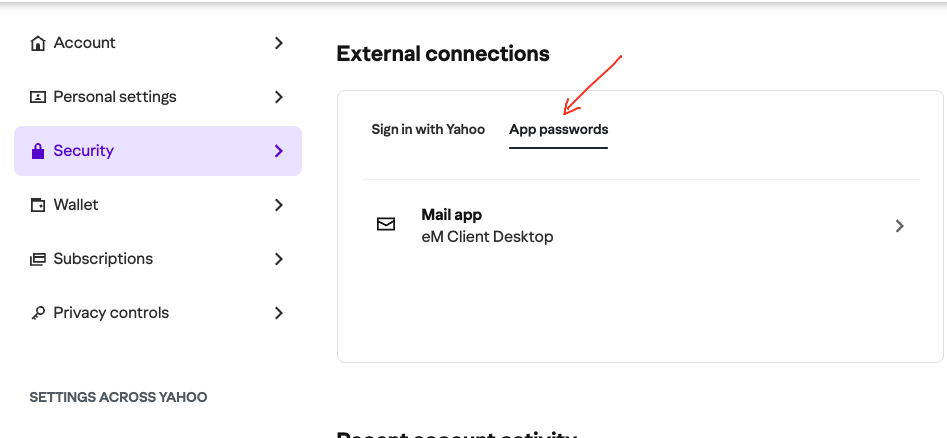
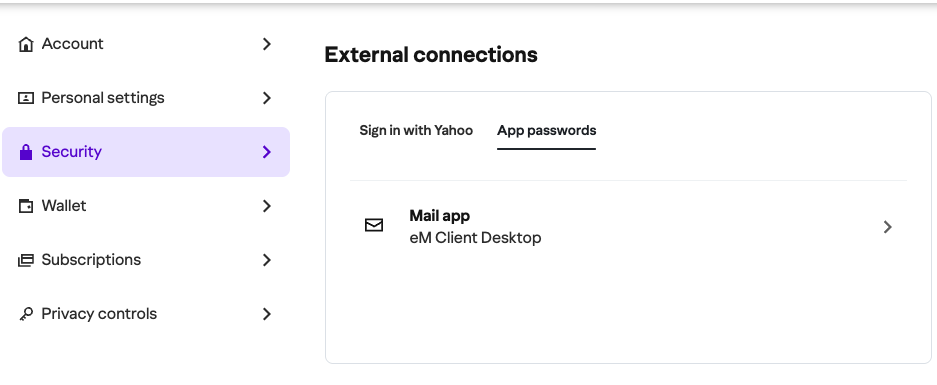
2). Then in your Yahoo online Account Security https://login.yahoo.com/myaccount/security “Generate an app password” as per the first screenshot below and “make sure to leave the spaces” when you copy and paste that into eM Client CardDAV password line later as in the example xygh sghy jkyh acet
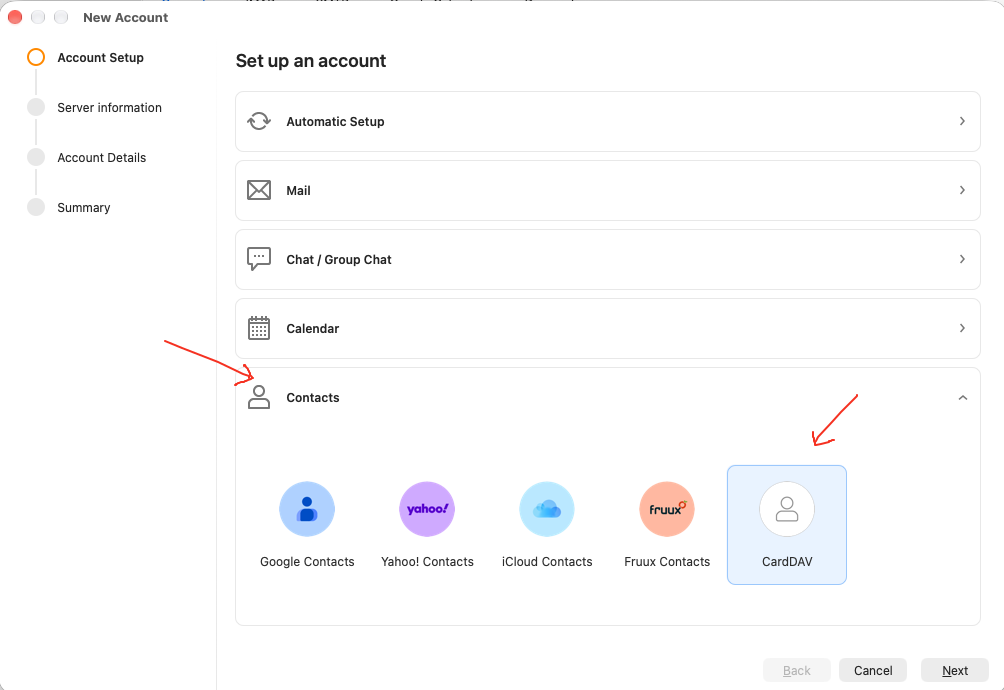
3). Then in eM Client Desktop go to “Menu / Accounts” and click “Add Account” and click “Contacts” and select “CardDAV” and click “Next” as in the second screenshot below.
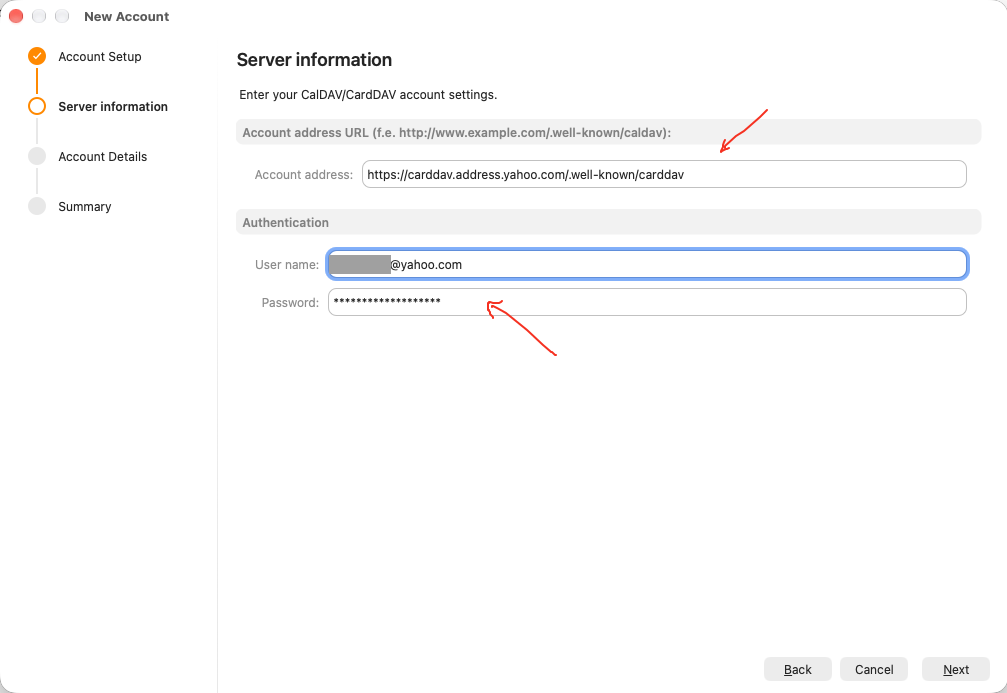
4). Next enter the Yahoo CardDAV url https://carddav.address.yahoo.com/.well-known/carddav and your Yahoo full email address and “Generated App Password” and click “Next” and Finish as in the third example screenshot below.
5). Then in “Menu / Accounts” click “Add Account” and enter your Yahoo email address in the “Automatic account wizard” at the top and follow the prompts. At the end “Don’t select Contacts”. Only select “Mail, Calendar & Tasks” and then “click to allow eM Client access” at the end which will then add the OAuth token in your Yahoo account.
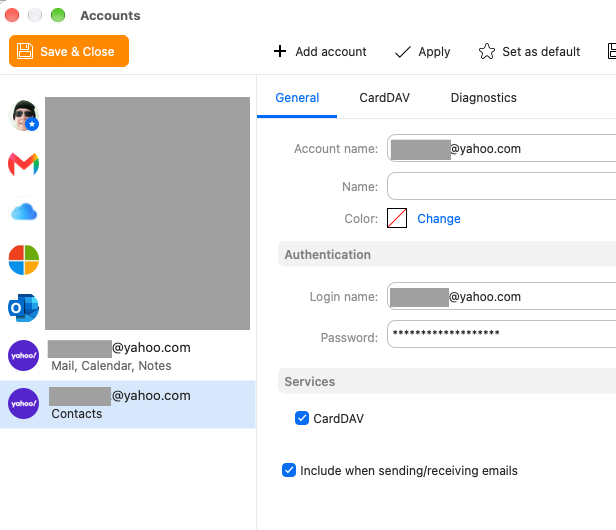
So you will end up in your Yahoo account an OAuth token for Mail, Calendar & Tasks, & a Generated app password for Contacts as in the fourth & fifth screenshot below.
Mobile app instructions for eM Client CardDAV for Yahoo accounts once you have setup the desktop.
1.Remove any existing Yahoo account in eM Client mobile app.
2.Then go online to your Yahoo Account Security External connections and “Generate a new app password” for your mobile device and call it eg: eM Client iPhone, or eM Client Droid phone
3.Then go to “Menu / Accounts” and “manually add your CardDAV account” with the Yahoo CardDAV url and your Yahoo full email address and new Generated app password & click Next & Finish.
4.Next in “Menu / Accounts” add your Yahoo account again via the “Automatic account wizard”, and at the end you will get a message you have already added the account and do you want to add it again. Select “Yes to add it again”.
5.Then you will see two Yahoo accounts. One with Yahoo Contacts only and One with Yahoo Mail, Calendar, Contacts & Tasks. Open the Yahoo account with Mail, Calendar, Contacts & Tasks and “Disable CardDAV” Then Save & Close accounts.
Thanks for reporting this. We haven’t been able to reproduce it on our Yahoo test accounts yet, so logs from your eM Client would help a lot:
Go to Menu > Settings > Advanced > Logging.
Click “Clear Logs”.
Under your Yahoo account, check CardDAV. Under General, check Authentication.
Save the settings and restart eM Client.
Wait until the error “[CardDAV] Sync of Yahoo!/Contacts failed” appears again.
Go to Menu > Help > Open Log Directory, put the files into a ZIP file, and send it to me by email at [email protected] along with a link to this forum post.
Please also include:
the date and time the error appeared,
your eM Client version (Menu > Help > About),
whether you use Windows or Mac.
Please don’t post the logs here on the forum, since they can contain your email address and account details.
Thank you, and if you have any questions, let me know.
Wondering if you were able to find out anything in the log from @gabrsafwat for the Yahoo CardDAV problem using the OAuth token login ? Or do you need more logs sent in.
Hi @cyberzork ,
I have been contacted by emClient customer service, and I provided all the log files they requested for them to fix this issue. Today, I got an email from them saying that this is mostly a Yahoo! server error, and my log files have been forwarded to their developers to see if they can provide a fix. They didn’t provide a date for the fix, so we will have to wait and see!
Yes as i suspected was a Yahoo end issue as seen this problem for years with all previous versions of eM Client and so ill stick to using the Yahoo app password for now with Contacts as it works.
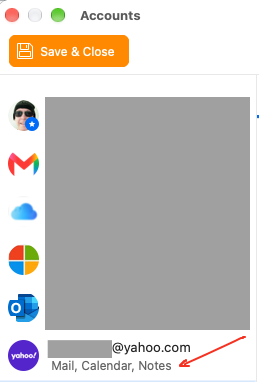
One strange thing with the automatic wizard with Yahoo account is that after you allow eM Client access to your Yahoo account and go back to accounts, it says Mail, Calendar, Notes where that should be Mail, Calendar, Tasks.
So wondering if that is a Yahoo Issue or eM Client issue on the Notes name ?