After installing the iPhone app, when we receive emails we don’t get a notification sound or anything, just a red dot appears on the app icon. Any fix?
when we receive emails we don’t get a notification sound or anything
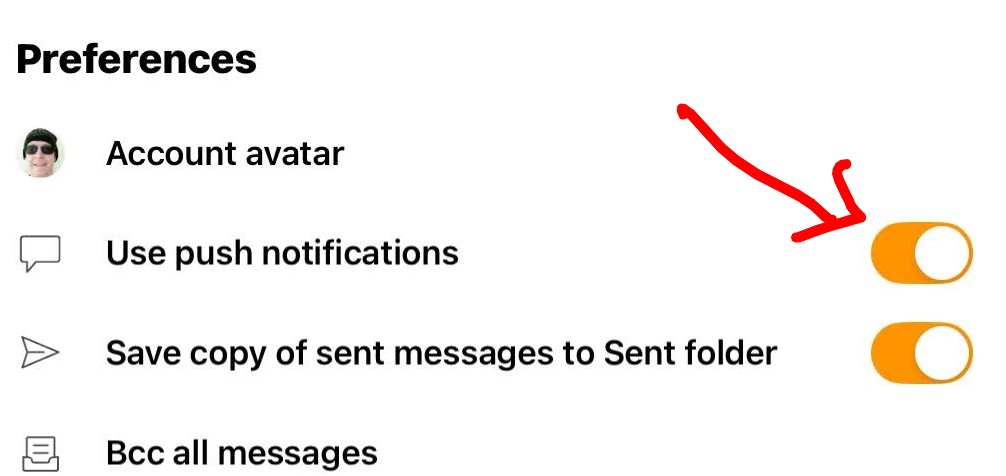
For new mail notifications, first make sure you have “Push Mail” notifications enabled in your account, via “pressing the Menu top left”. Then press “Settings” and “press on your Account” and you will see a slider to enable on the right for push notifications.
Yes i also currently “don’t get new mail or sent mail sound notifications” on iPhone or iPad.
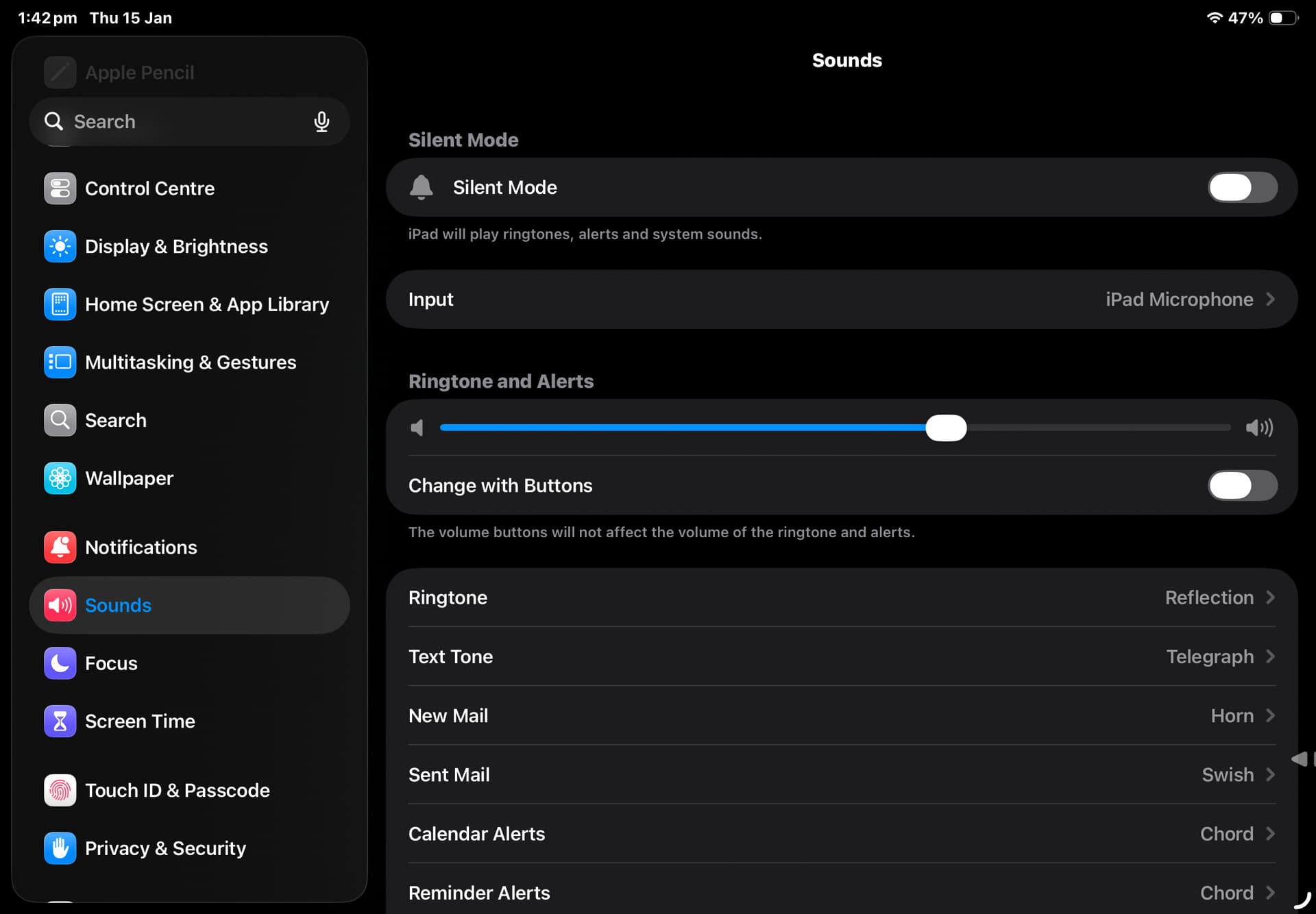
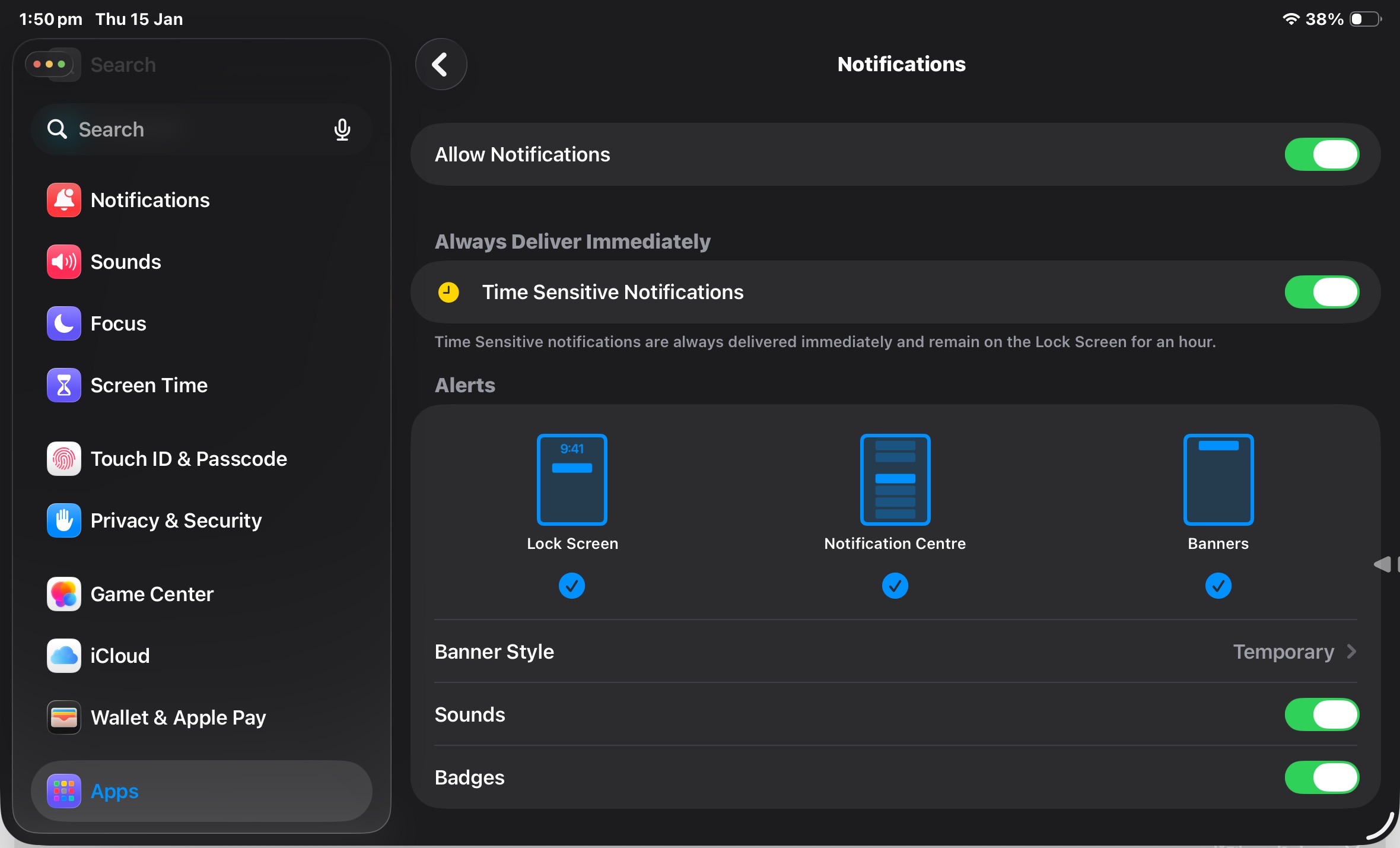
I thought the mobile app might possibly use the “OS Settings / Sounds / New Mail & Sent Mail sounds” provided you also have the eM Client app enabled for Sounds in “OS Settings / Apps / eM Client / Notifications” as per screenshots below, but I’ve never got it to work on my iPad or iPhone even with the latest OS 26.2 using eM Client V10.4.4205 Tried all differant sounds,
I know with the eM Client Android app it has an actual “Notifications section within each account config” to setup the new mail and sent mail sounds, so maybe the iOS version also needs to have that added into the app. Dunno.
There is a Sleekplan suggestion for this which is still “Open Status” so maybe the iOS new mail & sent mail notification sounds are still currently being worked on by the devs and does need to be specially programmed within the app itself.