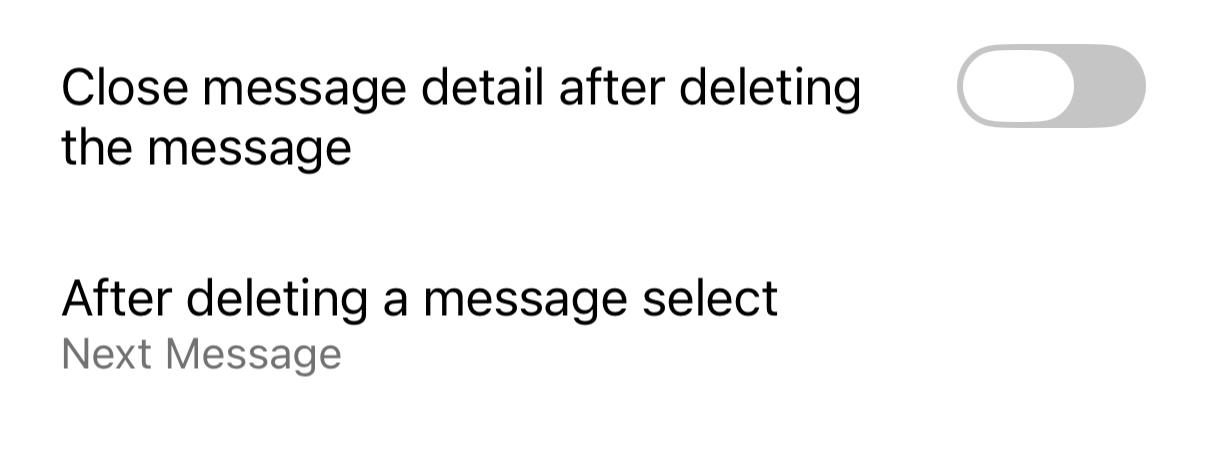
On iOS, archiving or deleting a message from the message view always returns me to the message list. When I’m working through a full inbox, that means archive, back to the list, tap the next message, over and over.
Request: Add a setting under Mail (or Reading) with a choice for what happens after you archive, delete, or move an open message:
• Return to message list (current default)
• Open next message
• Open previous message
Why a setting rather than a new default: I know many users prefer going back to the list. When a previous version briefly opened the next message after delete, people reported it as a bug. Toggles that keep the current behavior — for either archiving or deleting — as the default lets both groups work the way they want.
In emClient for Desktop (Windows), I am able to use a keyboard shortcut (I use “A”) to archive a message currently being viewed and advance to the next message in the list. Because of this, right now when I have a full inbox I find it more efficient to skim using my desktop, but I would like to be able to skim and archive on mobile as well because many times when I am in the headspace to skim (on the train, etc.) I do not have access to my desktop device.