I have a proper browser setup in iOS, yet, when I click on a link in emclient, it opens this trash supplied by the client itself. This is an absolutely horrible tactic here. This garbage isn’t even a legitimate browser!
Respect the user’s default choice . Open the proper browser, not some internal trash.
This is an absolutely horrible tactic here
Most mobile apps will use their built-in browser by default, but you can easily change it.
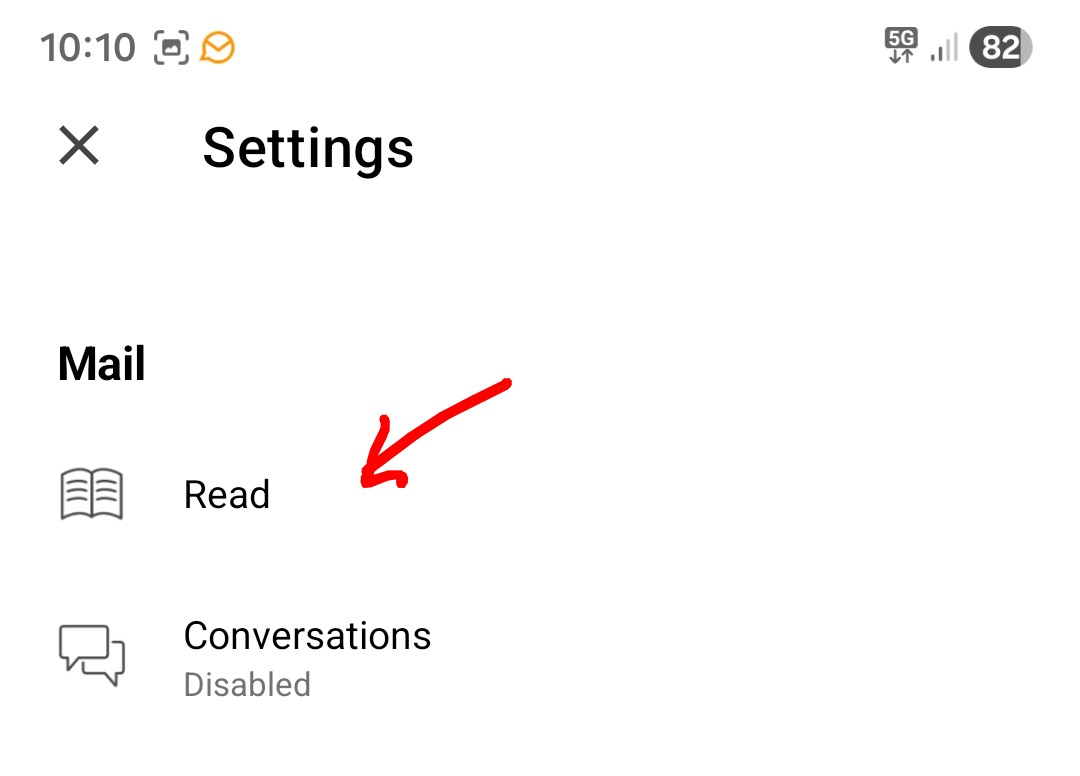
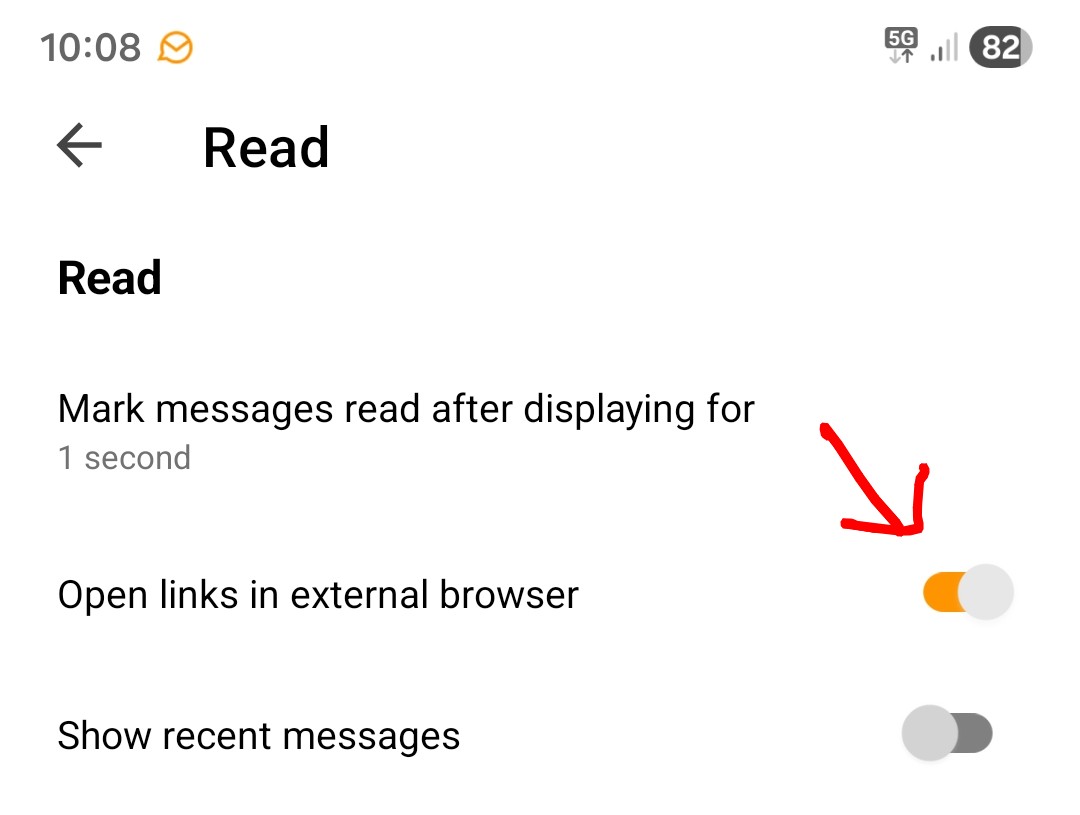
If you want to use your own default iOS system browser, press the top left of the mobile app and then press “Settings” and under Mail press “Read” and enable “Open links in external browser”.
Then finally close and reopen the mobile app.