Not a banner, but eM Client will offer you a popup in the lower right of your screen.
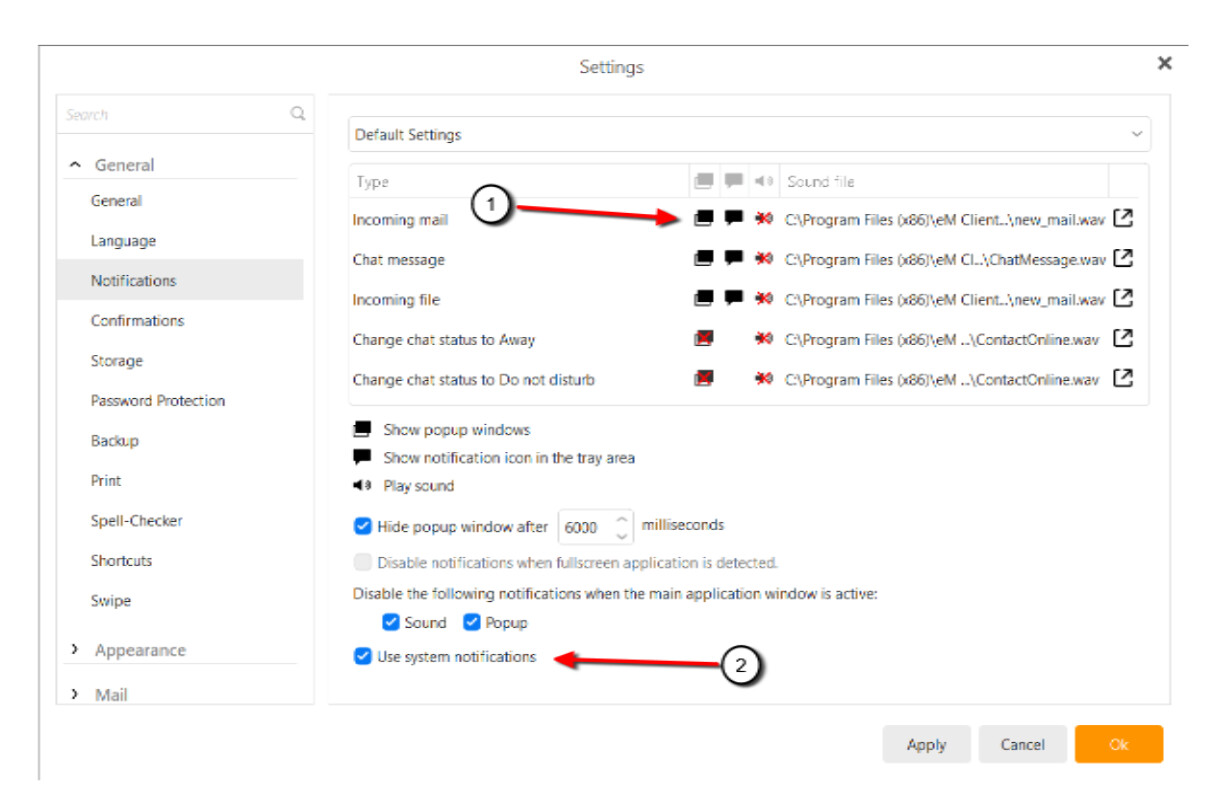
It should be enabled by default, but you change the settings in Menu > Settings > Notifications.
-
Make sure the popup icon does not have a red x on it.
-
Choose between eM Client notifications, or notification from Windows Action Center (system notifications).