Over the past few weeks, an issue has developed with our office email. This is affecting everyone currently using eM Client in our office. We don’t have the issue with email clients on our phones while using the office wifi. This came on suddently with nothing changing that could have caused it. Maybe the odd power outage / IP change, but router settings are still the same. Possible Windows update, too? Not sure.
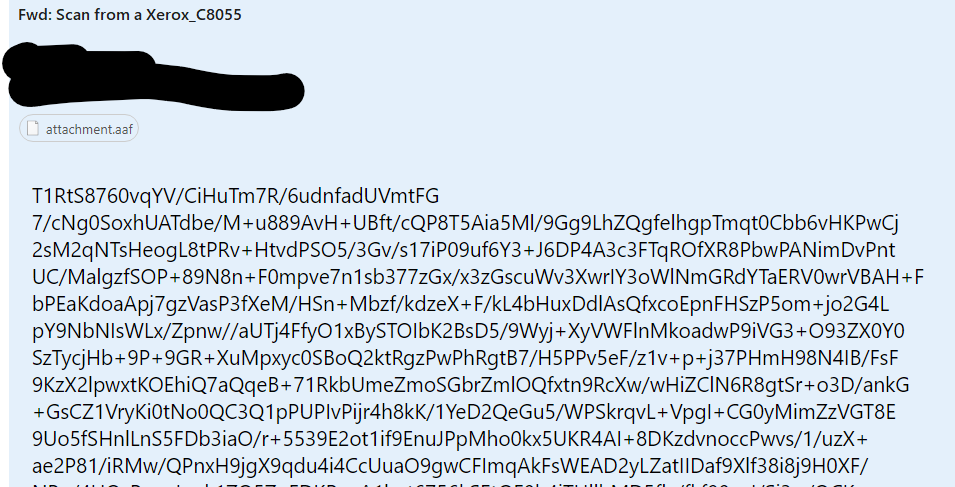
Basically, emails will come in normal, blank, or malformed. Sometimes the malformed emails look like broken HTML, and other times they are just blocks of random characters. I don’t see any logic as to what dictates each outcome.
I’ve tried toggling plain-text view on and off.
Using IMAP settings.
We’ve been successfully using the ‘repair’ function to fix the broken emails. It works, but I’d rather have a permanent fix for this versus using that constantly.
Since this is affecting everyone, I assumed it was most likely an issue with our email service provider. I reached out to them, and they suggested some edits to our DNS settings, which I did. Other than that, they said there wasn’t anything changed on their end that would cause this.
Interestingly, my ‘refresh’ button doesn’t seem to work with unread emails. I can see them in my webmail browser, but they won’t download when it hit ‘refresh’ in eM Client. If I read them in webmail, then hit ‘refresh’ in eM Client, they will download. They will download if I close and open eM Client, or during a periodic sync (although I feel it happens at a longer interval than what I have it set to).
I really don’t think this is an issue with eM Client, but I’m reaching out here anyways to try to get some ideas.
Any thoughts? Thanks.
The below is an example of what’s happening. It was a basic plain-text email with a PDF attachment.