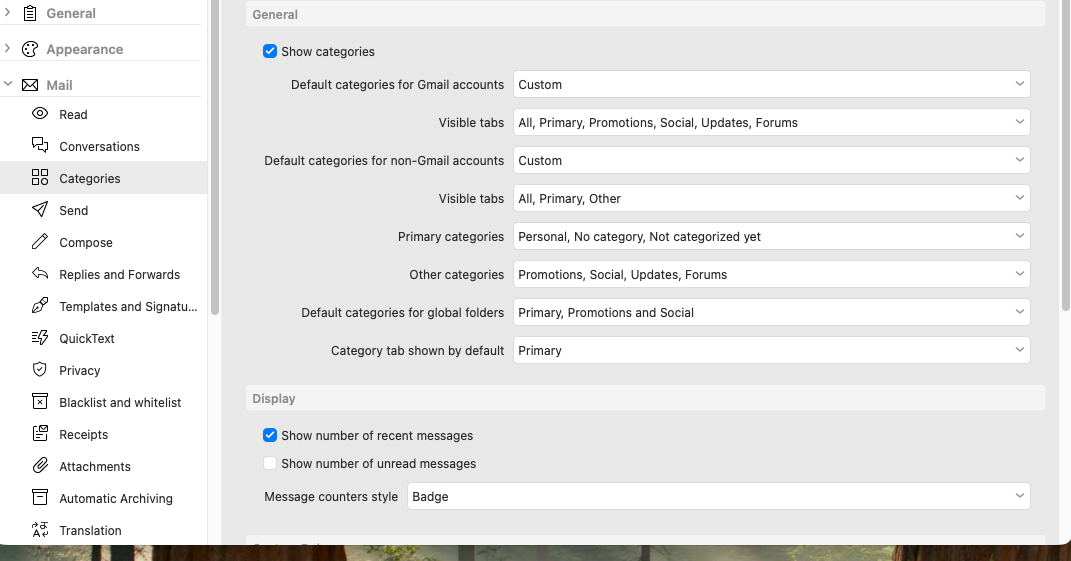
I very much like the inbox categories (Gmail for me), but there is one issue I have.
The default category displayed always seems to be the leftmost category and it seems to sort alphabetically. I like to have the ‘All’ category available and because it is the first category displayed, it is the default. I want the ‘Primary’ category to be the default selection. Any ideas? Thx.
I want the ‘Primary’ category to be the default selection
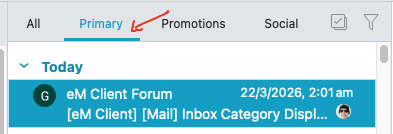
The Primary Category Tab is already normally the default Inbox for Gmail.
I like to have the ‘All’ category available and because it is the first category displayed, it is the default
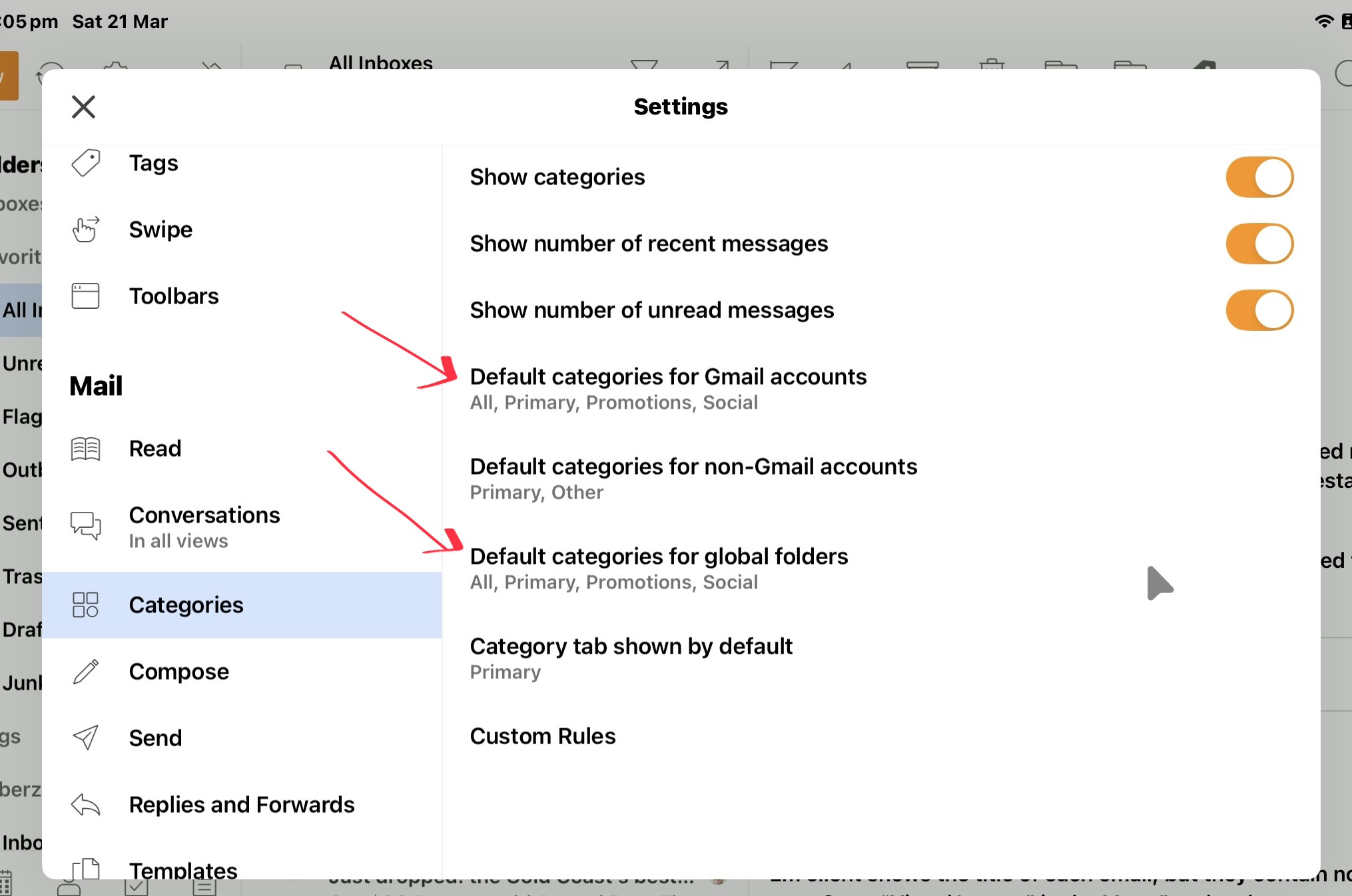
Go to “Menu / Settings / Mail / Categories” and click on “Default categories for Gmail accounts”, and “Default categories for global folders” and enable All.
The All Category tab is designed to show you “all your various Category Inbox mail in One Tab” as in this eM Client mobile iPad screen shot examples below.
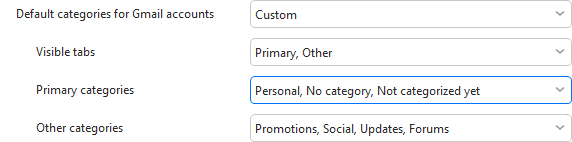
Apart from that you can choose “Custom selection” where you can not only specify which tabs to show, but also which categories should be part of the Primary and Other tab if you choose to view them, for example if you view specific category as more or less important.
“eM Client categories help documentation”
hhttps://www.emclient.com/webdocumentation/en/10.0/emclient/Default.htm#Settings/Categories.htm%3FTocPath%3DSettings%7CMail%7C_____3
Thanks for your detailed assistance. I think I did a poor job of explaining my issue.
What I am actually talking about is which category tab is active by default (i’e’, when you open eM Client or change accounts). On MacOS, if I have the ‘All Mail’ tab visible, that tab is active by default if I either open the program or change accounts. I would like the “Primary” tab active by default. Interestingly, this is exactly how the IOS/Android version work, but NOT MacOS.
if I have the ‘All Mail’ tab visible, that tab is active by default if I either open the program or change accounts. I would like the “Primary” tab active by default. Interestingly, this is exactly how the IOS/Android version work, but NOT MacOS.
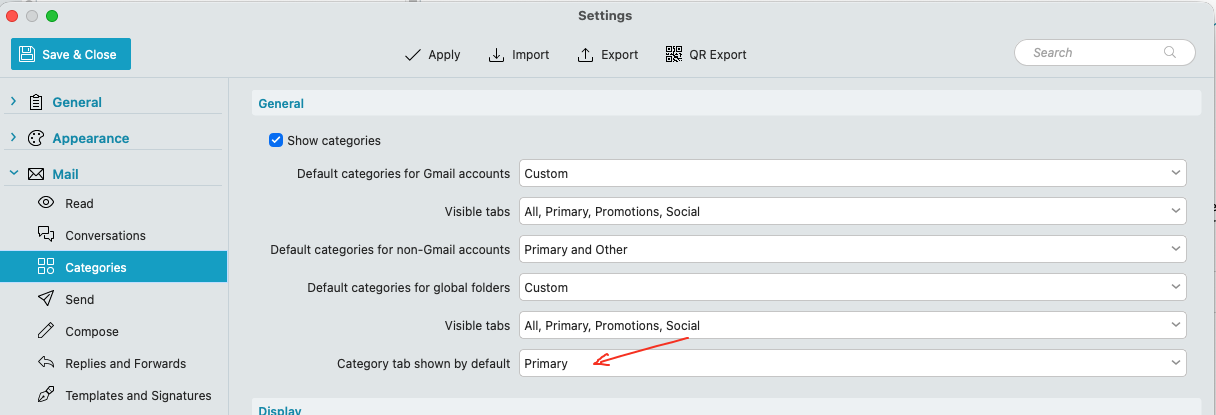
Using the Mac V10.4 / OS26.3 and a Gmail account with “Custom All Category tab enabled” in Category Settings, “you can set it to open in the Primary tab by default” via clicking the last field “Category tab chosen by default” as per the third screenshot below, which stays like that if you close and reopen eM Client.
Very Bizarre. Here is the screenshot of my settings. Still defaults to showing ‘All Mail’. I give up.
Try adding the “All tab” visible in “Default categories for Global folders” and see if it makes any difference after closing and reopening eM Client “when clicking All Inboxes”.
If the Primary Category tab “still doesn’t open by default in All Inboxes or Inbox” then could be your eM Client version, What version are you running ?
Oh well… still no luck. I’m running 10.4.4867
@cyberzork-- Thanks for your assistance on this, but don’t waste anymore of your time on it. I thought maybe someone had a quick fix, but no. Not a big deal. A few more mouse clicks won’t ruin my life…