As opposed to creating a Gmail account in Emclient and sync my contacts, I want to import an exported Google contacts into Emclient.
Problem is no matter which export I use (csv or vcard) the imported contacts are all jumbled.
Some phone numbers are in Display Name and others in Mobile Phone.
Some phone number prefixes have parenthesis and some don’t.
I find many issues with this. I don’t know if it’s an Email Client or Google issue.
With all this technology I find it a bit frustrating to have to go through this.
Maybe someone here can explain the best way to accomplish this.
James
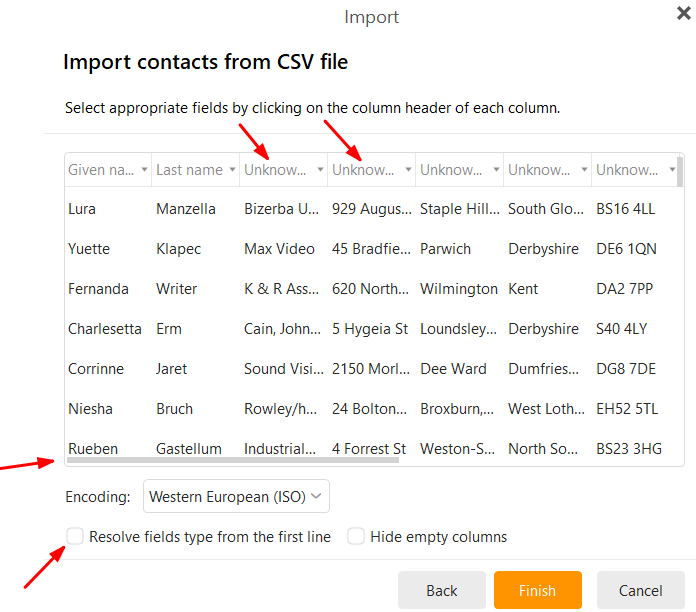
That happens usually “because of the way they are initially entered in Google”. So you have to match the column headings up along the top.
So when you import a .csv file, part way through the import wizard, “make sure to map the columns to the correct fields” by selecting the correct destination field for each column as per this thread post example screenshot below from the following thread on importing .vCard files and .CSV files
The problem I’m having is I prefer to have my contacts names in one filed. That don’t seem to
fair well with the import. Some contacts such as ‘Cleveland Clinic Billing’ will be imported into three different fields. ‘First Name’, ‘Middle Name’ and ‘Last Name.’