An export from my PC to my mobile phone only imported 4 emails out of a possible 570.
How can I ensure all emails ore copied across please?
I am using emclient version 10.4.4209 (d96494b), bought today.
Suggest then to “try removing your email account again from the mobile app” via “Menu / Settings”, and then do the QR Export again from the desktop to the mobile app as per the below procedure.
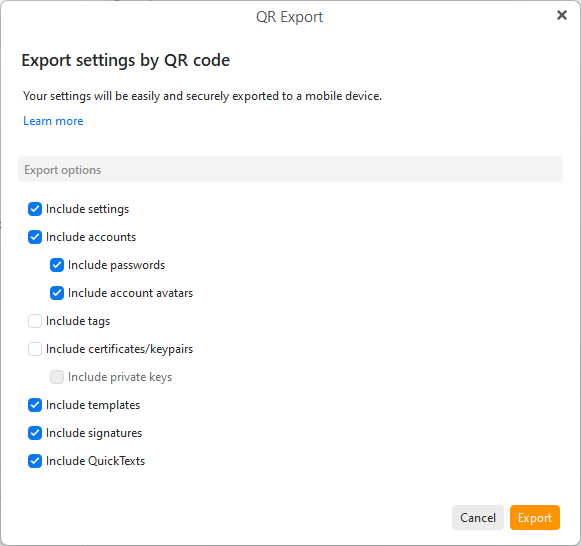
To export on the desktop to the mobile app via QR Code, go to “Menu / Tools / QR Export” and select your mail accounts and any other options you want and click “Export”.
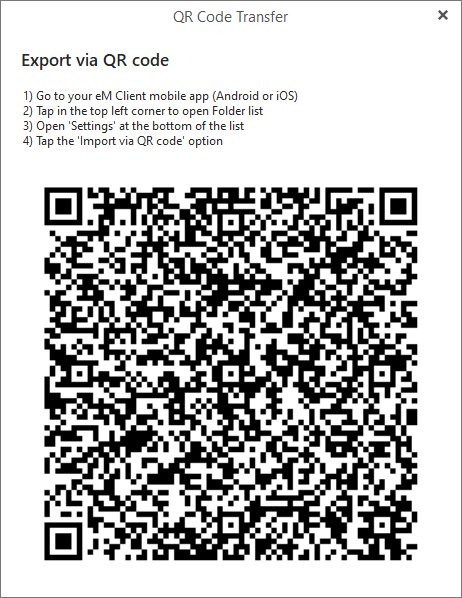
Then when you see the QR code appear, “open the eM Client mobile app” and press “Menu / Settings / Import/Export” and press “Import via QR Code” as per the eM Client online documentation link.
Hi, thanks for taking time to respond.
I tried exporting by QR code three time but it did not solve the problem, as Emclient on one of my other devices, using the IMAP protocol, had deleted nearly all emails from the server and were thus not available for import.
I use the POP3 protocol on my PC so that I can control deletion manually, which meant there were hundreds of emails in my PC inbox that were not available on the server.
I have since found that using the ‘File Export’ option from the main menu and selecting the ‘Export Emails to .eml files’, it exports all emails to a folder of my choosing, which I can then drag and drop into any email client with access to that folder. Problem solved.
use the POP3 protocol on my PC so that I can control deletion manually, which meant there were hundreds of emails in my PC inbox that were not available on the server.
You should look at using IMAP “on all your various devices” to avoid this same issue in future where then all your emails “will allways be the same” in not only the Inbox but also all other mail folders.