iMIP error for accepting an invitation to scheduled items

Hello everybody!
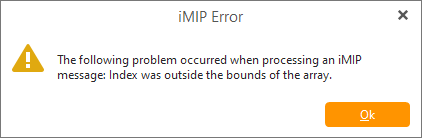
Just updated emClient to 9.2.1628 after which an error began to appear when trying to accept an invitation to a meeting. Reinstallation with saving database doesn’t help. Please help to solve this problem.
Image 004

Restored from windows control point to previous version. Version 9.2.1577 has the same issue.

Hello, I have installed the new update and I am getting iMIP error message when receiving invites from my colleagues. it states invalid time zone. I also can NOT see accept or decline button in the invite, so I can not confirm my meetings. Hope you can look into this as it causes a bit of an issue.
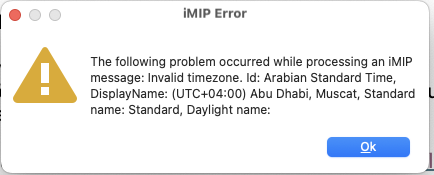
hello, the above it the box…showing the error…can ou help ?

Hello, I have installed the new update and I am getting iMIP error message when receiving invites from my colleagues.

Sounds the same issue as in this thread

You need to send in the message as a .eml to be investigated as @Michal_Burger advised in his post below on that IMIP Invitation issue.

To save the message as a .eml , right click in the message body and choose “Save As”.

I have sent email and invite to your support team. It is really inconvenient. This started after the upgrade to the newest version!!