Since updating to version: 10.4.5642 (2a058e0)
I can not click on a button that is hyperlinked. That same email (created in mailchimp, will work in Gmail, but not in emclient.
Is this a known glitch? What’s the solution?
Since updating to version: 10.4.5642 (2a058e0)
I can not click on a button that is hyperlinked. That same email (created in mailchimp, will work in Gmail, but not in emclient.
Is this a known glitch? What’s the solution?
Could you please send me the email where this happens to you to [email protected]? Right-click it and select Save As to download it as an eml file.
viernes 31 julio 2026 :: 0855hrs (UTC +0100)
Hey @jathompson8181
Just tried this twice with different links in latest version of eMC
Both worked perfectly
skybat
¡Buena suerte!
¡Saludos desde Valencia la soleada en España!
¡Mis mejores deseos y mantente a salvo!
Hablo español, luego portugués, inglés, francés y alemán
con conocimiento de varios otros idiomas.
I’m having the same problem. Text links work. Image/button links do not. Will send eml file as per Kim_Fisher request.
Allison
lunes 03 agosto 2026 :: 1726hrs (UTC +0100)
Hey @AMoore
I cannot get the insert image as a link tool to work unless I am missing something.
So here is what I worked out you need to do, until the tool is fixed.
It does work, I;ve checked it several times
Insert the image: Click the Insert icon or picture button in the toolbar
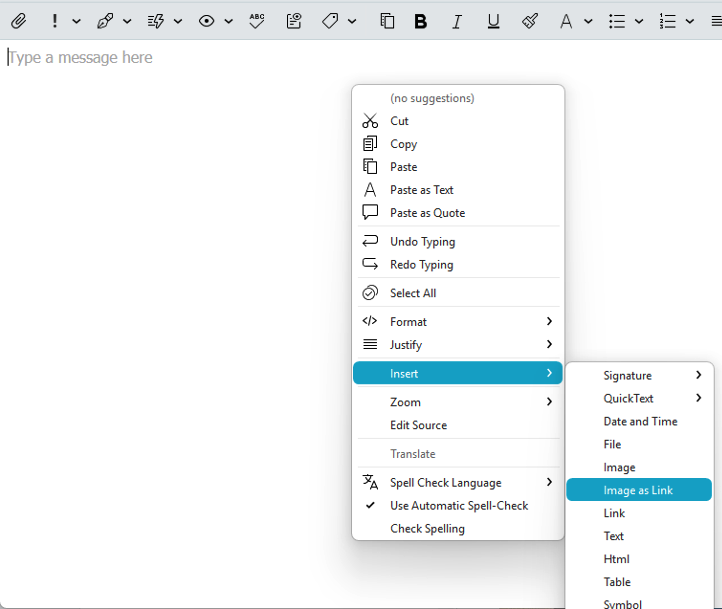
or right-click the email body and select Insert > Image to add your picture
Select the image: Click directly on the inserted picture so it is highlighted or active
Open the link tool: Click the Insert Link icon in the toolbar
Enter the URL: Paste or type your web address into the link dialogue box and click Insert Link
The image will now act as a clickable hyperlink.
skybat
¡Buena suerte!
¡Saludos desde Valencia la soleada en España!
¡Mis mejores deseos y mantente a salvo!
Hablo español, luego portugués, inglés, francés, italiano y alemán
con conocimientos de varios otros idiomas incluidos griego y ruso
Experiencing the same issue on my end after the latest update. Links in certain emails no longer open, mostly marketing and newsletters, where some of the links don’t work at all, but others in the same email do.
I’m experiencing the same issue since the last update. I also have emails that come through that must be entirely images that do not appear in the client, but when I go to Gmail they work just fine.
I also have the same issue since updating. It is a pain.
Also since updating some emails are not loading which is being discussed in another thread.
Would be good to get these issues fixed asap, in the meantime I head over to Apple Mail.
I would then suggest as @Kim_Fisher advised further up this thread to send in an example (.eml) email of the problem to be investigated if you haven’t already & include your of eM Client version you are using and your OS version.
Also what’s the other thread link you mentioned ?
There is now an updated V10.4.5647 with fixes you can try as well from the release history page.
If you do try the update, make a manual backup first if you don’t already do automatic backups via “Menu / Backup” incase you need to restore for any reason. Also close eM Client before updating.
I am having the same problem. Just started. Using Mac OS 26..5, Chrome 151.0.7922.108 eM Client 10.4.5642 (2a058e0). The same links work fine in Postbox.
Have you tried the updated V10.4.5647 ?
Sunday 09 August
Hi @cyberzork
I still cannot make this work unless I follow the instructions in this thread above by @skybat
I have have Win 11 Pro & eM Client: 10.4.5647
The pop-up tool that I get does not have a field to select an image
Please will you give step by step instructions
Bonne chance!
Lucy_C
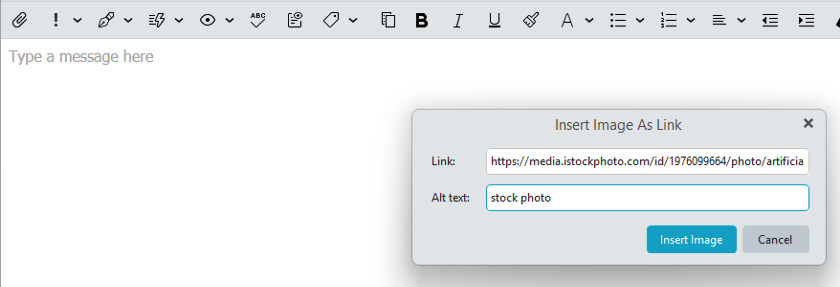
I am not sure what popup you are referring to, but if you just want to insert an image in a compose window “as a remote image link” rather than a local image linking to a URL using eM Client 10.4.5647 for Windows or Mac, then you do it via the below method.
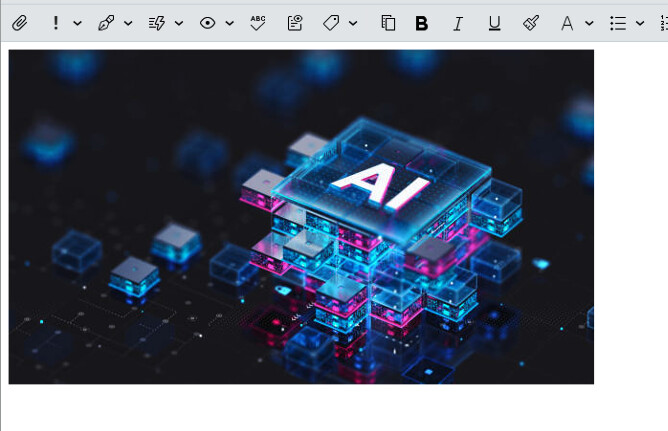
Right click in the compose window and click “Insert / Image as link” and insert the http link of the image, and if you want also an alt text name and send as per below remote image link example.
Or if you want to insert a local image and link a url then you follow @skybat method above.
“Insert / Image as link example”
“Check for Update…” in eM Client gives me “There is no update available”
Ok I downloaded the update from the website and am now on version 10.4.5663 (fd3063d)… LINKS NOW WORK! Thank you for your help cyberzork!
“Check for Update…” in eM Client gives me “There is no update available”
If you originally downloaded eM Client from the website, then go to the release history page and download it. Then “close eM Client” and install it. It’s a new interium update so not officially pushed yet which is why it doesn’t show in check for update. There is also a new updated V10.4.5663 just out.
Note: Before installing it first make a backup via “Menu / Backup” incase you need to restore for any reason. You can see when thats completed in Show Operations via the dropdown page on the right of Refresh.
Thank you. The newest update corrected the problem!