Until recently, the emclient icon in the taskbar (macOS 26.6) would display a number when new emails arrived. Suddenly, this is no longer the case. I can’t find the setting in the long and confusing lists of options in the preferences. Does anyone know where it is?
Until recently, the eM Client icon in the taskbar (macOS 26.6) would display a number when new emails arrived. Suddenly, this is no longer the case. I can’t find the setting in the long and confusing lists of options in the preferences. Does anyone know where it is?
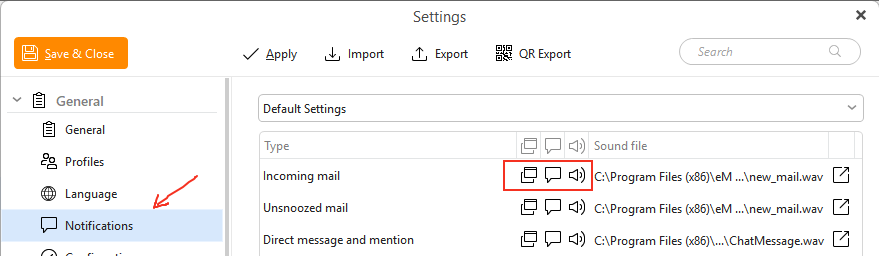
First make sure using eM Client V9 / V10 go to “Menu / Settings / General / Notifications” that you have the Incoming mail enabled as in the below and “no X through them” as per example below.
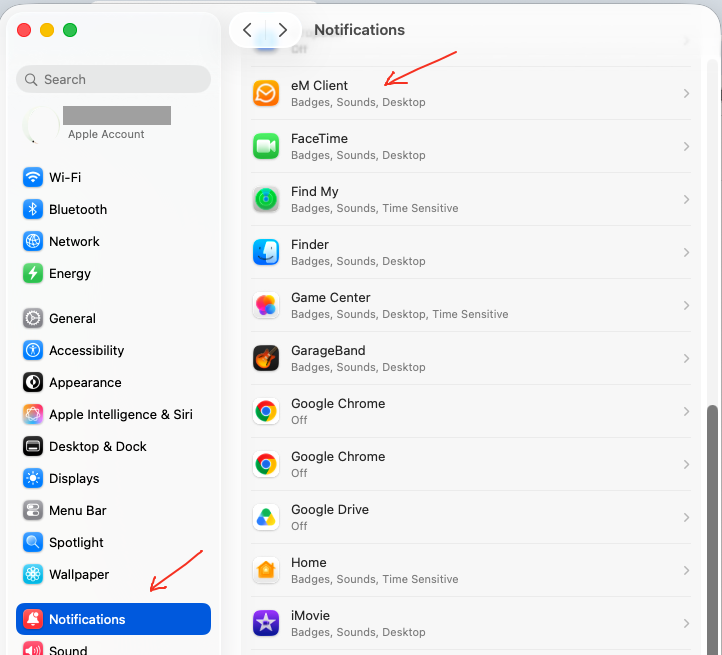
Next you enable the dock bar (taskbar) “badge notification & sound notification” via the Mac OS Settings / Notifications / eM Client" as in the example OS 26.6.2 screenshots below.
Also make sure eM Client “is minimised on the dockbar” or you won’t see the badge icon.