imake format for my computer and reinstall em client on it
but i cant restor my date in it
please hepl me urgently to solve it i need it to check my emails
I presume you mean “how to restore your data” after reinstalling eM Client which you can restore two ways either from a recent eM Client backup or from a backed up user profile hidden database folder as per my post further down.
Or if you did mean “how to restore your date in eM Client”, the date & time in eM Client "is normally automatically picked up “by your OS Settings” when you launch eM Client.
Or if you meant “how to see the date for each day at the top of the message list”, in V10 you go to “Menu / Settings / Mail / Read” and select “Show full date” under Message List part way down and Save Settings.
“To restore your eM Client data from a backup”
First make sure “you have installed the same eM Client version as you had before”. If you originally installed eM Client from the website, then go to the release history page where you can get all the various versions for PC or Mac. Otherwise if you originally installed eM Client from the Windows Store then reinstall that version from there.
Then once you have the same eM Client version installed “skip the setup wizard”, and if you have been making regular eM Client Backups either automatically via the Settings or manually via the Menu “prior to formatting your computer” (which by default go in your “Documents / eM Client” folder) and have a copy of your user profile backed up on another internal or external drive or cloud drive, then copy the eM Client dated backup.zip files from your backed up drive into your same Documents / eM Client folder and then restore your last backup via “Menu / File / Restore”.
If you haven’t been making regular eM Client backups “but you have a copy of your user profile backed up” prior to reformatting your drive on another internal or external drive or cloud drive, then you can restore your eM Client hidden database folder to then be the same as it was before.
“To restore your eM Client data from the hidden database folder”
First “close eM Client” and then go to the following hidden database folder and “rename it” to eg: eM Client-Current.
(Hidden database folder Windows)
C:\Users%username%\AppData\Roaming\eM Client
(Hidden database folder Mac)
/Users/User Name/Library/Application Support/eM Client
Then once renamed, “go to your backed up user profile” and “copy the eM Client hidden database folder” to the same location on your current hard-disk. You will then see a eM Client folder and eM Client-Current folder. Then reopen eM Client and it will be the same as before.
check attached photos to clear my problem with installing my date on new one
please i need it very urgently
if you can contact by teem viewer to be more faster
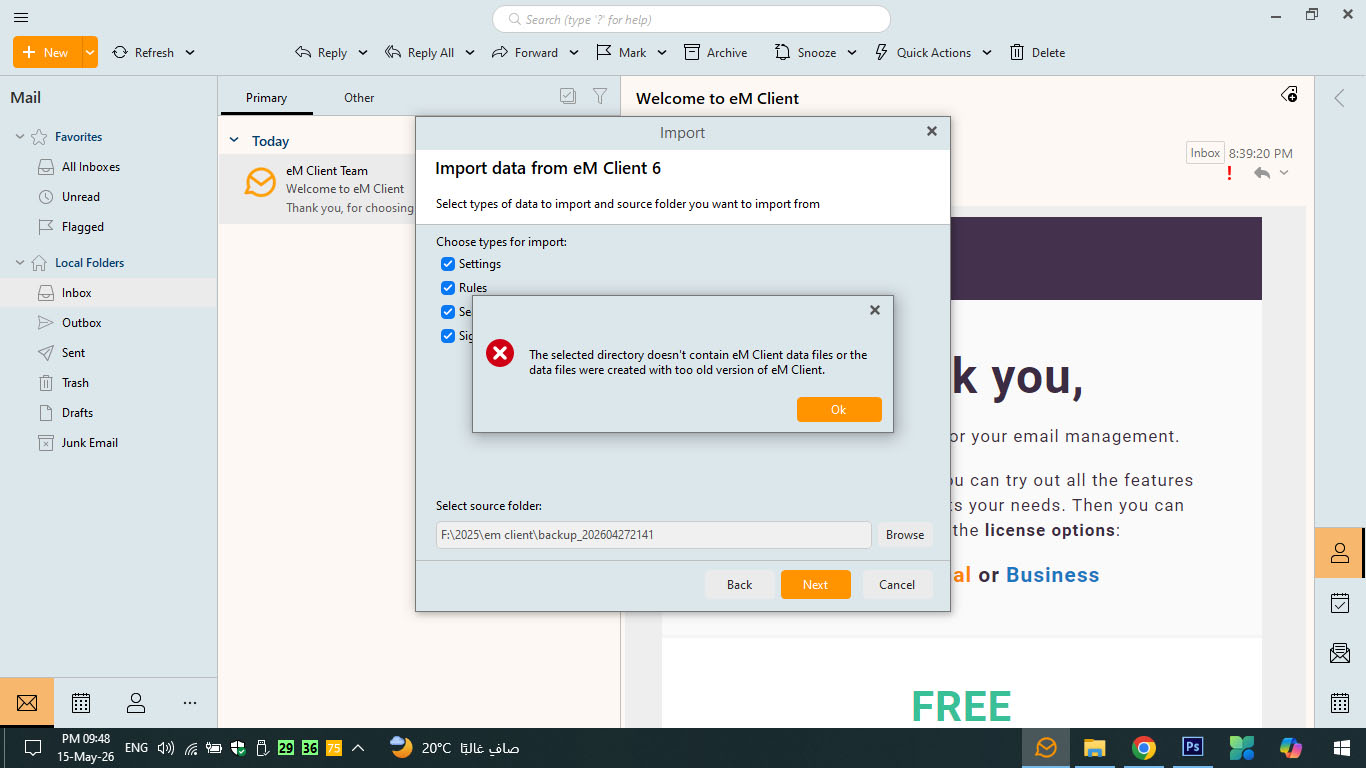
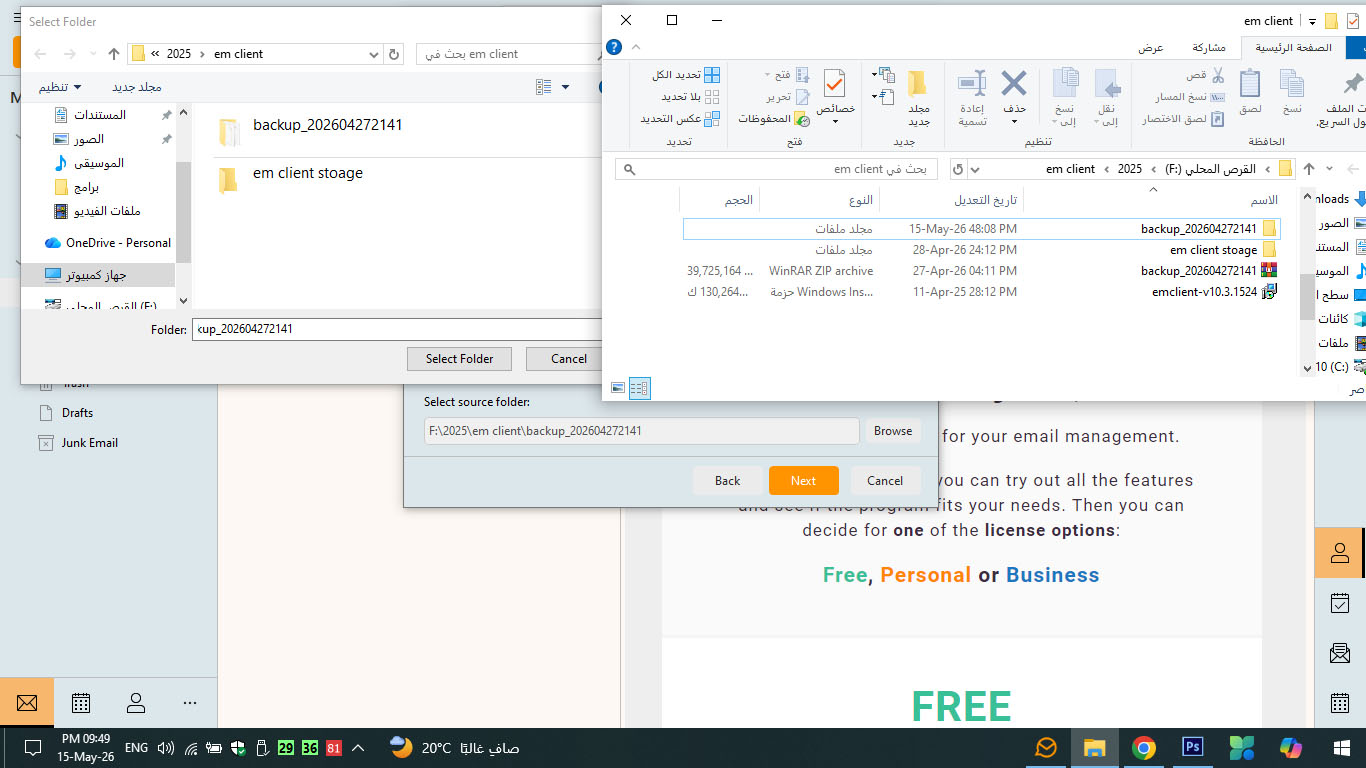
Ok so it appears from your first screenshot you are trying to restore an eM Client backup.zip file “using the “Menu \ File \ Import” option rather than the backup restore option.
So go to “Menu \ File \ Restore and “open the backup.zip file” in your F:\2025\em client\backup location which should then restore.
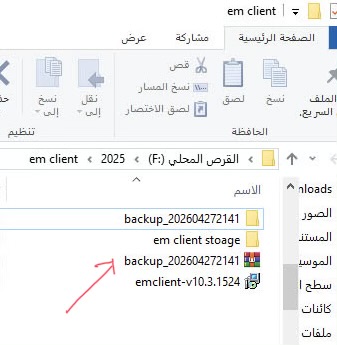
If you have already tried the backup restore option, then “you may have the wrong version of eM Client installed” compared to when you backed up eM Client, or “there could possibly be something wrong with your backup.zip file” so then the backup.zip file won’t restore.