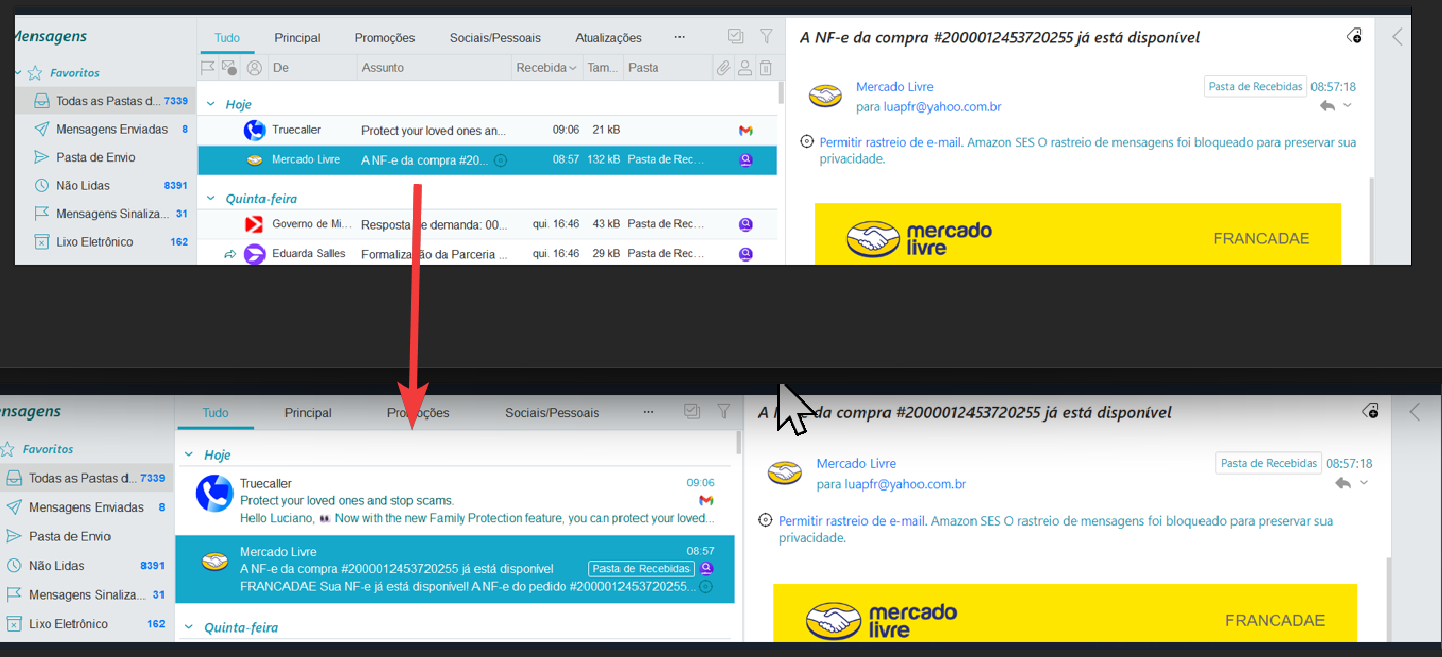
How can I increase the message width while still keeping it on two lines?
See the two attached images to understand.
In other words, even when increasing the width of the message list, I want the messages to always remain on two lines.
How can I increase the message width while still keeping it on two lines?
See the two attached images to understand.
In other words, even when increasing the width of the message list, I want the messages to always remain on two lines.
when increasing the width of the message list, I want the messages to always remain on two lines.
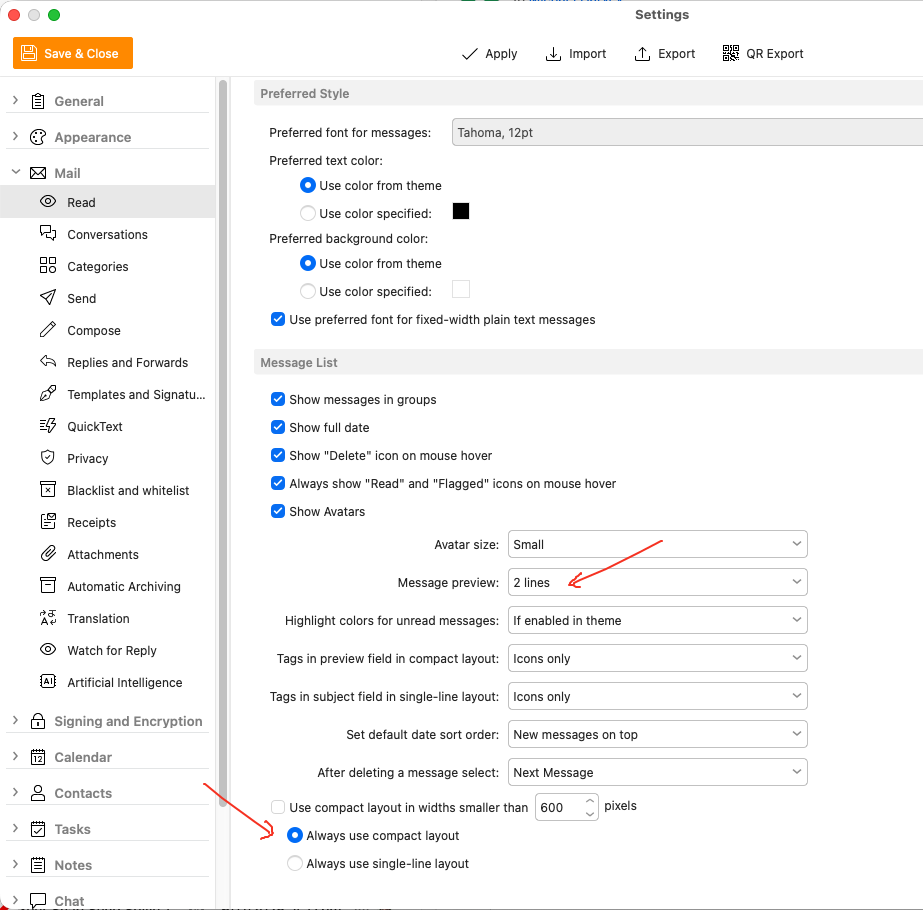
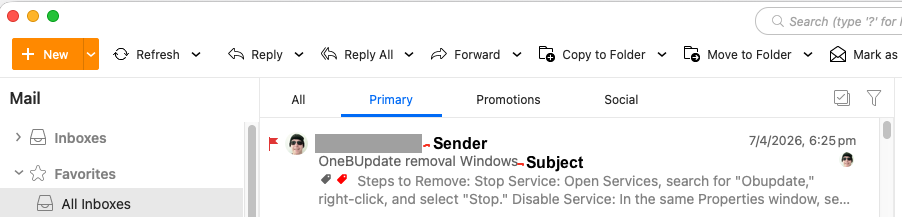
Go to “Menu / Settings / Mail / Read” and set the Message Preview to 2 line" and select “Always use compact layout”, which will then (apart from showing the Sender & Subject) only show 2 lines of the subject no matter how wide the width as in the example settings and mail screenshot below.