How to get a message to fit in the View Pane?
Can you do an example screenshot of the problem. Blank out anything personal.
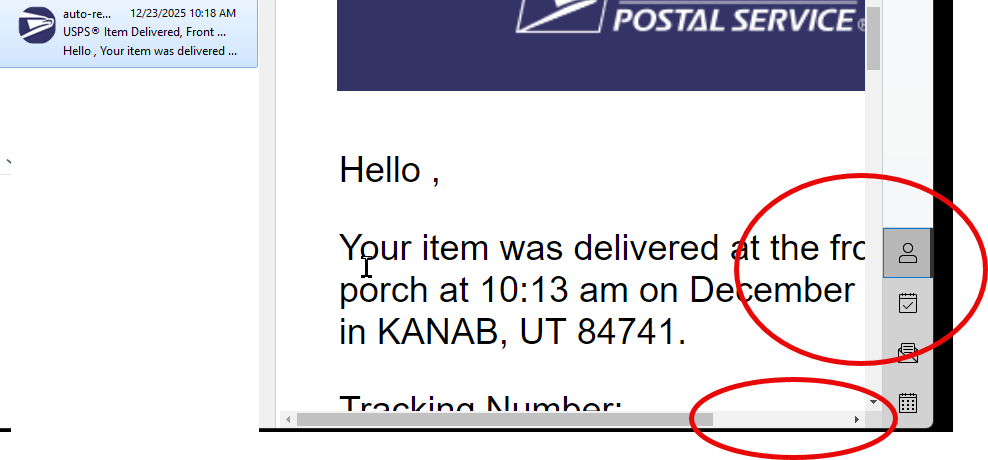
If that’s only just happened and was previously ok, then “Right click in the body of the email", and then select “Zoom / Original.
You can also click in the email body and then press “Ctrl & + or - keys” to zoom an email in or out for PC, or press the “Command & + or - keys” to zoom an email in or out on Mac.
To reset the Zoom you can press Ctrl + 0 key on PC or press Command & Option + 0 key on Mac
You can also click in the body of the email, and then press the “Ctrl key & use the Scroll wheel” up and down to zoom an email in or out on PC, or press the “Option key & use the Scroll wheel” up and down to zoom an email in or out on Mac.
.
If none of the above works, then “check your OS Resolution”, where it might have changed to a eg: Lower resolution or you might have changed the eg: OS desktop scaling from the normal 100%
Thank you.