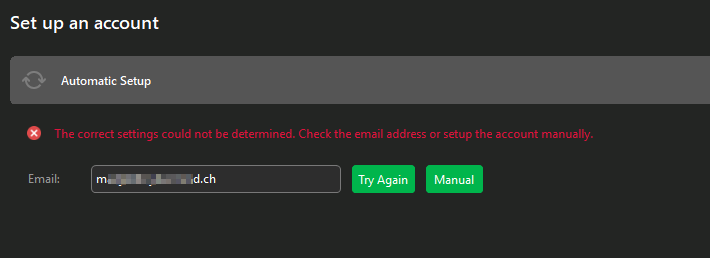
Hello emClient Team,
I’m facing some issues to have emClient autodiscover settings for a mailbox hosted on a SmarterMail server (user with EWS enabled).
When it is doing the initial lookup, it returns an error:
What is strange is:
- If I disable EWS for this account, autodiscover will work (fallback to IMAP/SMTP/DAV config)
- Setting up this account in emClient with EWS enabled used to work like a breeze earlier this year
I found nothing relevant on server side autodiscover logs.
Is there a way to enable DEBUG log on emClient for the autodiscover process to try to figure out what is going on ?
Thanks a lot for the feedback!
I’m facing some issues to have emClient autodiscover settings for a mailbox hosted on a SmarterMail server (user with EWS enabled.
That’s strange as SmarterMail is supported on automatic account wizard as per this eM Client setup link. https://www.emclient.com/em-with-smartermail-server
We don’t have any debug info on this free community forum how to diagnose and fix the automatic discovery problem with Smarter mail.
So reccomend if you have a current active paid Pro, Personal or Business version go to the VIP support page and login and lodge a support ticket for assistance with that.
If you have run out of your 12 months support time you can get another year support extension via the following webpage. https://www.emclient.com/extend-support
Hello Cyberzork,
Actually I found it was due to emClient trying to lookup my domain autodiscover settings from o365 (althought I never used the domain on o365 infrastructure…) and this was preventing autodiscover to work correctly with an EWS enabled account.
I added
127.0.0.1 autodiscover.outlook.com outlook.office365.com
To my hosts file and now autodiscover works again like a charm.
It would still be interresting to know what emClient is asking to outlook.office365.com and what is answered, and why it prevents autodiscover process to succeed.
1 Like