How to change the font size in differet part og eM Client

The text pointed by the blue arrow, is to small. I am able to change the fonts on all the other parts, but this is constant too small for my old eyes (76). Have you an idea?
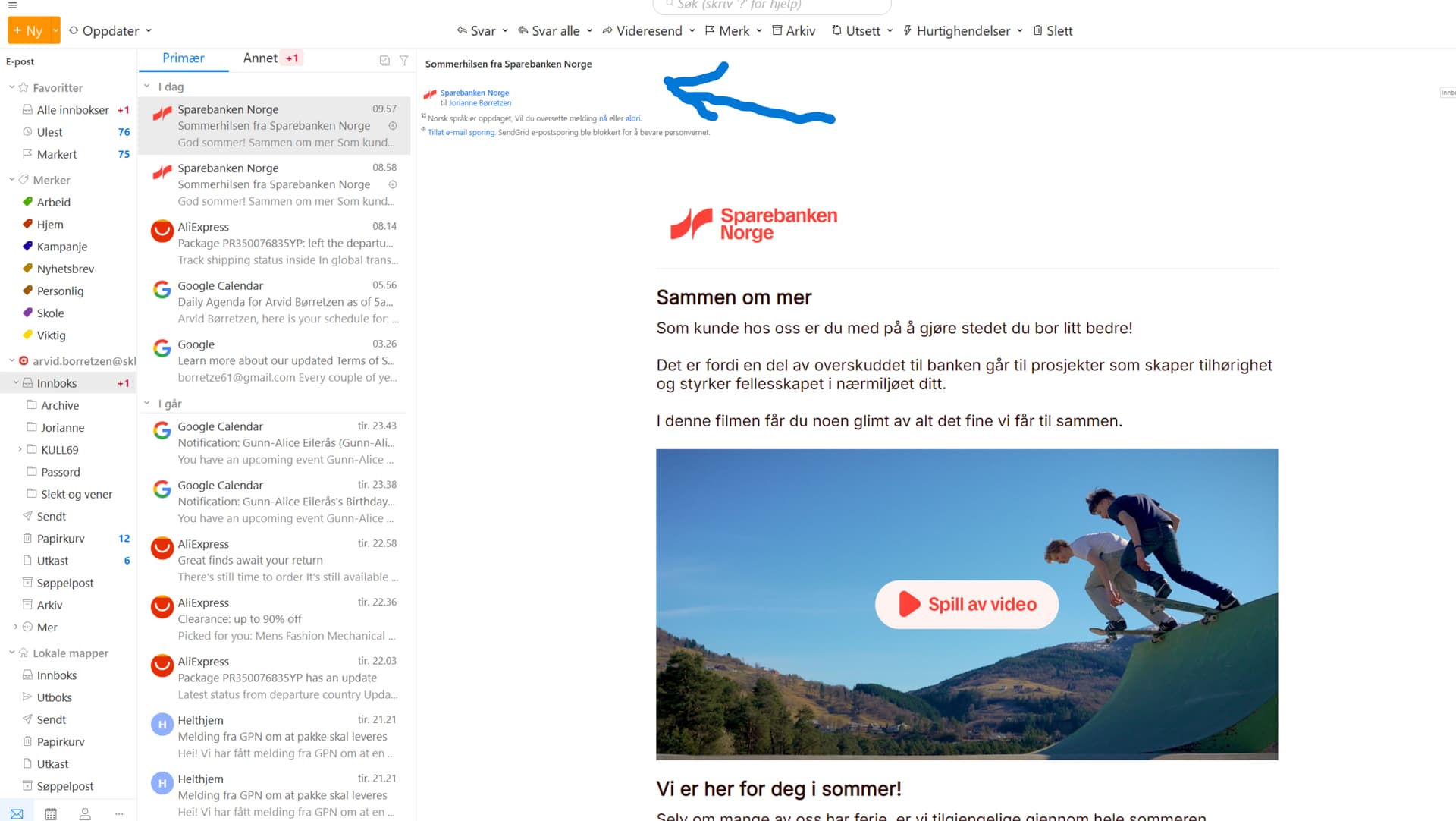
Thank you for providing the screenshot.

While the general size of user interface elements is typically controlled by your operating system’s scaling settings, looking at your screenshot, that subject line text is indeed unusually small compared to the rest of the interface.

To help us investigate why this specific text is scaling incorrectly, could you please share a few details about your setup?

It would be very helpful to know your display resolution and scale settings. On Windows, you can find this under Settings > System > Display and increase the scale percentage. Or on Mac, under System Settings > Displays, select a larger text resolution.

Please also let us know if you are using a single monitor or multiple displays. Lastly, please tell us which version of eM Client you are currently running (found under Menu > Help > About on Windows or eM Client > About eM Client on Mac) and which operating system version you have installed.

Once we have these details, we can look further into what might be causing the font display issue in that section.