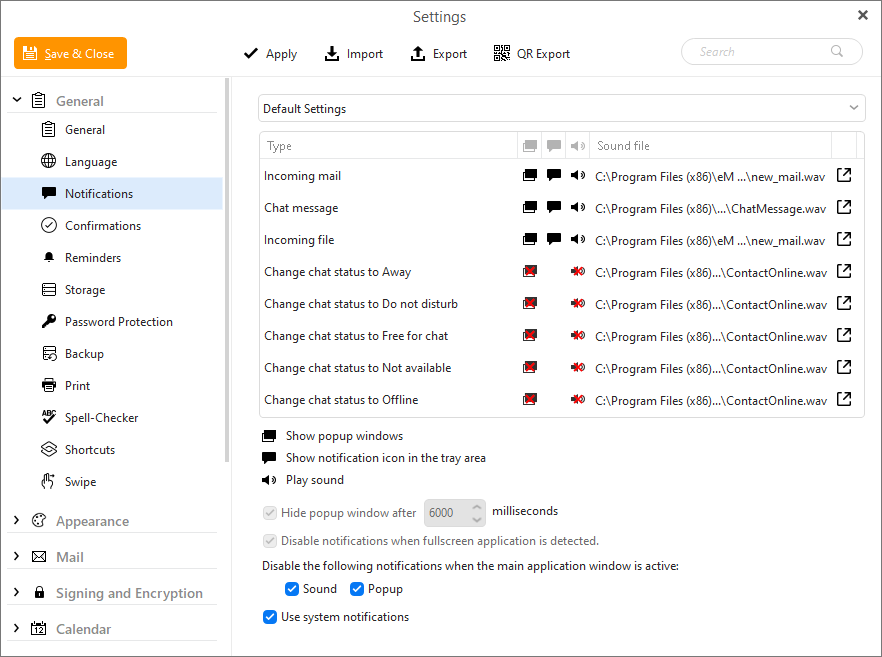
Click “eM Client / Preferences (Settings) / General / Notifications”. Then click the speaker icon next to “Incoming” etc to disable sounds as per the eM Client Documentation link below.
(eM Client windows example below)
Click “eM Client / Preferences (Settings) / General / Notifications”. Then click the speaker icon next to “Incoming” etc to disable sounds as per the eM Client Documentation link below.
(eM Client windows example below)