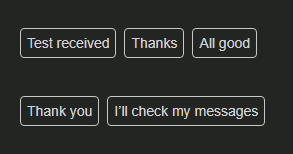
I did set up a new Profile in eM Client V11.0.282 today and noted that some mails have text boxes under the text written in received mails.
I don´t know if they always have been there, but wonder if there is a way to disable them?
I did set up a new Profile in eM Client V11.0.282 today and noted that some mails have text boxes under the text written in received mails.
I don´t know if they always have been there, but wonder if there is a way to disable them?
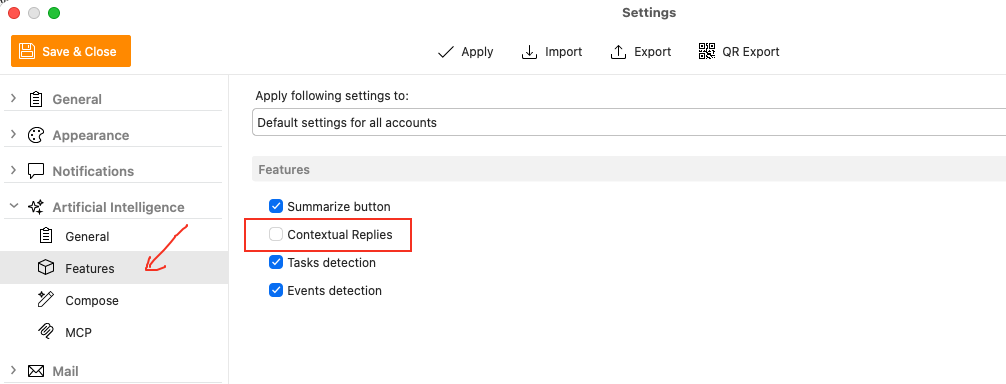
Thats the “Contextual Replies” enabled in AI which if you don’t want them go to “Menu / Settings / AI / Features” and disable Contextual Replies checkbox and Save & Close.
Yes, that did the trick! Thank you! 
I did un-check Enable Artificial intelligence to get rid of everything AI.