I’ve looked around the documentation and I can’t find an answer. Isn’t there a way where I can list all the emails marked with a specific tag?
If not, what are the tags for?
Thanks.
I’ve looked around the documentation and I can’t find an answer. Isn’t there a way where I can list all the emails marked with a specific tag?
If not, what are the tags for?
Thanks.
Hi Kathleen,
Yes, if you go into eM Client’s “Preferences” (macOS version) and then choose: General → Folders → Show Folders → “Tags in Mail,” ticking that option will ensure your tags appear on the left hand side, amongst your folder list. You can click on each tag name to see all messages with the relevant tag.
Under the “Tools” menu, you can choose “Tags” and change the number and the names of tag, their colors, and so on.
Different users will have different ways of working. I sort my old E-mails into folders by year, rather than person or topic as many people do, because each message could have several key topics for categorisation (senders, projects, importance, etc.) and so could have different choices for a folder to reside in. I then use tags as a way of further labelling important messages, such as by project, until I’ve dealt with them; then I un-tag them. A key difference between folders and tags is that a message can only reside in one folder, but can have multiple tags.
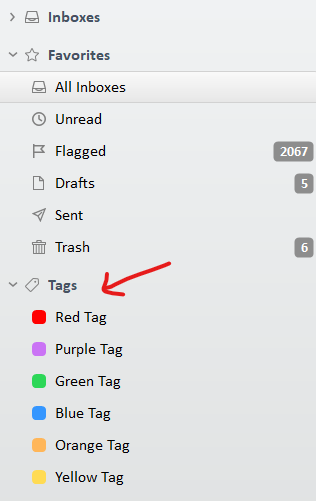
Example of where you see and click Tags in the folder list, “to find all your Tagged email” which shows “under Favourites on the left side” as @eMDash advised once they are enabled in Settings as in his V10 Settings example.
If you have V9 go to “Menu / Settings (Preferences) / General” and enable “Show Tag folders for Mail” and then save Settings.
(Desktop Tags folder list example)
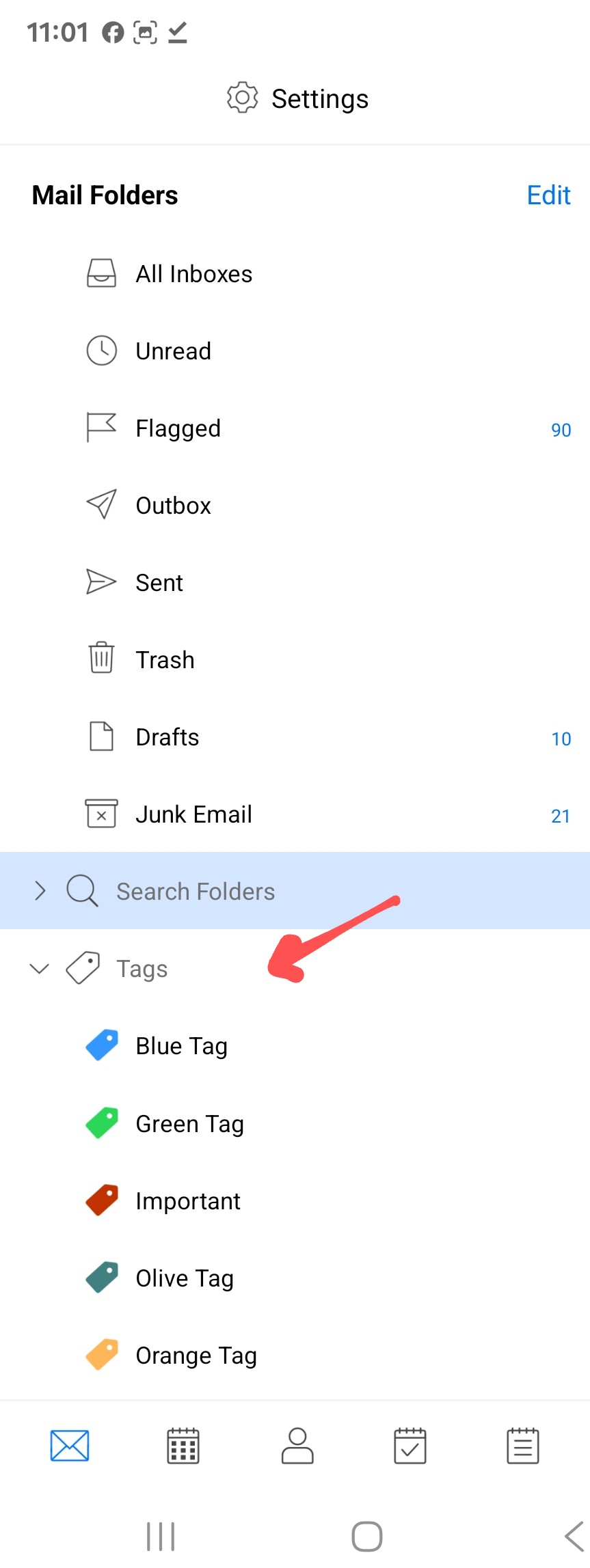
Also if you are using the eM Client mobile apps, to display tags in the folder list in the left side, press “Menu / Settings” at the top, and then press “Folders” under Preferences under your mail accounts, and then press “Show Tag folders”.
(Mobile Tags folder list example)
Thanks, all. Right now, I am seeing the tags show at the beginning of the Subject line.
But it sounds like there is no way to search for a tag and all the messages in all the folders with that tag will appear in a list. I thought it would work like anything you search for, but it looks like I was wrong. . . . right?
sounds like there is no way to search for a tag and all the messages in all the folders with that tag will appear in a list.
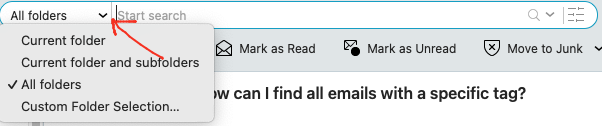
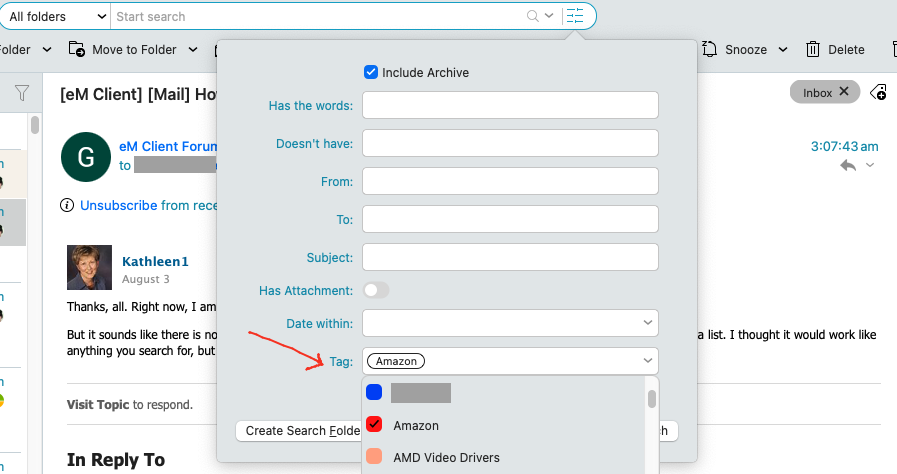
Yes click in the Search field at the top centre or top right depending on if you have V9 or V10 and then first select “All Folders” as in the below V10 example.
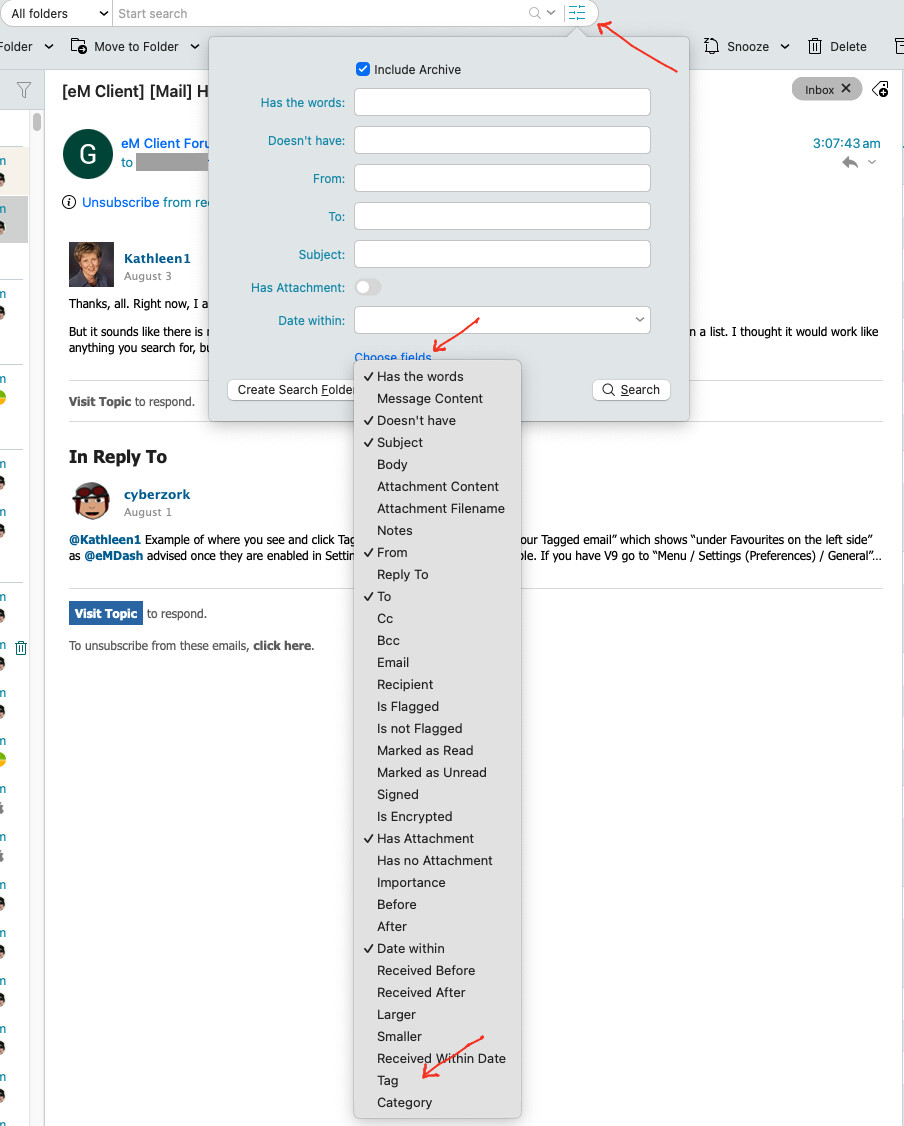
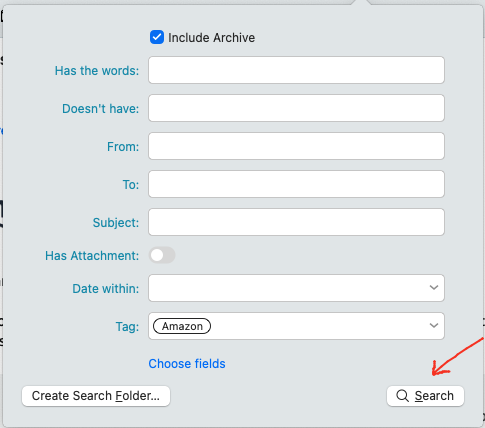
Then click the “Advanced Search” on the far right of the search field and then click “Choose Fields” at the bottom and select “Tag” near the bottom of the dropdown that appears.
Then either click “Search” to display all those in a list, or you can click “Search Folders” if you want to make a permanent list of those Tagged emails which then appear on the left hand side of eM Client “Above Tags”
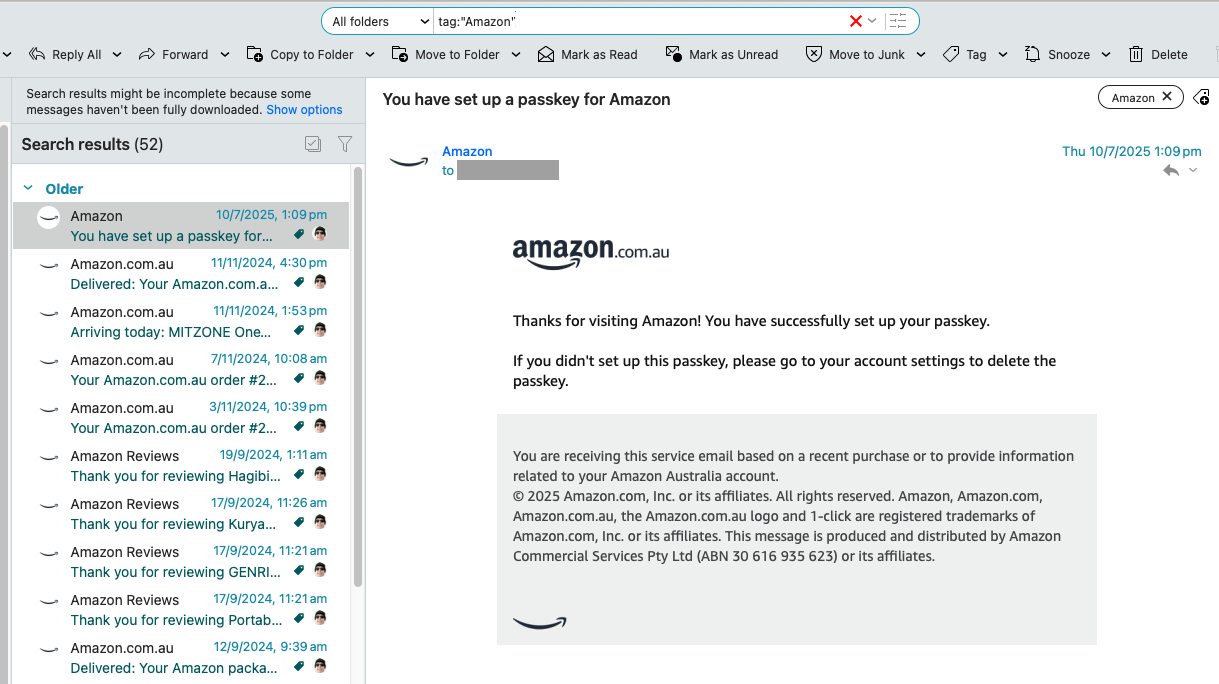
You could also just select “All Folders” and type eg: tag:“Amazon” in the Search field.

See also eM Client documentation on Search and Search Folders for full documentation.
“eM Client Search Documentation”
https://www.emclient.com/webdocumentation/en/10.0/emclient/default.htm#Getting%20Started/Search.htm
“eM Client Search Folder Documentation”
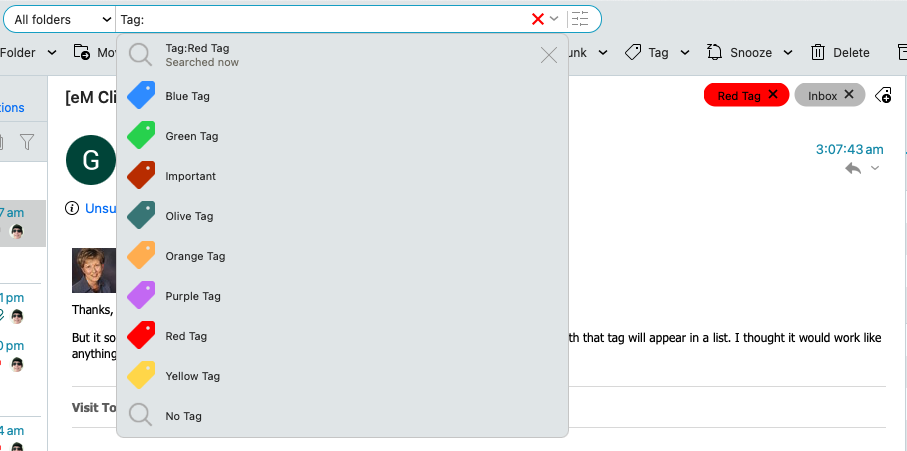
You can also search All Folders for Local Tags via the Search Field by again selecting “All Folders” and then type Tag: and then click on the Local Tag as in the V10 example below.
Or you could just type in eg: Tag:Red Tag in the Search field to just bring up a specific Tag list as in the below screenshot.

cyberzork - you are a wizard! I hadn’t thought to look for search help, and there’s no mention of locating tags in the tag help.
You’ve made my day! Thanks again. Kathleen