Eventually I removed and added the account and I entered the imap and smtp servers manually. This has solved the issue, but the account is mail only with no contacts or calendar.
If you had to manually add the IMAP account then you will need to first “go into your GMX account online” and get the CalDAV URL and CardDAV URL and also add then manually into eM Client. If you carnt find the URLs then contact GMX technical support via ph or email.
Then once you have the URLs, go back to “Menu / Accounts” and click “Add Account / Calendar” and select CalDAV” and also click “Add Account / Contacts” and select CardDAV and follow the prompts on the manual wizard for both as per the follow documentation & example screenshots.
“Creating a New Account documentation”
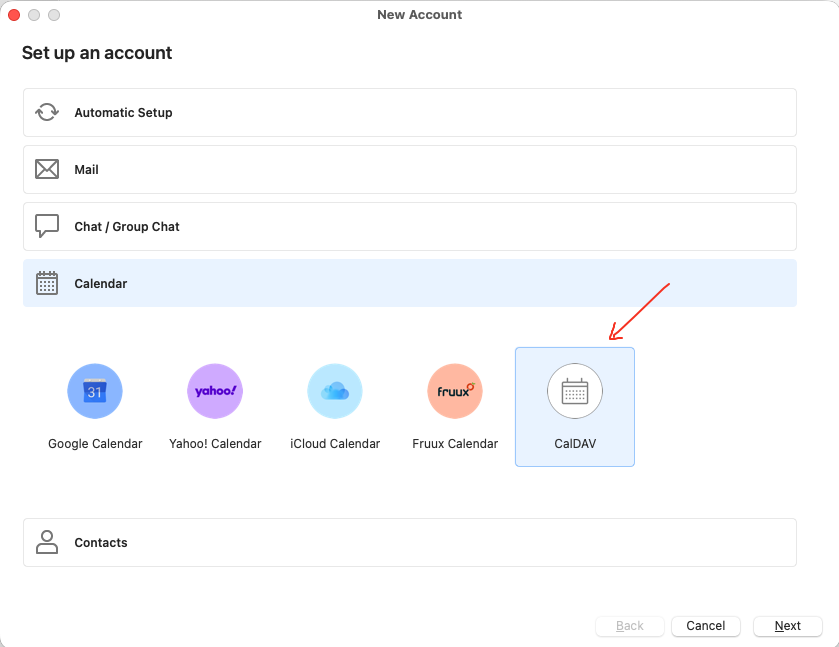
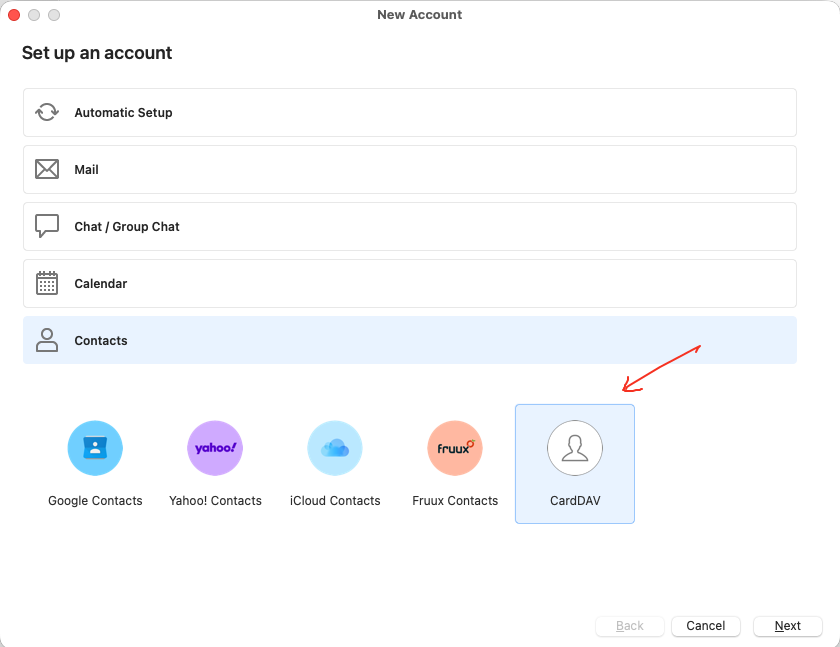
You can try manually adding these GMX CalDAV and CardDAV urls with your GMX login details and see if they work as per @Gary posted in the following thread.
https://forum.emclient.com/t/gmx-web-de-caldav-probleme/49604/2
When setting up an account with GMX.com or web.de using the Automatic Setup, both the CalDAV and CardDAV will be added automatically.
If you want to add it manually, the urls are:
GMX.com
CalDAV: https://calendar.gmx.com/begenda/dav/users/
CardDAV: https://carddav.gmx.com/.well-known/carddav/
web.de
CalDAV: https://kalender.web.de/begenda/dav/users/
CardDAV: https://carddav.web.de/.well-known/carddav/
I’m not a paid user because I’m still evaluating the software.
You can email [email protected] for initial assistance inside your 30 day trial.