Gmail assigns a tag “Inbox” to mail in the Inbox and the color is gray that shows up black for the subject/sender in emClient Desktop on Macbook.Inbox. However when I go to All Mail in emClient the subject/sender is in a light gray if it’s been archived. It still has the Inbox tag and in any emails in the Inbox are still showing black text. Why would the two be different when the Inbox tag is still assigned?
Also, any way to make the light gray regular black when in the All Mail folder and/or change the tag color of Gmail’s “Inbox”?
I don’t see black in Sender / Subject for the Inbox on the Gmail Tag colour using the latest V10.4.4293 for Mac. I only see the Gmail grey Inbox Tag in the Body of the email at the top right and also the same grey Inbox tag in All Mail.
Can you screenshot where you see the Black Inbox Tag on the Sender / Subject and All Mail, and what version of eM Client you have. Also what Theme you are using.
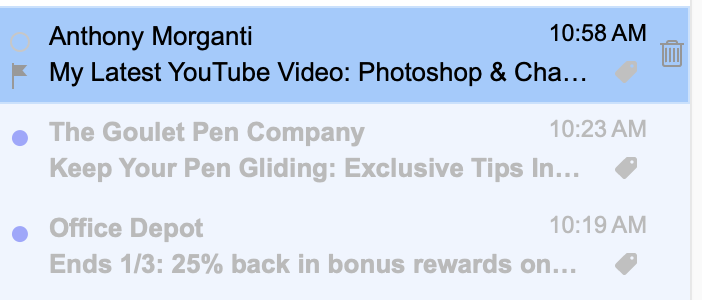
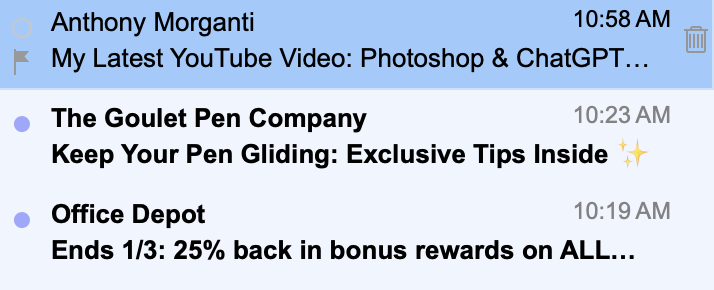
Attached are two screen shots of the same emails. One is as shown in Inbox and the other is the same emails as shown in All Mail. All are unread.
When I archive an email that’s in the Inbox after reading it shows up in All Mail and while it was in the Inbox the color was black but when looking at same in All Mail the color is light gray.
The first in the All Mail screenshot does appear black but that’s because that was the first message selected for screenshot. The tag color is the same gray in the actual email pane.
In your first screenshot I see the Inbox Tag colour grey “on the far right of the messages”, and your Unread “Black sender name and Black subject” but no black Tag in the first screenshot at all ?
In the second screenshot I see No Tag at all “as it’s in the Archive folder” which is correct. So where exactly is the Black Tag located in your first screenshot ? Can you draw an arrow pointing to it.
The black I’m referring to is the text itself, not the tag. Notice the “The Goulet Pen Company” in the first screenshot from the “All Mail” is a pale gray and the same header is black in the second screenshot from Inbox. I’m wondering why the sender and subject line turn gray when it’s archived and the “inbox” tag is removed. I have the emClient settings to have the subject and sender the same color as the tag. It seems to me that the text should default to black if there is no tag. This may be a gmail thing but I’m wondering if anyone has found a way to let those without a tag be black text.
The black I’m referring to is the text itself, not the tag
Ok as your post thread heading was Gmail Inbox Tag colour so is not to do with the tag colour.
I’m wondering why the sender and subject line turns grey when it’s archived, and the “inbox” tag is removed
That just looks like to me that eg: “the message has been read” and so changes the sender name and subject to light text (non bold) as normal depending on if you have the Settings still set to read messages after x seconds by default.
Also the tag removes “because it’s Archived” which is normal, as the message is no longer in a Gmail label, as per how Gmail All Mail folder works. If you drag / move it back to the Inbox or any other Gmail Label (folder) it will add the tag to the message again.
What’s is unusual though, is that in your second / bottom screenshot with “No Gmail tags on the far right” that looks like your All Mail folder, but the Sender and Subject is still black text “where it should actually be light grey” if the message has already been read. So something peculiar there.
I have the emClient settings to have the subject and sender the same color as the tag.
Can you screenshot what you have modified in the Settings for that,
Also what Theme are you using ? and has the theme been modified from the default ?
Thank you. I’ll have to send screenshot and theme info a little later but want to also say that when I look at an unread email in Unread the gmail subject/sender is light gray although still in Inbox. I’m thinking this is a weird (in my opinion) activity that’s gmail itself and not emClient although you may see something I don’t when I send you that info. Thank you for pursuing this though.
when I look at an unread email in Unread the gmail subject/sender is light gray although still in Inbox.
If the subject / sender text is light grey in the unread folder, that just usually means “the email has been read by you clicking on it” & turns grey after a few secs as per the default settings.
Then “when you click to another folder and back to the Unread Global folder” that email will then dissapear, and then only show in the Account Inbox as light grey text and no longer in Unread.
However if all the Unread email subject / sender text is light grey “without you clicking on any of them”, then you probably have a Theme issue where the Unread email subject / sender “should be bold by default” till you have clicked / read it.
So would then need to know “what Theme you are using” and “if has been modified or not”.
Also “what version of eM Client” you are using, and “if you have Windows or Mac” and OS ver.
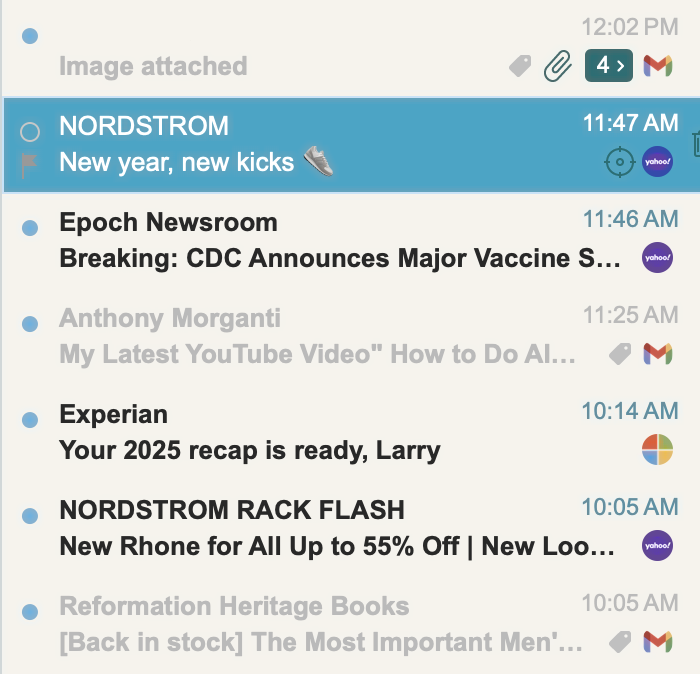
I’m using Artic theme but also just tried Light and Industry and the display is the same. I’ve attached a screenshot of Unread and you can see that the gmail accounts are light gray and other accounts are black. All are unread.
My original theory was the light gray was because Gmail assigned a grey label to Inbox but now see that’s not the case.
I’ve attached a screenshot of Unread and you can see that the gmail accounts are light gray and other accounts are black. All are unread.
I’m using Artic theme but also just tried Light and Industry and the display is the same.
If that screenshot is from the “Unread global folder” using any of those Themes, that’s very strange Gmail messages are showing automatically as non bold (light grey). I’ve personally never seen that ever with any version of eM Client “unless they have been clicked”.
If you are in eg: All Inboxes and those Gmail email subject and sender text “are already light grey and you haven’t clicked on them to read them”, then that normally means eg: another device (computer or mobile or tablet) configured with the same account “has already read those emails” at the server end so will then automatically show / display as light grey text instead of bold.
Note:- If you have no other devices configured with the same Gmail account and your Gmail messages are allways automatically showing as read (light grey) text in your Inbox or Inboxes, then i would eg: reset your online Gmail password incase some other party has access to your mailbox.
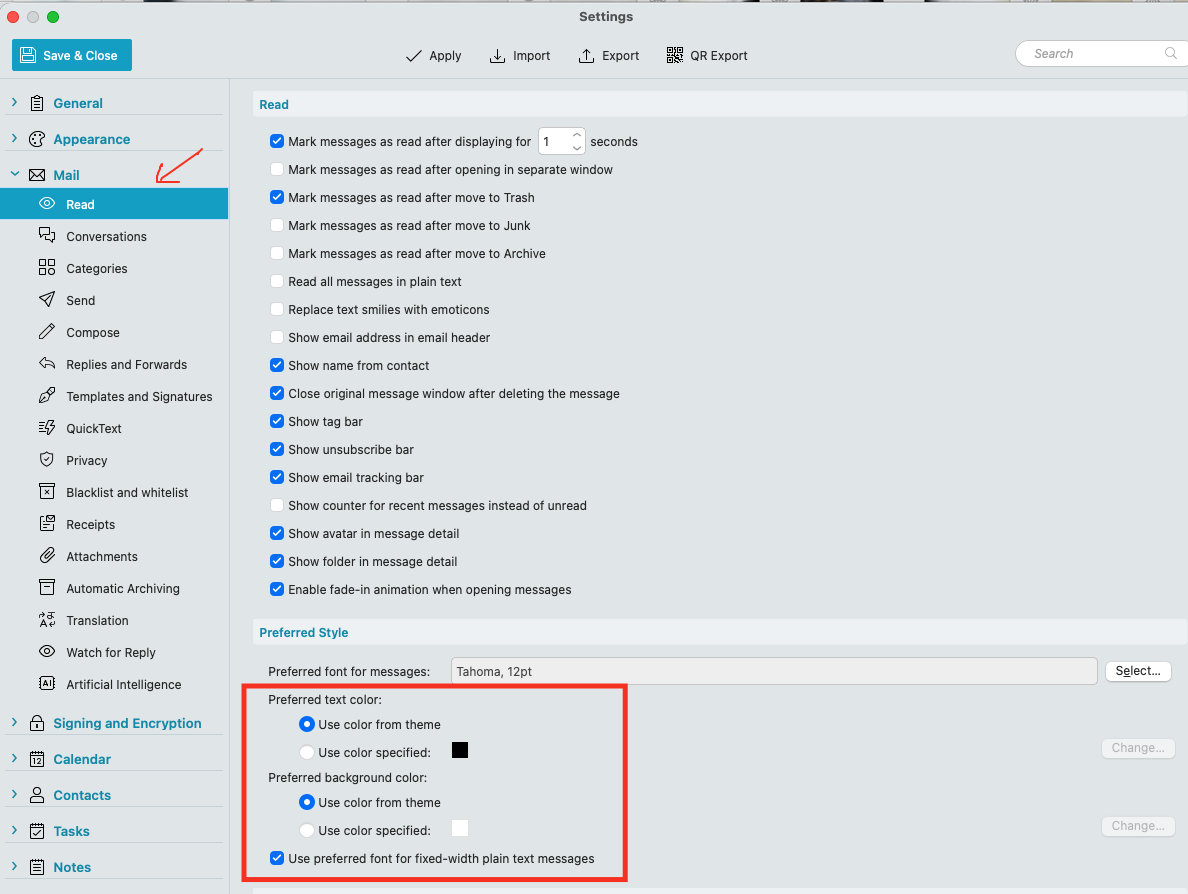
Also go to “Menu / Settings (Preferences) / Mail / Read” and dbl-check that you have the default Preferred Theme Settings as in the example screenshot below incase thats changed.
Thank you. I hadn’t thought about other devices with gmail account. Certainly could be a factor. I’ll check on the settings you suggest. Thank you again.
The reason is the behavior we designed for Gmail labels in our app.
We hide the “current” label of the folder/label you are in so that you can more easily see any other assigned label (since there can be numerous ones).
If you are in Inbox, it’s assumed you probably don’t need to see the Inbox tag itself, seeing as if the messages did NOT have Inbox tag, it would not be shown in this folder at all.
So if you then have other labels assigned (custom labels with different names and colors) it would be easier to see those.
So if you are in Inbox, all messages with only Inbox label are shown as having no tag.
If you were in Sent, the same would be for messages with Sent label.
In Drafts, the same for Drafts, etc.
In All Mail you see all the tags/labels because that is the only real folder (so it does not have a corresponding tag/label All Mail - it’s just a real folder/location).
We have released a blog last year on how All Mail and Gmail labels work in general and how it’s translated to eM Client, perhaps you’ll find it useful: