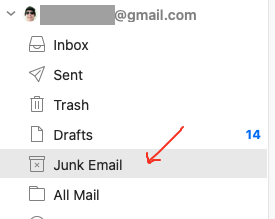
I can’t get the gmail spam to properly map to junk. All of the other folders auto-populate in imap to the proper folder but the junk (em Client) and Spam folders don’t sync
The Gmail online Spam folder syncs to the Junk Email folder in eM Clent
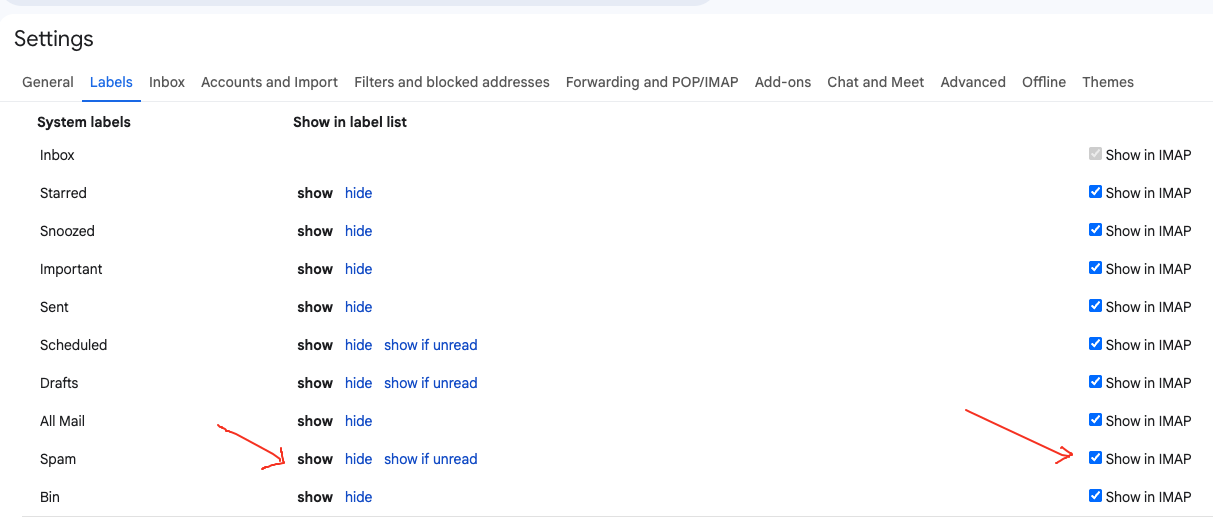
First Make sure in your Gmail online account “Settings / All Settings / Labels” that you have enabled the “Spam” folder by clicking Show on the left, and also checked “Show in IMAP” on the far right as per the first screenshot below.
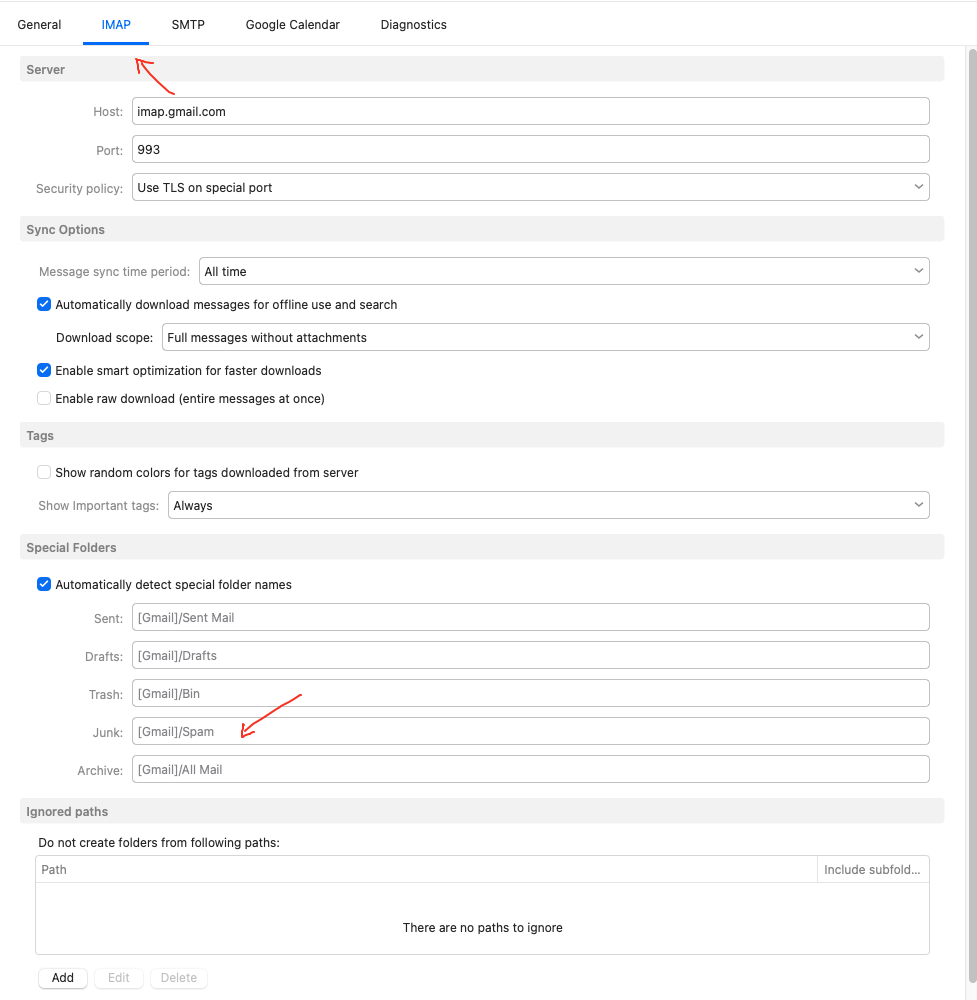
Also when you go to “Menu / Accounts” in eM Client and click on your Gmail “IMAP” tab , check you have under “Special Folders” [Gmail]/Spam as in the second screenshot below. If it’s not, deselect automatically detect special folder names and correct it and save accounts.
If you already have the correct [Gmail]/Spam name in your IMAP setup, then suggest to go back to "Menu / Accounts and “remove and re-add your Gmail workspace account” via the automatic account wizard again as per the following link Email Client for Gmail and Google Apps | eM Client
Apart from removing and re-adding the account “if all your other Gmail folders / labels are synced ok” and you have an IMAP Gmail setup, you could alternatively “try repairing the Junk Email folder”, by right clicking on the Junk Email folder and click “Properties” at the bottom. Then click the “Repair” tab at the top and click Repair. That clears the local cache and re-syncs it with the server end. After the repair your emails will be slower to re-read till fully cached again. You can see where the synching is complete in Show Operations via the dropdown on the right of Refresh.
eM Client V10.4.5326 example
Re-adding it after showing in IMAP worked. Thanks for the help!