Good day,
Recently my university’s email account on my eM Client stopped synchronizing, and has a pop-up that asks for the user-name and password, I have been looking around the forums, and have applied the latest eM Client hotfix and updated windows, but still no luck. My university does not offer POP/IMAP/SMTP. The university seems to use Exchange or OWA.
When I try automatically adding the account, it gives me the “There was an error obtaining credentials via OAuth”. I don’t think this route ever really worked though.
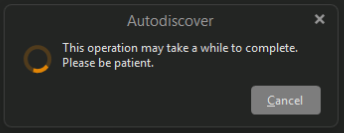
if I manually enter an exchange account, this pops up, and then goes away doing nothing.
But if I enter an actually wrong password, this will show below the account settings. It doesn’t appear if the password is correct
Is there any other things to try vice ensuring you have the Windows Update and the eM Client hotfix that was shown in the forum? My university’s email seems pretty locked down, so eM Client or outlook were the only two desktop apps I found that worked, so I would really like to find a fix to continue using eM Client
Thanks for your time!
cheers,
Tim
Details
EM Client 10.4.5298 (Personal License)
Windows 11 25H2 (with the KB5085516 / KB5086672 patch))
If your Exchange account suddenly came up with a invalid username and password and you haven’t changed anything in your account configuration then “first check with your university technical support staff” that their is no current mail server problems and that your mail account “is still active” incase its eg: deactivated for unknown reasons.
Also ask them have they changed any server login settings or server username / password details etc to login. Dblcheck the exchange url etc.
Also tell them you are using eM Client V10 “incase they are now possible blocking eM Client” as some university’s only allow specific clients so they possibly now eg: might have changed what they allow since you connected sometime ago.
if I manually enter an exchange account, this pops up, and then goes away doing nothing
If your university exchange account also won’t work with a manual setup and getting error obtaining credentials error as in your screenshot further up and your uni server doesn’t use an OAuth token to authenticate, then maybe they now require a eg: Two Factor Authentication login with a generated password instead of your normal password etc.
Thanks for the reply! I was told there was no changes on the university side, and my account works fine as I still use it on my phone, so seems like a Windows or EmClient issue. I guess I should submit a support ticket.
Yes if removing and readding your account again either automatically or manually won’t work and nothing has changed at your University end, then if you have a current active paid Pro, Personal or Business version go to the VIP support page and login and submit a support ticket for assistance.
I actually tried uninstalling EM Client completely, and install an older version that I knew worked (10.1.4588), and that allowed me to add my account, it still works after updating to the newest EM Client, so my problem is solved. Or it could just be that completely uninstalling EM Client fixed the issue.