Hi everybody,
We are using eM Client since middle of March this year and it is over all OK, but we are constantly observing a performance issue which i would lay out as follow:
Specs of our PCs are: 32 GB RAM DDR4 or higher, AMD Ryzen 7 or intel Core i5 / 7-12 thGen or higher, Storage device is NVME SSD;
LAN Connection : ca. 1000 Mbits/s both up & down stream ;
WLAN / WiFi Connection: several hundert Mbits/s both up /down stream; As you see, we have no bandwidth problem.
Problem: eM Client on some of employee’s PCs (i would say around 20 %) is getting lagging on everything from just starting the programm itself, opening an received/ sent Mails and even opening the window, loading signature etc. It takes ca. 80 seconds to start the eM Client itself and like 40 seconds to open a Mail or new Mail. This is ONLY with LAN connection, which is and must be the standard case in our offices;
On the contrary, if the LAN cable pluged out and switch to WLAN / WiFi, then eM Client runs automatically faster. If we switch the PC to LAN again, it runs same fast but after 2 or three days, approximately, it gose back to that slow & lagging performance again. This is very bothering …
Did you guys experience similar behaviour?
Any suggestion, hints would be very appreciated !
eM Client V9 / V10 for me personally opens exactly the same speed in aprox 3-4 secs whether on LAN hardwired or Wifi using eg: Win 10 / Win 11 or Mac OS 26.
So could be a eg: Faulty Switch / Hub on the Lan, Or a Firewall / Security program or VPN issue interferring on the Lan, Or possibly a corrupted mail account or a possible mail database issue.
So first if all the computers are going through the same switches / hubs on the LAN to get to the main modem / router, suggest to “power off all the switches / hubs” and “unplug all the network cables to those switches / hubs” for say a minute and then plug them all back in to clear out any possible connection issues through those devices.
Also suggest to “completely power off your modem / router” the computers are all connected to for eg: 2 minutes to make sure there is no IP / DNS / Gateway issues going to the computers.
Next if that makes no difference, then sometimes Lan slowness can be related to eg: optionally installed firewall / security programs, or optionally installed antivirus programs or vpns. So if you have anything like that installed “other than what comes default with your OS”, try completely disabling those to test incase of any interference.
If you have no optionally installed programs like that or you do but disabling made no difference, then suggest next if you have an IMAP, Exchange, Office 365 or iCloud accounts go to “Menu / Accounts” and remove and re-add those accounts and see if that fixes it.
Next if removing and re-adding the account makes no differance, then i would suggest to test a new database. To create a new database, “close eM Client” and then “rename the following hidden database folder” to eg: eM Client-Current and then reopen eM Client and setup as new.
If a new database works, then “make a manual backup” of eM Client via “Menu / Backup”. You can see when thats completed in Show Operations via the dropdown on the right of Refresh.
Then if you need to restore any data from your original database, see the following blog page on “Partial Restore in Offline mode” part way down the following page.
If a new database doesn’t work, then “close eM Client again” and “delete the new eM Client database folder”, and rename your original database folder back to eM Client and reopen eM Client.
Lastly if none of the above makes any difference, then might be to do with your eM Client version or OS in someway. So next update what OS you have ,and what version of eM Client you have.
Notwithstanding all that @cyberzork has said and you should action
to see if this helps your issue.
How may PC’s do you have sharing your WAN via LAN and or WiFi?
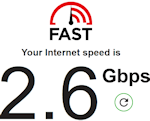
I suggest you run a Speed test to determine your actual connection
speed, this is the WAN speed I get at the Router:
"It may be that you are expecting too much performance at your stated connection
speeds. I am also surprised that you achieve similar up & down speeds "
I do not doubt that you have a stable connection but that is not the issue, it is
what you can do with what you have.
I agree with @cyberzork & @skybat and also note that you have not said how
many PC’s you have on your network, this is important as this will affect your
available bandwidth and speed because what you have is finite and has to be shared.
Unless you have a symmetric connection from your ISP you cannot get an equal
up and download connection that you state of 1000mbps.
Do you use a asymmetric or symmetric connection?
What is your ISP contracted connection speed?
What is the rating of your Router WAN port?
What is the rating of your PC’s LAN port?
Checking your bandwidth shows how much data your internet connection can handle at once.
Here’s how you can check your internet’s bandwidth, depending on the device you’re using
and how many in use:
For PC (Windows)
Either open or search for “Task Manager”, then open it.
In Task Manager, click on the “Performance” tab.
On the left, select your active Wi-Fi or Ethernet connection.
Look at the “Send” and “Receive” rates under “Network.”
These show your current bandwidth usage in Mbps
I hope this will be useful as you attempt to resolve your issue.