I’m having an issue where the plain text emails I’m sending via eM Client are not showing up properly in other clients, like Fastmail and Outlook on my iPhone. The text wrapping on the right edge is jagged, like there are some hidden line breaks embedded in the message (see screenshots in the bottom half of this post).
When I view the “plain text” email source in eM Client, it looks like this, where it adds some weird =20 to the end of every line. If you make your browser window really narrow, you can see how this text doesn’t reflow but the second example from Fastmail does. What the heck is eM Client doing here? This is supposed to be plain text!
First paragraph. This is a test. This is a test. This is a test. This is=20
a test. This is a test. This is a test. This is a test. This is a test.=20
This is a test. This is a test. This is a test. This is a test. This is=20
a test. This is a test. End of paragraph.Second paragraph. This is a test. This is a test. This is a test. This=20
is a test. This is a test. This is a test. This is a test. This is a=20
test. This is a test. This is a test. End of paragraph.More text. More text. More text. More text. More text. More text. More=20
text. More text. More text. More text. More text. More text. More text.=20
More text. More text. More text. More text. More text. More text. More=20
text. More text. More text. More text. More text. More text. More text.=20
More text. More text. More text. More text. More text. More text. More=20
text. More text. More text. More text.End email.
If I send the exact same text using Fastmail, then view the source inside eM Client, it looks how I expect:
First paragraph. This is a test. This is a test. This is a test. This is a test. This is a test. This is a test. This is a test. This is a test. This is a test. This is a test. This is a test. This is a test. This is a test. This is a test. End of paragraph.
Second paragraph. This is a test. This is a test. This is a test. This is a test. This is a test. This is a test. This is a test. This is a test. This is a test. This is a test. End of paragraph.
More text. More text. More text. More text. More text. More text. More text. More text. More text. More text. More text. More text. More text. More text. More text. More text. More text. More text. More text. More text. More text. More text. More text. More text. More text. More text. More text. More text. More text. More text. More text. More text. More text. More text. More text. More text.
End email.
I believe that eM Client putting this =20 in the email is what is causing the text to not flow properly when viewed in other clients (I will note that viewing these two emails in eM Client they display exactly the same, but do not display the same when viewed in Outlook or Fastmail)
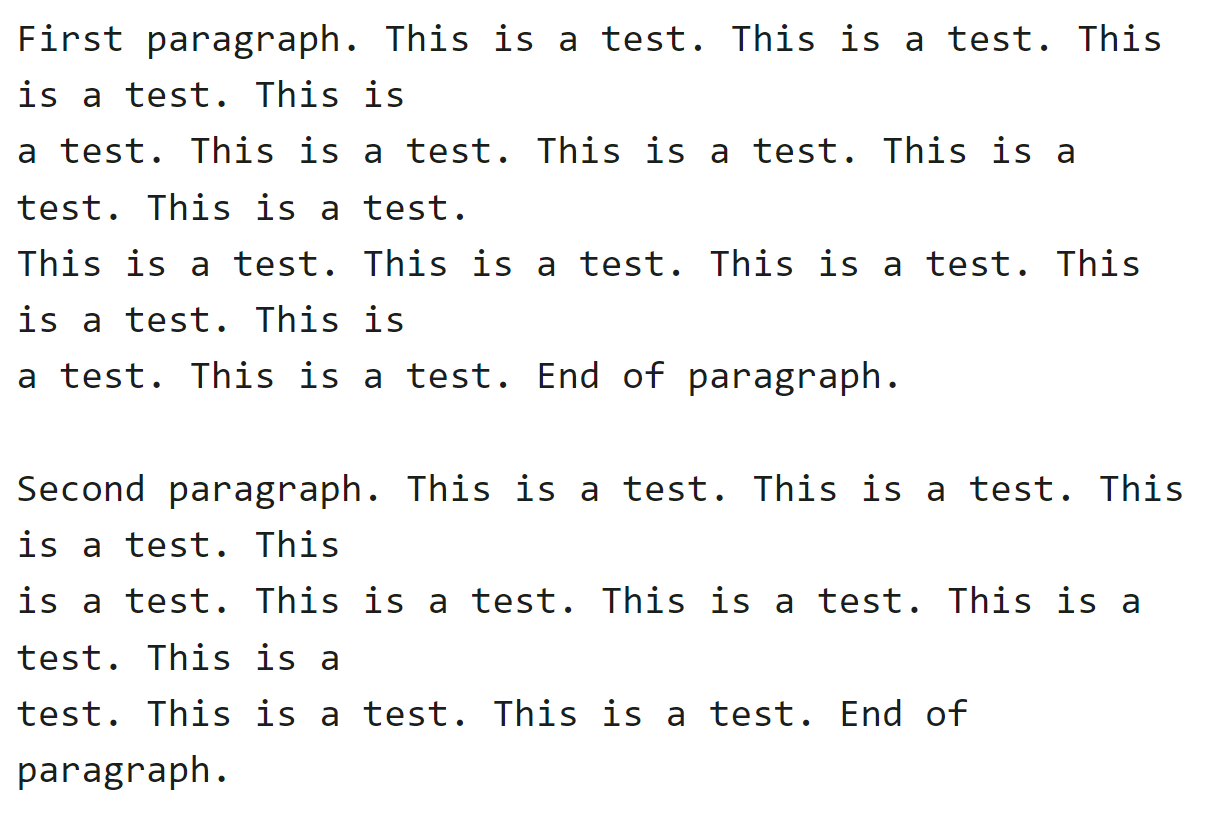
Here’s a screenshot of the email when composed and sent with eM Client, but viewed in Fastmail. And yes, it’s definitely set to plain text.
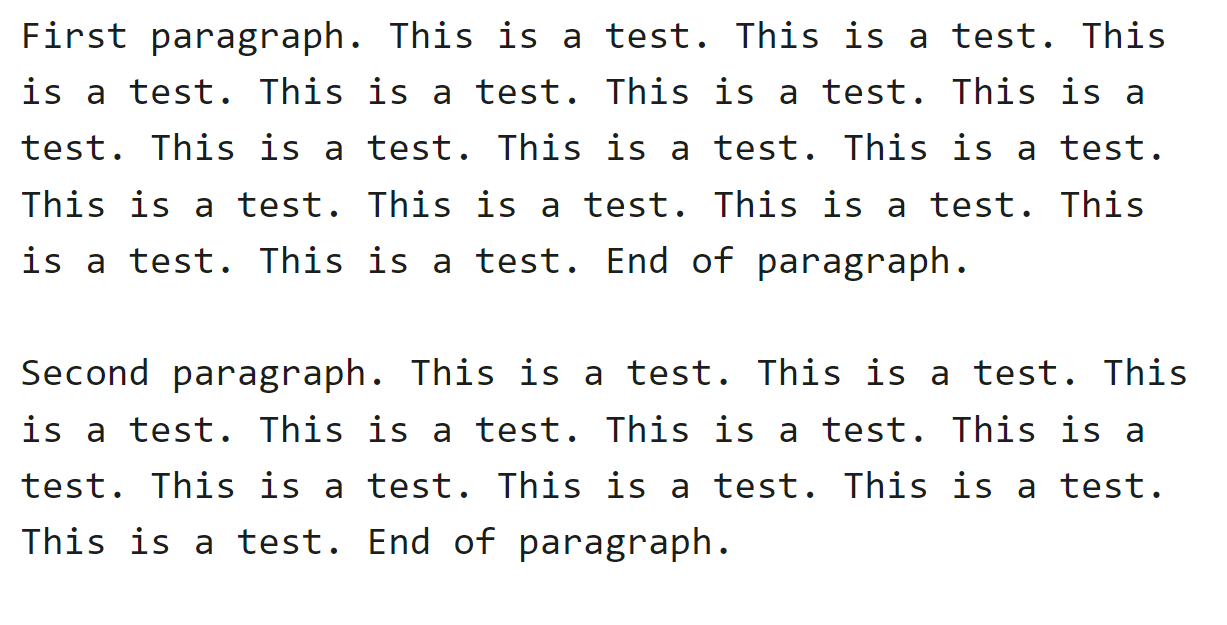
And here’s a screenshot of the exact same text composed and sent with Fastmail.
What is wrong with eM Client? I looked through the Settings and can’t find any toggle that would cause this. Seems like a bug that urgently needs to be fixed. Every time I send a plain text email with eM Client, the recipient probably thinks I’m some dope who doesn’t know how to compose emails (I’ve been using email since about 1993).
 It’s 95% of the way there, but the other 5% of problems and annoyances are just not worth dealing with. Appreciate the help though.